
nomacs

nomacs copied to clipboard
 nomacs
"File explorer" panel is not displayed correctly in frameless mode
Describe the bug When you open "File explorer" panel in frameless mode, this panel displayed incorrectly. The section of the panel containing the button "Browse" is completely transparent, because of this, elements such desktop icon or another image under this window are visible and this makes it impossible to use "File explorer" panel.
To Reproduce Steps to reproduce the behavior:
- Go to 'View -> Frameless'
- Click 'Right Click ->Panels->File explorer'
- File explorer displayed incorrectly
Expected behavior "File explorer" panel displayed correctly in frameless mode, section with button "Browse" is not transparent.
Screenshots
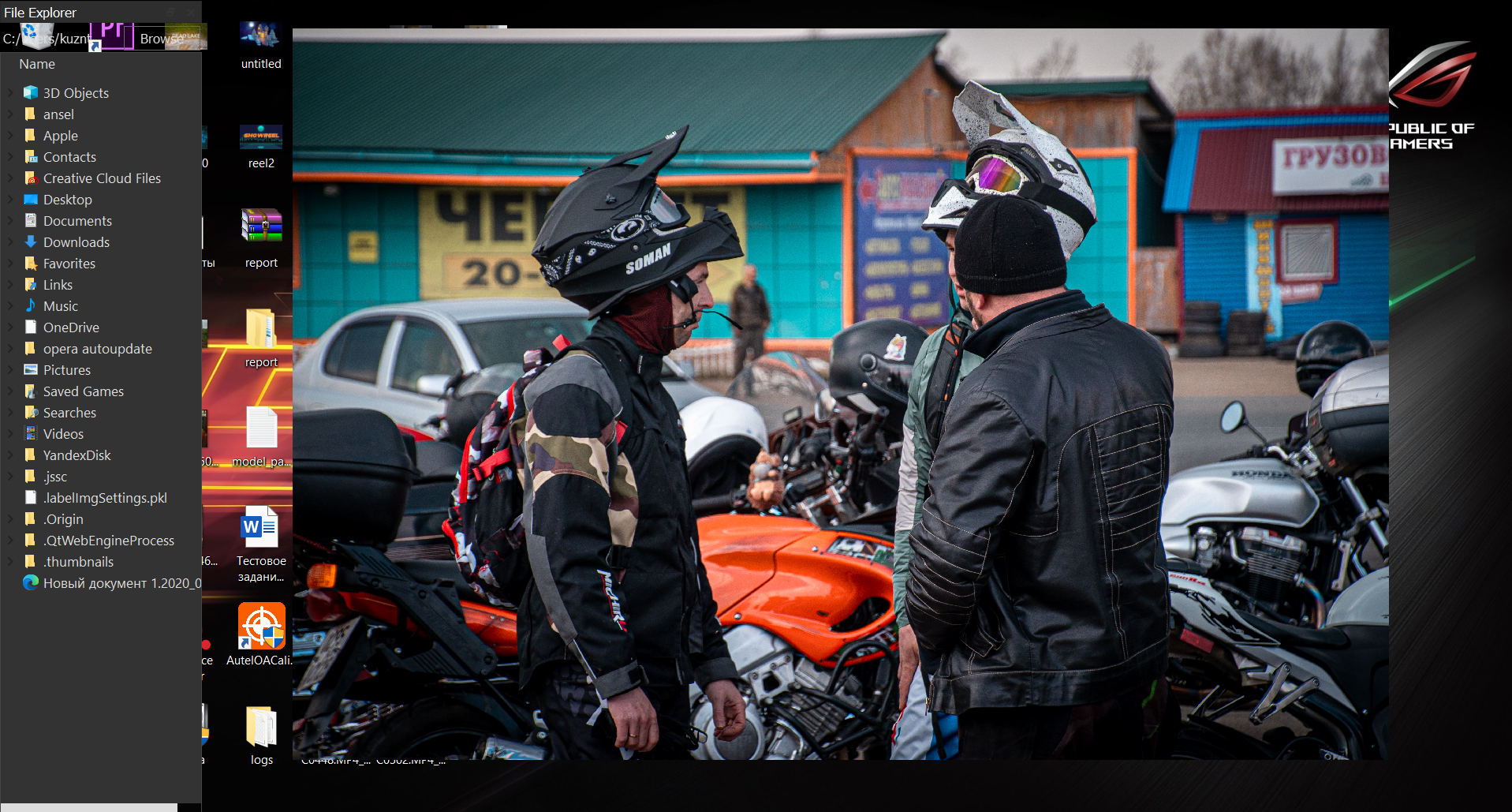
Desktop (please complete the following information):
- OS: Windows 10 Home
- Version 3.16.1709 [x64]

