

 nodeSolidServer
Failed PUT to overwrite a file responds with 201
When uploading a different file type, e.g. overwriting something.jpg with something.png, it won’t actually work and the original image remains, but the server happily responds with a 201. I understand it failing, but it should tell me in the response.

Probably it created something.png next to something.jpg since the filename is different? What happens when you upload something.png a second time?

@andydavison can you try on https://solid.community it may be easier to debug. (Access to the file system)

It does look like only the jpg is created (expanding that file does show the original)
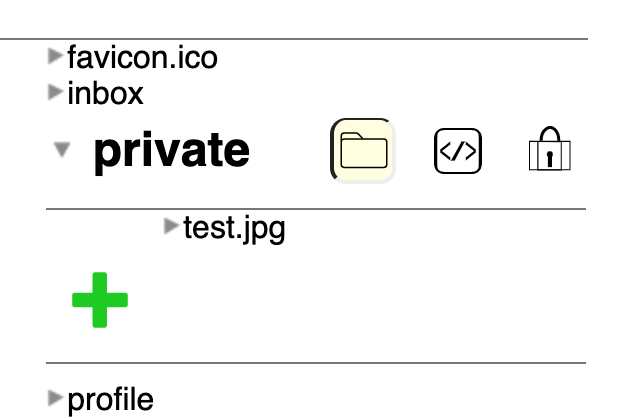
Also just to clarify, this is sending a PUT to test.jpg with a png file, e.g. https://andydavison.inrupt.net/private/test.jpg
How did you upload (mashlib green + or programmatically) ?
I tried with mashlib green + button on https://bourgeoa.inrupt.net/private/test/ and I do not have any problem both : file.jpg and file.png are created
Also just to clarify, this is sending a PUT to test.jpg with a png file, e.g. https://andydavison.inrupt.net/private/test.jpg
Do you mean : PUT to test.jpg with a png file content ?
I'm uploading using a new React component I'm working on, to display an image and give the option to upload a replacement to the same path. I'm not familiar with how the mashlib green + works, but I guess for the png the request url is to [...]/file.png, so works fine as expected?
Yep, a PUT to the existing path (test.jpg) with a new png file as content. It may well be expected that this fails or succeeds, I'm not sure, but it's the mismatch between behaviour and response given that's the issue
This curl command works every time, but then the content of the file is also updated. Maybe a 200 response would be more correct than 201 if it's overwriting, but other than that I don't see why the request should fail?
curl 'https://asdf1.inrupt.net/public/test.txt' -X 'PUT' -H 'Connection: keep-alive' -H 'User-Agent: Mozilla/5.0 (Macintosh; Intel Mac OS X 10_15_6) AppleWebKit/537.36 (KHTML, like Gecko) Chrome/84.0.4147.105 Safari/537.36' -H 'content-type: text/plain' -H 'Accept: */*' -H 'Origin: https://asdf1.inrupt.net' -H 'Sec-Fetch-Site: same-origin' -H 'Sec-Fetch-Mode: cors' -H 'Sec-Fetch-Dest: empty' -H 'Referer: https://asdf1.inrupt.net/public/' -H 'Accept-Language: nl-NL,nl;q=0.9,en-US;q=0.8,en;q=0.7,fr-FR;q=0.6,fr;q=0.5,de-DE;q=0.4,de;q=0.3,es-ES;q=0.2,es;q=0.1,id-ID;q=0.1,id;q=0.1' -H 'Cookie: nssidp.sid=s%3A2_yYAURQDNH5W9_0uHx0khD_vWtFND2t.LmfYquZIXnU520tjWb3%2FfnkS8CJmtOIF8f1R93DMIOc' --data-binary $'b\n' --compressed -v
If you change the cookie string so that the request is unsuccessful, you get a 401 response (not 201), as expected.
Hmm. Replacing e.g. a jpg with a jpg works fine, but sending png content to an existing jpg path is giving a 201 with no update to the file for me. Is anyone else able to reproduce that specific behaviour?
I think the name "test.jpg" should remain opaque even if the original representation was provided with image/jpeg. That will at least have test.jpg available in JPEG. Subsequent requests with image/jpeg could replace that representation even if the payload format is in PNG. Server can of course inspect the payload format and see if it is legitimate, if okay, may make it possible so that test.jpg is available with the image/png representation, otherwise, return a 409 in response to the write operation.

@andydavison is your React component sending a Content-Type request header or is it leaving the server to guess the content type? In any case we should probably add a failing unit test for this if it's reproducable.
yep, sending content-type: image/png with the correct type for the content
I think what happens is :
- PUT
resource test.jpg with contentType image/jpeg--> stored in filesystem astest.jpg - PUT
resource test.jpg with contentType image/png--> stored in filesystem astest.jpg$.png
This is a buggy situation because when you GET the resource test.jpg you only access the first one (I suppose test.jpg) and don't see the second one.
To confirm that : you can delete resource test.jpg and you should see there is still an other resource named test.jpeg.
I already saw this issue : a Resource shall map to only one Url. resourceMapper should refuse to create a new resource with a different url if the resource name allready exists.