
node-red-dashboard
 node-red-dashboard copied to clipboard
 node-red
A dashboard UI for Node-RED
I have created a prototype version for the purpose of verifying the [UI Module design notes](https://github.com/node-red-hitachi/designs/tree/ui-module/designs/ui-module). This prototype implements the addition of Config nodes and support for existing functions, and...


### What are the steps to reproduce? Create two tabs with each containing a form node. Fill their fields dynamically, e.g. inject timestamp once and set the fields using a...

### What are the steps to reproduce? create a flow with a slider (output only on release) and a debug node ### What happens? on a mobile browser, a touch...

In #633 I mentioned second issue so here is a proper report. ### What are the steps to reproduce? I've edited parameters of node `1` (removed `min` and `max` to...

### What are the steps to reproduce? 1.Create a new ui-template 2. insert following code: $(document).click(function() { console.log("hello") }); 3. Deploy 4. Go to dashboard page and click anywhere 5....

Recently I upgraded from 2.1.0 to 2.4.0. On my dashboard I have many charts and one button. When I resize the browser the dashboard elements do re-arrange. But the button...

I am using the Export Flow and Import Flow to attempt to copy the entire flow definition, including tabs, groups and their associated spacers. But each time I do this,...

### What are the steps to reproduce? With a non-UTC local timezone, create a chart and specify As UTC for the X-axis label. Feed the chart with regular data and...

I use the module chart but this one is displayed blurring. The legend with the value of the points at a time t is not very legible. 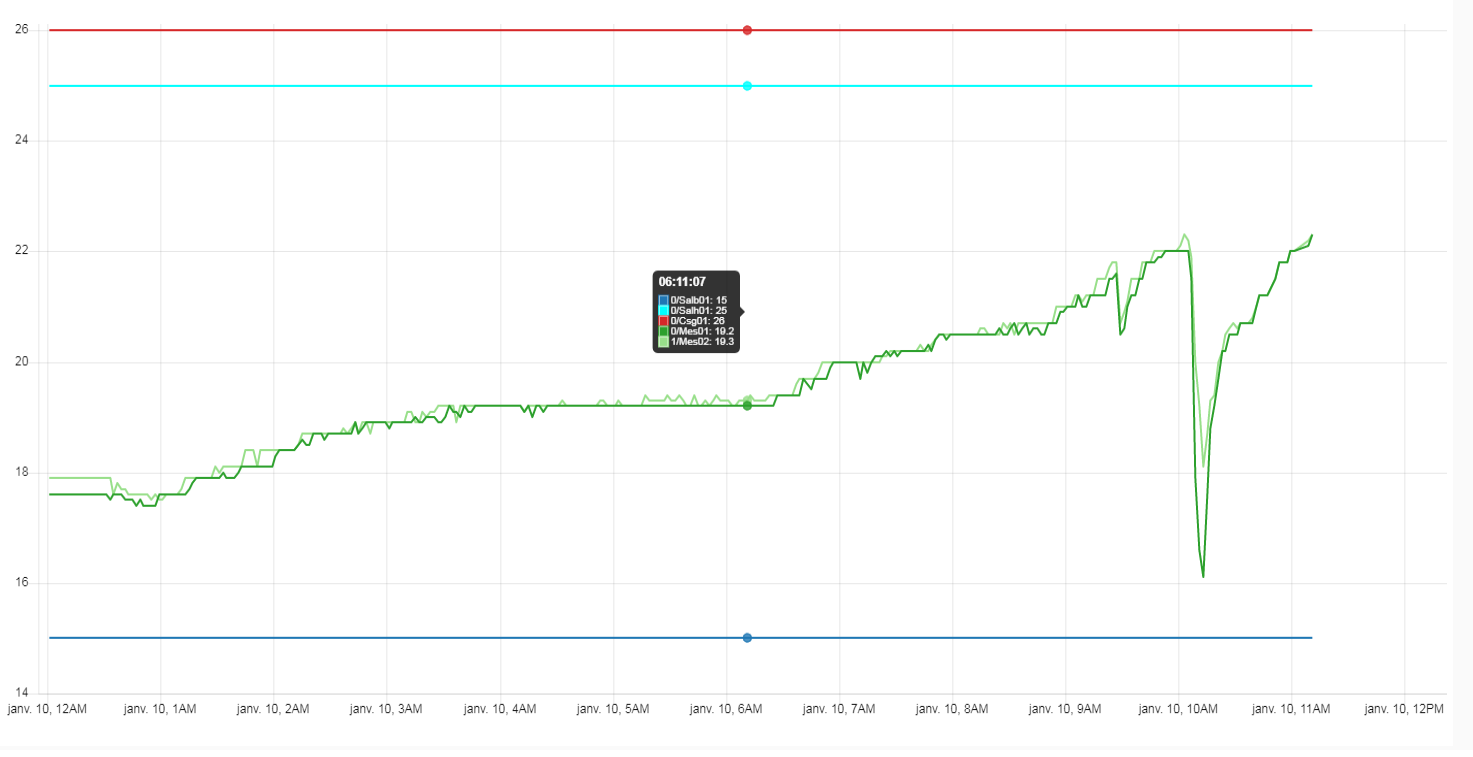  -...

### What are the steps to reproduce? Use the linked flow with Uptime group width=7. In this case some groups are overlapping until a certain zoom level forces to rearrange....
