niuware
How can I use styles from my html to defaultValue?
Checklist
- [X] This is not covered in the repository examples.
- [X] I am using the package latest version.
- [ ] This is a bug report or an enhancement proposal.
Description
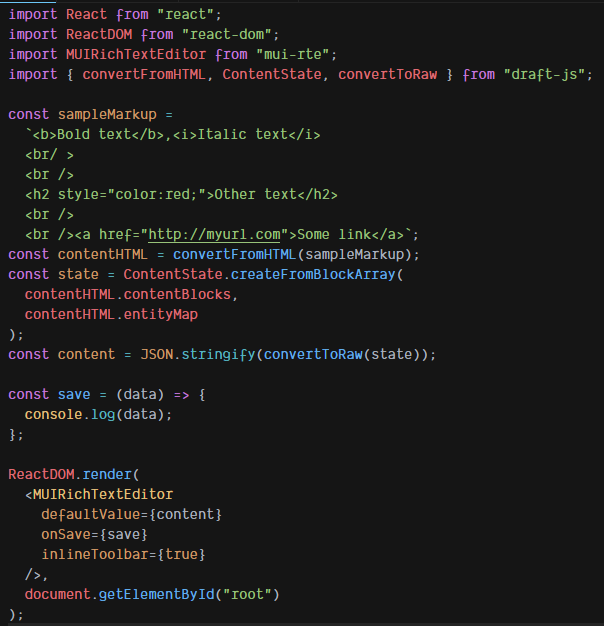
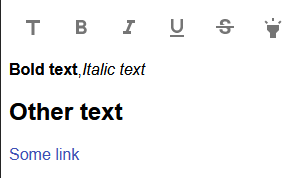
I'm trying to use a html text passing to defaultValue, but I can't apply styles.
Tags like strong works well, but when I use some styles this doesn't work.
Code
Result on editor
I already tried:
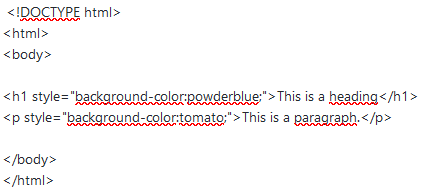
and this way:
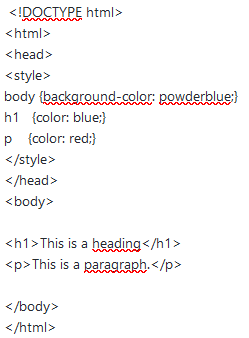
and this way:

Question:
There's a way to use a styles from html in defaultValue?

Hi, @adrianofernande
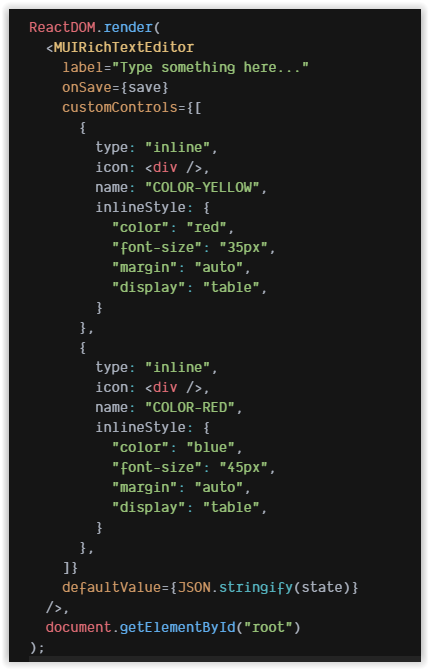
draftjs not support inline styles, but you can use custom html to draftjs parser.
For integrating with mui-rte you must define customControl for each inline style what you want to parse.
After you will must convert you style to uppercase (more)
I agree sound like dirty hack but it's works.
I prepared simple demo with 2 colors.
Maybe @niuware can suggest more elegant solution.
PS: sorry for my bad english. Fee free to correct me :)

Hi, @adrianofernande draftjs not support inline styles, but you can use custom html to draftjs parser. For integrating with mui-rte you must define
customControlfor each inline style what you want to parse. After you will must convert youstyleto uppercase (more) I agree sound like dirty hack but it's works.I prepared simple demo with 2 colors.
Maybe @niuware can suggest more elegant solution.
PS: sorry for my bad english. Fee free to correct me :)
Hi @Armanio,
Thank you very much for your help.
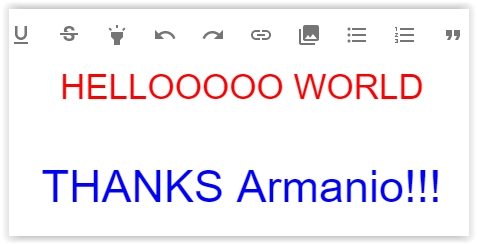
It's works very well.
And it's possible to apply more than one style. 👍
RESULT