

 nim-lang
nimble init is causing error
λ nimble init
      Info: Package initialisation requires info which could not be inferred.
        ... Default values are shown in square brackets, press
        ... enter to use them.
      Using "mymancer" for new package name
      Using AmitPress for new package author
      Using "src" for new package source directory
    Prompt: Package type?
        ... Library - provides functionality for other packages.
        ... Binary  - produces an executable for the end-user.
        ... Hybrid  - combination of library and binary
        ... For more information see https://goo.gl/cm2RX5
     Select Cycle with 'Tab', 'Enter' when done
    Answer: binary
    Prompt: Initial version of package? [0.1.0]
    Answer:
    Prompt: Package description? [A new awesome nimble package]
    Answer:
    Prompt: Package License?
        ... This should ideally be a valid SPDX identifier. See https://spdx.org/licenses/.
     Select Cycle with 'Tab', 'Enter' when done
   Choices:


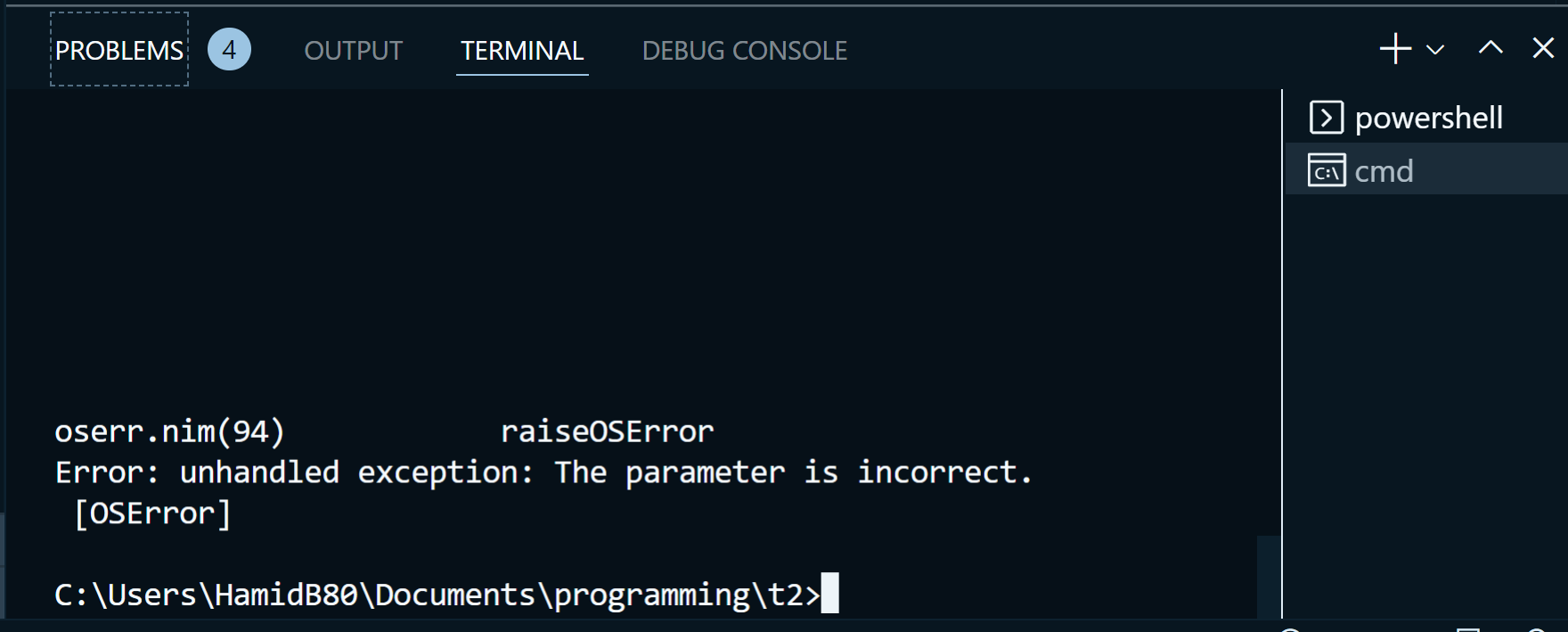
oserr.nim(95)            raiseOSError
Error: unhandled exception: The parameter is incorrect.
 [OSError]
Expected: It should work with default values Result: It did not even work with properanswer for every question on the prompt OS: Windows 10 (Version 10.0.19044 Build 19044)


it works fine in CMD and powershell, but not in "vscode's console".
have you tried on the powershell and cmd that is in the vscode?
have you tried on the powershell and cmd that is in the vscode?
No, neither CMD nor PowerShell work inside vscode's terminal.
I opened them as separated apps.

have you tried on the powershell and cmd that is in the vscode?
No, neither CMD nor PowerShell work inside vscode's terminal.
I opened them as separated apps.
yeah same issue... the core team must look upto this...
I think I have found a possible place where the OSError happened:
$ .\nimble.exe init --verbose
    Reading config file at C:\Users\xxx\AppData\Roaming\nimble\nimble.ini
      Info: Using the environment variable: NIMBLE_DIR='D:\.nimble'
     Info:  Nimble data file "D:\.nimble\nimbledata2.json" has been loaded.
      Info: Package initialisation requires info which could not be inferred.
        ... Default values are shown in square brackets, press
        ... enter to use them.
      Using "temp" for new package name
      Using sslime336 for new package author
      Using "src" for new package source directory
    Prompt: Package type?
        ... Library - provides functionality for other packages.
        ... Binary  - produces an executable for the end-user.
        ... Hybrid  - combination of library and binary
        ... For more information see https://goo.gl/cm2RX5
     Select Cycle with 'Tab', 'Enter' when done
    Answer: library
    Prompt: Initial version of package? [0.1.0]
    Answer:
    Prompt: Package description? [A new awesome nimble package]
    Answer:
    Prompt: Package License?
        ... This should ideally be a valid SPDX identifier. See https://spdx.org/licenses/.
     Select Cycle with 'Tab', 'Enter' when done
   Choices:


E:\projects\nimble\src\nimble.nim(2203) nimble
E:\projects\nimble\src\nimble.nim(2085) doAction
E:\projects\nimble\src\nimble.nim(1083) init
E:\projects\nimble\src\nimblepkg\options.nim(353) promptList
E:\projects\nimble\src\nimblepkg\cli.nim(300) promptList
E:\projects\nimble\src\nimblepkg\cli.nim(222) promptListInteractive
C:\Users\xxx\.choosenim\toolchains\nim-1.6.12\lib\pure\terminal.nim(396) cursorUp
C:\Users\xxx\.choosenim\toolchains\nim-1.6.12\lib\pure\terminal.nim(223) setCursorPos
C:\Users\xxx\.choosenim\toolchains\nim-1.6.12\lib\pure\includes\oserr.nim(95) raiseOSError

    Error:  The parameter is incorrect.
It seems it paniced here:
https://github.com/nim-lang/nimble/blob/d81398347a58dd5a694fc3b5661b19def832b6f4/src/nimblepkg/cli.nim#L222
we can see the impl of cursorUp:
proc cursorUp*(f: File, count = 1) =
  ## Moves the cursor up by `count` rows.
  when defined(windows):
    let h = conHandle(f)
    var p = getCursorPos(h)
    dec(p.y, count)
    setCursorPos(h, p.x, p.y)
  else:
    f.write("\e[" & $count & 'A')
This actually called the Windows' func SetConsoleCursorPosition which is not recommended(but this will be continue supported by Microsoft)
Notice that when p.x or p.y is negative numbers, this will cause the same OSError
import std/terminal

setCursorPos(-1, 0) # Error: unhandled exception: The parameter is incorrect.
setCursorPos(0, -1) # Error: unhandled exception: The parameter is incorrect.
setCursorPos(0, 0)  # This is ok.
The OSError was raised beacuse the Windows' func returned 0, which means the func call failed.
Reference: https://learn.microsoft.com/en-us/windows/console/setconsolecursorposition
