

 nicollasricas
Syntax Hightlighting not working in some cases (.ws)
function GetQuestObjectiveCounterText( objectiveEntry :CJournalQuestObjective ) : string
 {
	var audioLanguage : string;
	var language 	  : string;
	var manager		: CWitcherJournalManager = theGame.GetJournalManager();

	theGame.GetGameLanguageName(audioLanguage,language);

	if ( objectiveEntry.GetCount() > 0 )
	{
		if (language == "AR")
		{
			return manager.GetQuestObjectiveCount( objectiveEntry.guid ) + "/" + objectiveEntry.GetCount() + " ";
		}
		else
			{
			return " " + manager.GetQuestObjectiveCount( objectiveEntry.guid ) + "/" + objectiveEntry.GetCount();
		}
	}
	return "";
}
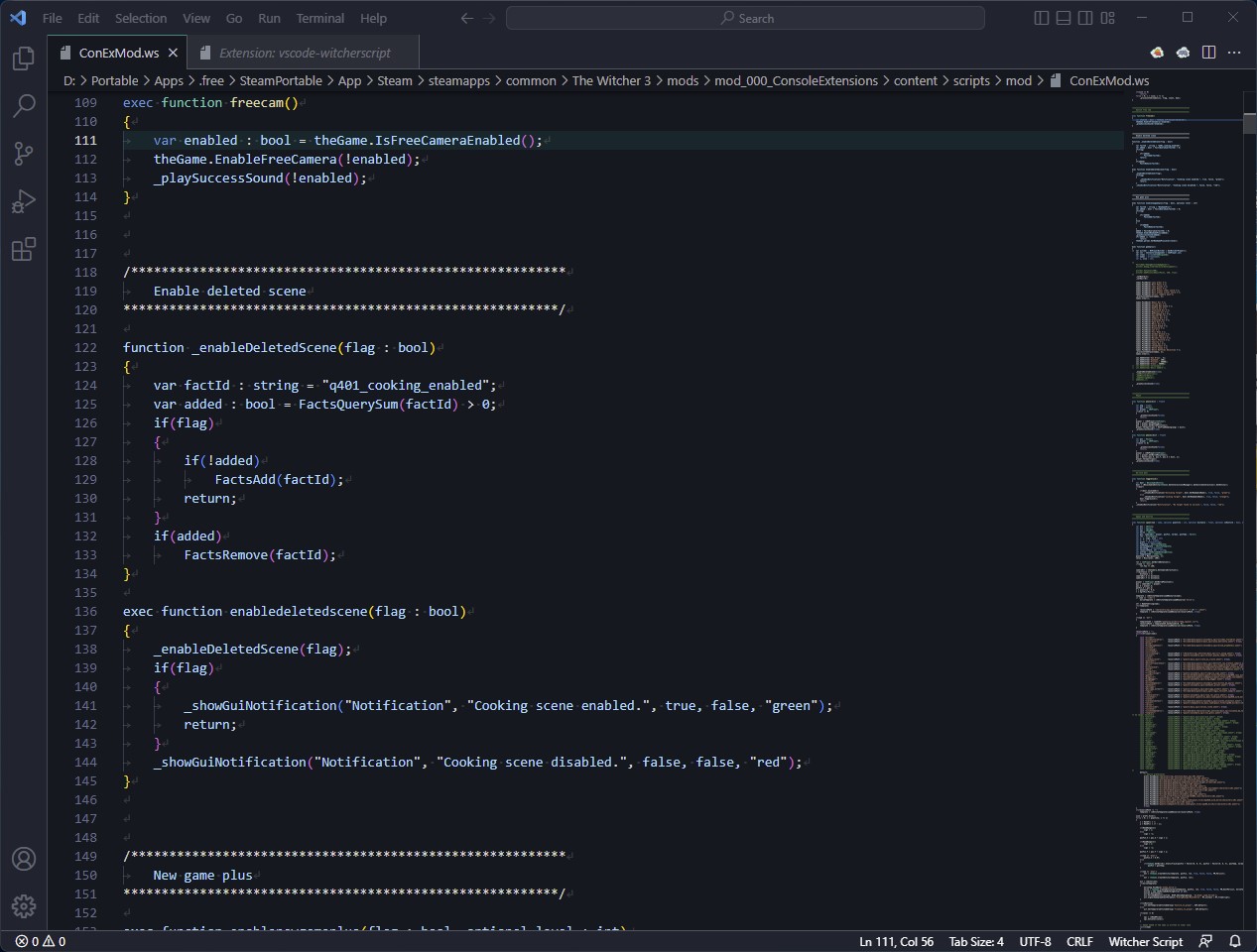
The lines below var manager : CWitcherJournalManager = theGame.GetJournalManager();
do not get syntax hightlight.
Need to uncomment this line to have syntax hightlight.

Seems like initializing a variable and directly setting a value in a single step is not supported for some reason...
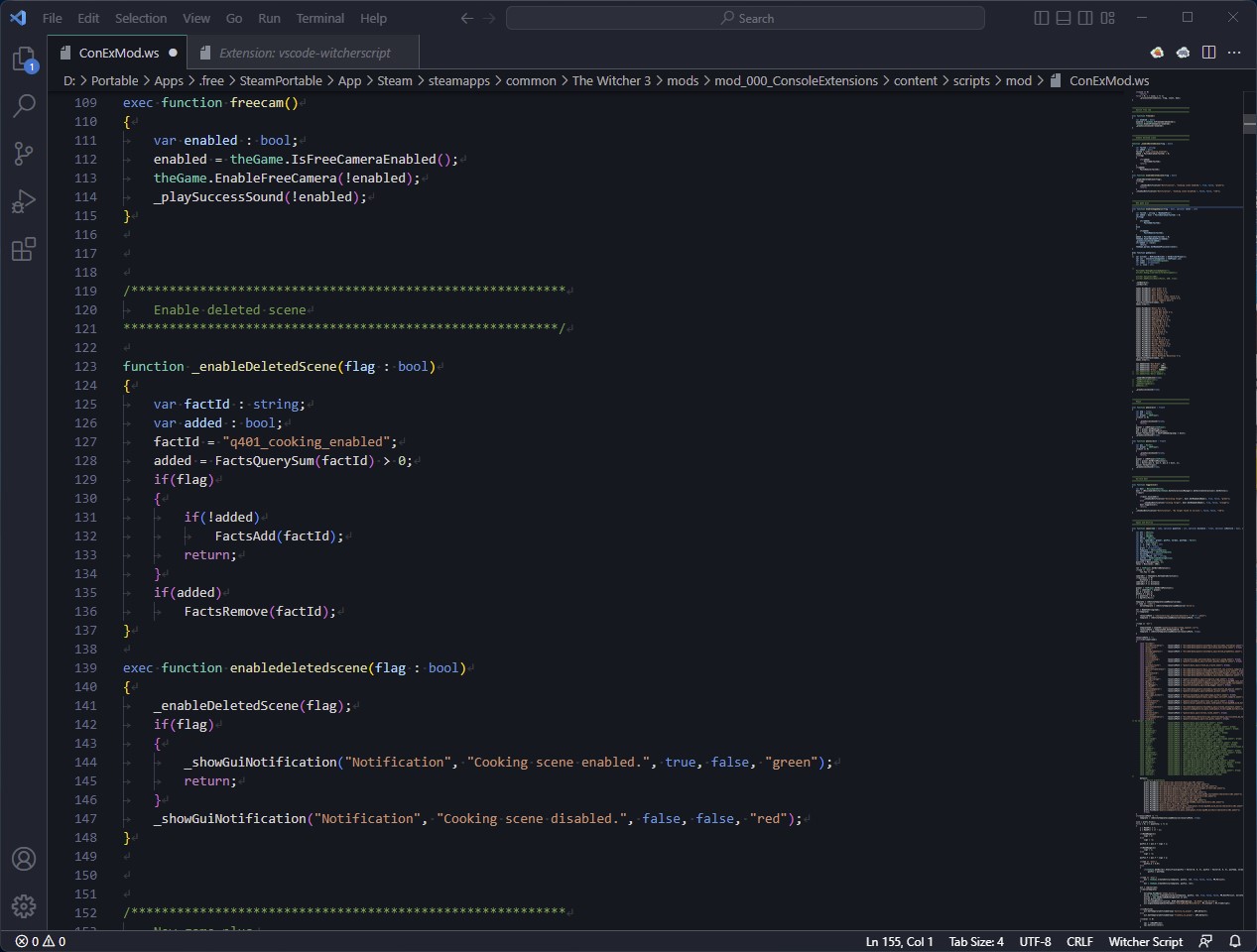
See the difference between the images below...
No problem:
Completly broken:
Unfortunately, I'm not familiar with creating syntax highlighting for VSCode, so I'm hoping someone will fix this soon. It's really annoying and writing the code worse to avoid this issue isn't an option either in my humble opinion...
EDIT:
Well, fix is simple...
Open %UserProfile%\.vscode\extensions\nicollasricas.vscode-witcherscript-1.0.9\witcherscript.grammars.json with an editor,
go to line 113 and append (\\s*=.+)? before ;.
Consequently, the whole line...
From:
"end": ":\\s*(array\\s*<\\s*\\w+\\s*>|\\w*)\\s*;",
To:
"end": ":\\s*(array\\s*<\\s*\\w+\\s*>|\\w*)\\s*(\\s*=.+)?;",

Thanks @Si13n7! Your fix works perfectly. :) Of course it's always simple once you solved the issue. But still it takes time to get there, so thanks for your effort!
@nicollasricas Thanks for creating this in the first place, I use it all the time! Are you still planning to maintain this? I see it's been a while since the last update. :) Please include this fix!
