

 nglviewer
Problem when transparent representations overlap
Hi :)
I observed that when you look through a transparent (opacity < 1) representation you may not see other transparent representations. This happens even if the closest representation has opacity 0 and the farthest has 0.9
You can observe this in the NGL gallery example called 'component/structure-biomol'
As you can see in the image below, the orange mesh is making disappear everything behind.
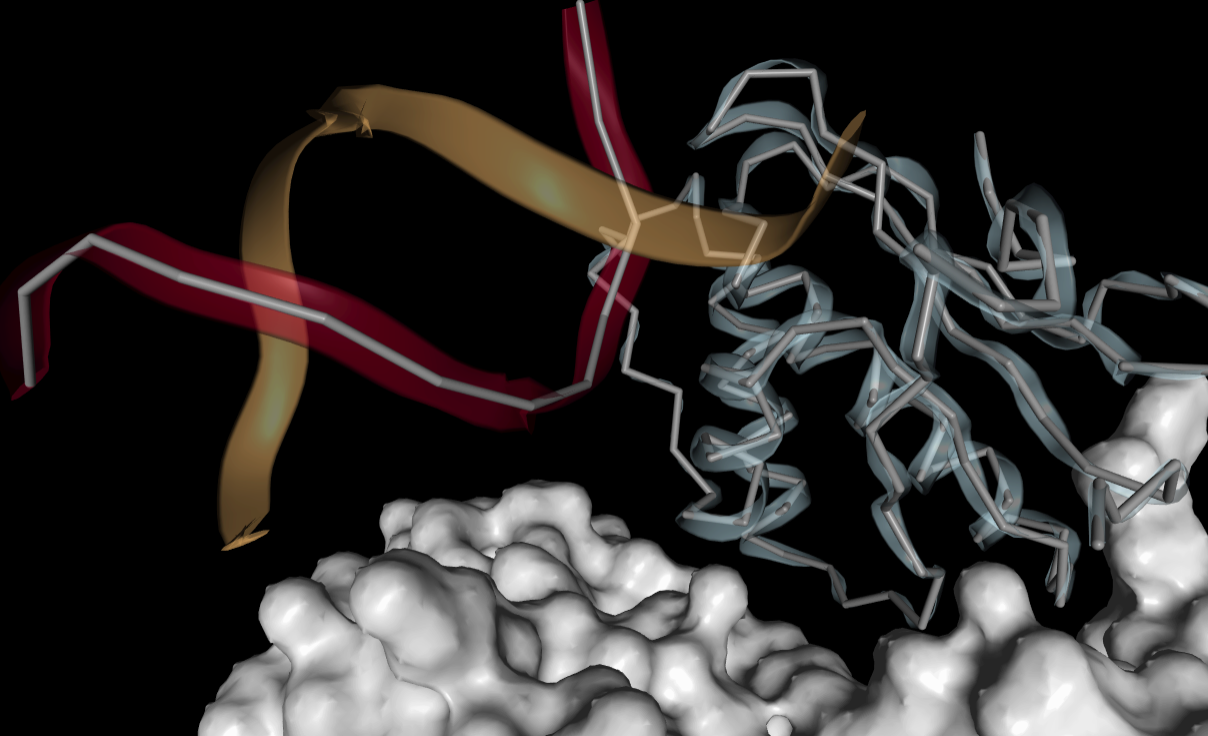 Then if I move the camera slightly it is the red mesh which makes everything disappear
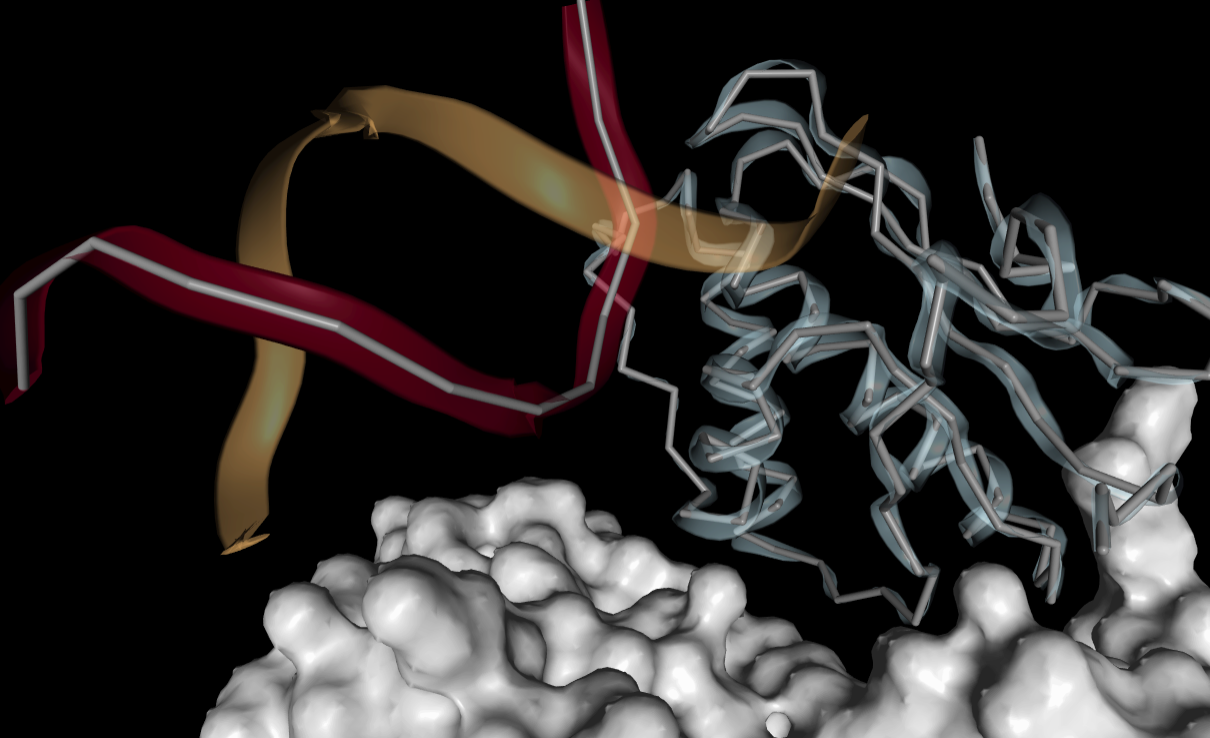
In my personal case this is being a mess, since the transparent representation is a big surface.
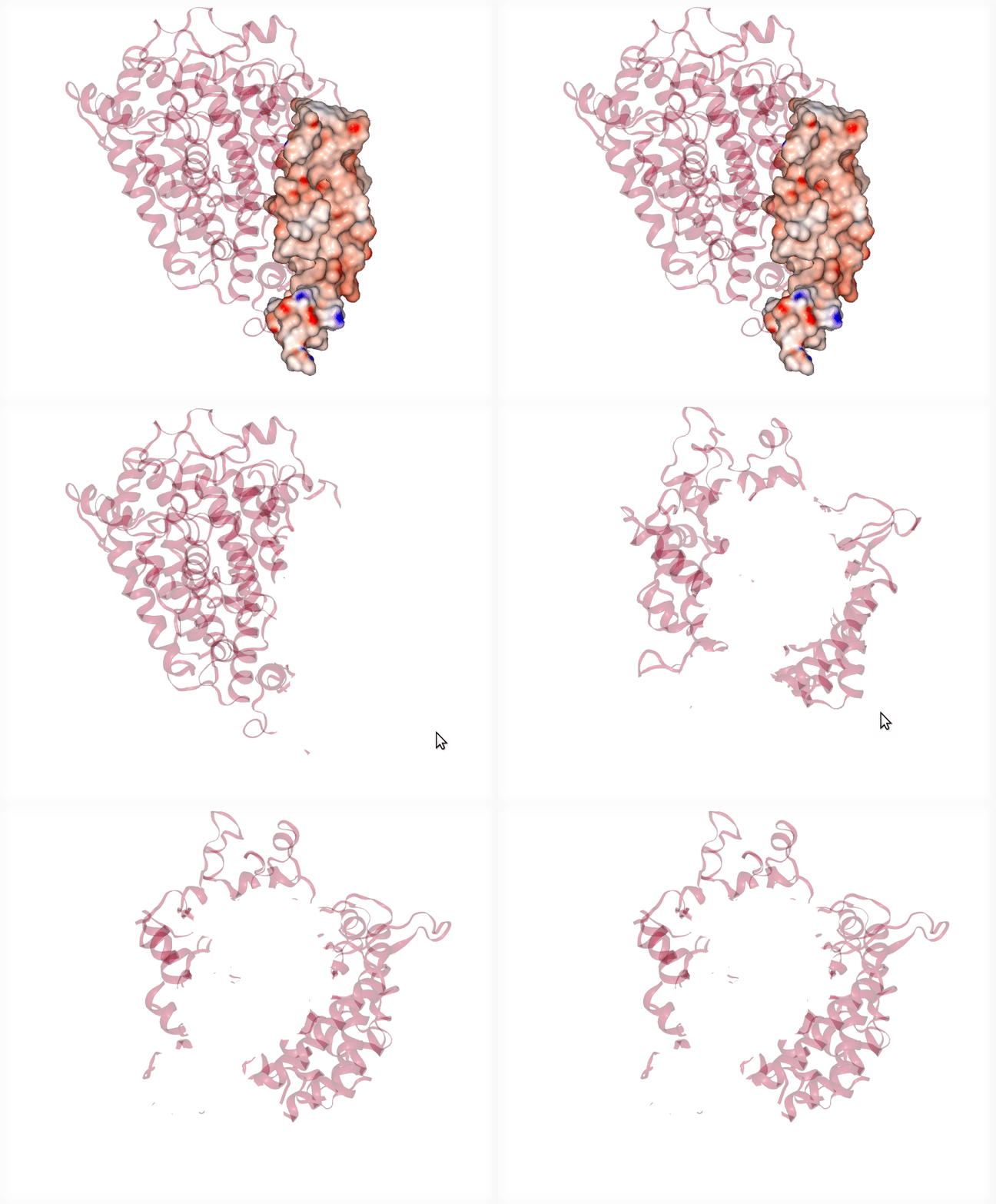
Is there any trick to handle this?
Thank you so much

Duplicate of #552 (unfortunately, I don't think this is easily fixable - @arose may be able to comment - I think molstar gets this right?)

I see. Thanks for your reply :)
It won't be easy changing to molstar since NGL is deeply integrated in our project, but I think one day we will have to.
As a workaround, I'm using the parameter 'background: true' when I have to represent a surface with opacity < 1:

You can try to toggle the depthWrite representation parameter off. This may help a bit but will produce other artifacts. In molstar we essentially solved this, see https://github.com/molstar/molstar/issues/83#issuecomment-739452292.
