

 nextcloud
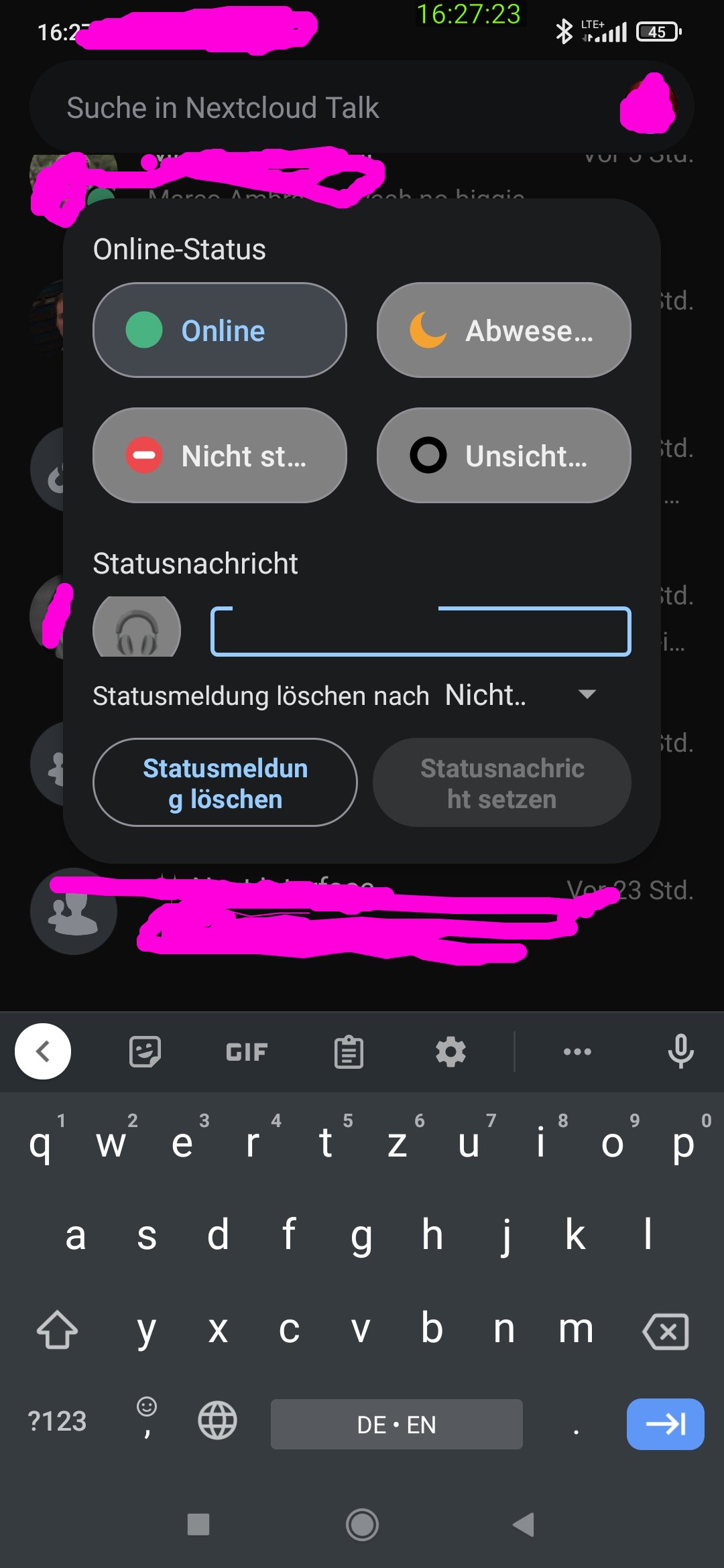
User status dialog is squeezed when typing status message
Steps to reproduce
- Open the user status menu
- Tab into the input so you can type a message
Expected behaviour
✨ and you can see what you type
Actual behaviour
Predefined statuses disappear and the input is so small that it becomes scrollable and you can't see what you type
Device brand and model
Redmi Note 8 Pro
Android version
11
Nextcloud Talk app version
15.0.0 Alpha 02
Nextcloud server version
24.0.3
Talk version
14.0.3
Custom Signaling server configured
Yes (specify version in Additional Information)
Custom TURN server configured
Yes
Custom STUN server configured
No
Android logs
No response
Server log
No response
Additional information
No response

could not reproduce this yet. does this happen also for the set-status dialog on android files app on this phone?

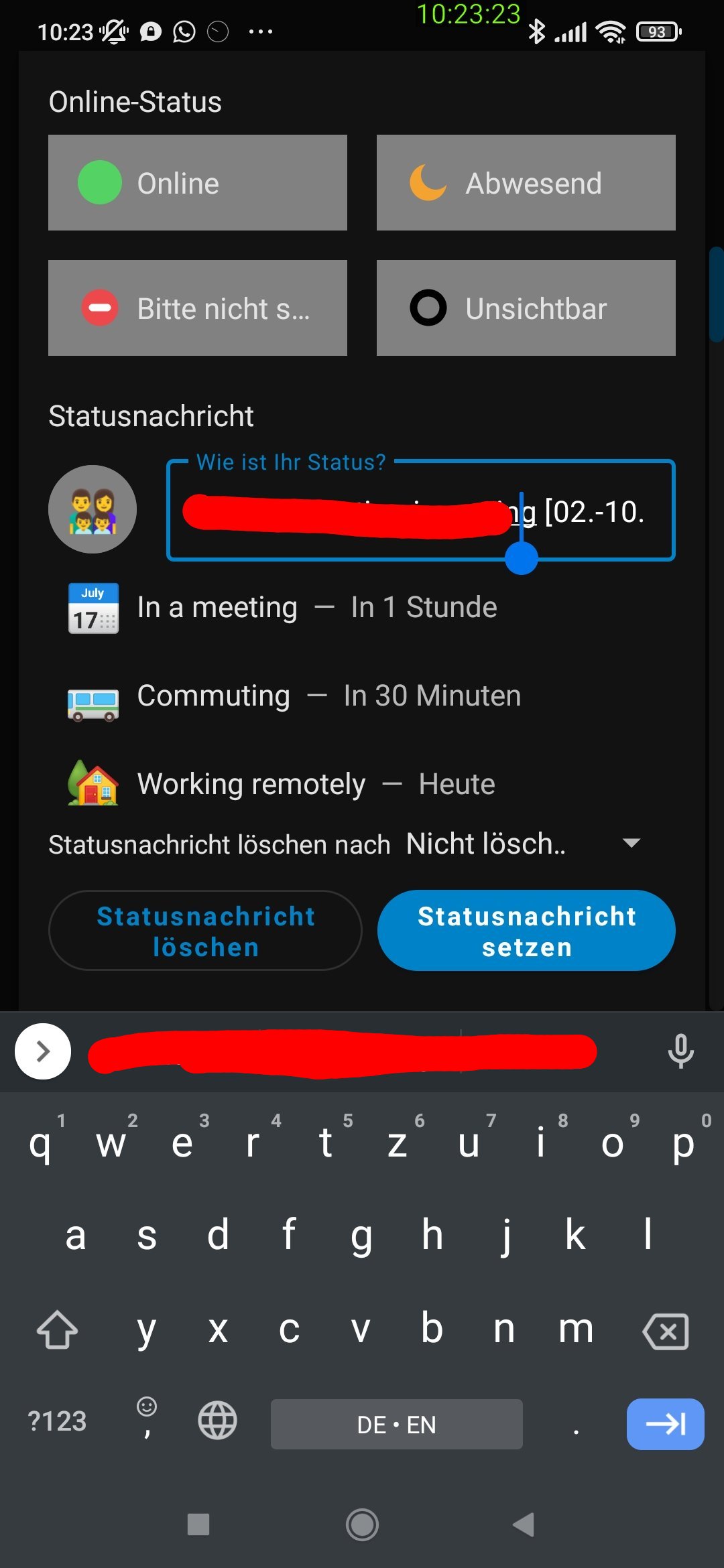
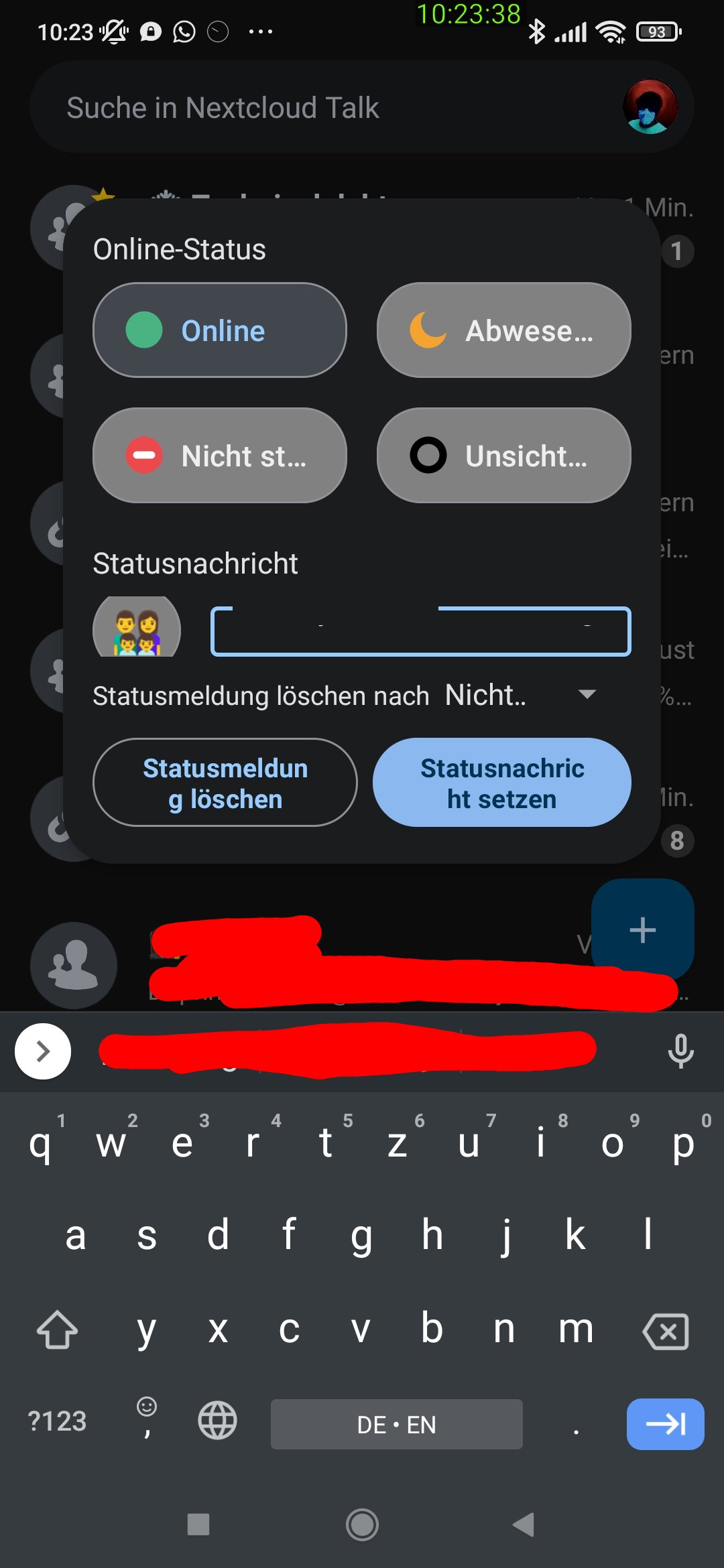
No, the files app scrolls the the list of predefined statuses and has way less padding
| Files | Talk |
|---|---|
 |
 |
Funky, for me in the emulator and on the phone the keyboard always hovers on top and the dialog isn't shrinked, Google keyboard as well as swiftkey.
