

 nextcloud
[Bug]: Cannot select a solid color background after update to 26
⚠️ This issue respects the following points: ⚠️
- [X] This is a bug, not a question or a configuration/webserver/proxy issue.
- [X] This issue is not already reported on Github (I've searched it).
- [X] Nextcloud Server is up to date. See Maintenance and Release Schedule for supported versions.
- [X] Nextcloud Server is running on 64bit capable CPU, PHP and OS.
- [X] I agree to follow Nextcloud's Code of Conduct.
Bug description
Hey everybody, I recently updated two of my instances from 25.0.5 to 26.0.0. I am using the linuxserver docker-nextcloud image. On both instances I had previously:
- disabled customized theming for individual users
- no, logo, no background / login image, no favicon etc.
- simply selected a plain background color.
Everything was working fine, update itself was without problems, but after the update both themes were resetted to default and I saw the default cloud background image. In one instance I could remedy this by simply disabling "disable individual design" and re-enabling it, the solid background color returned. But on the other instance, this did not work and now it always whows me a background picture that I had once selected a few months ago (but I had disabled it again and as I've said set a solid background color instead).
When I re-enable individual user design, I CAN deselect this picture again and select a solid background color in the user-based design settings area. BUT when I re-disable individual user designs, this ominous background picture re-appears. I tried deleting and resetting the background picture in the admin design-settings-area to no avail. When I select a background color, my browser shows the background color for like half a sec before this background pic is loaded. Cleared cache, tried it with a different browser, tried it with a different device, always the same.
This is my first issue, if you need any logs or anything please let me know.
Can I somehow reset the theming app?
Steps to reproduce
See above
Expected behavior
The background image should disappear and show a solid color instead after I delete the background picture by clicking on the trash bin icon in the admin design settings area. But as I've stated, it doesn't.
Installation method
Other Community project
Nextcloud Server version
26
Operating system
Debian/Ubuntu
PHP engine version
PHP 8.1
Web server
Nginx
Database engine version
MariaDB
Is this bug present after an update or on a fresh install?
Updated to a major version (ex. 22.2.3 to 23.0.1)
Are you using the Nextcloud Server Encryption module?
Encryption is Disabled
What user-backends are you using?
- [X] Default user-backend (database)
- [ ] LDAP/ Active Directory
- [ ] SSO - SAML
- [ ] Other
Configuration report
{
    "system": {
        "memcache.local": "\\OC\\Memcache\\APCu",
        "datadirectory": "***REMOVED SENSITIVE VALUE***",
        "instanceid": "***REMOVED SENSITIVE VALUE***",
        "passwordsalt": "***REMOVED SENSITIVE VALUE***",
        "secret": "***REMOVED SENSITIVE VALUE***",
        "trusted_domains": [
            "***",
            "***"
        ],
        "dbtype": "mysql",
        "version": "26.0.0.11",
        "overwrite.cli.url": "***",
        "dbname": "***REMOVED SENSITIVE VALUE***",
        "dbhost": "***REMOVED SENSITIVE VALUE***",
        "dbport": "",
        "dbtableprefix": "oc_",
        "mysql.utf8mb4": true,
        "dbuser": "***REMOVED SENSITIVE VALUE***",
        "dbpassword": "***REMOVED SENSITIVE VALUE***",
        "installed": true,
        "maintenance": false,
        "theme": "",
        "loglevel": 0,
        "mail_smtpmode": "smtp",
        "mail_smtpsecure": "ssl",
        "mail_sendmailmode": "smtp",
        "mail_from_address": "***REMOVED SENSITIVE VALUE***",
        "mail_domain": "***REMOVED SENSITIVE VALUE***",
        "mail_smtpauth": 1,
        "mail_smtpauthtype": "LOGIN",
        "mail_smtphost": "***REMOVED SENSITIVE VALUE***",
        "mail_smtpport": "465",
        "mail_smtpname": "***REMOVED SENSITIVE VALUE***",
        "mail_smtppassword": "***REMOVED SENSITIVE VALUE***",
        "trashbin_retention_obligation": "30, 30",
        "versions_retention_obligation": "30, 30",
        "has_rebuilt_cache": true,
        "updater.secret": "***REMOVED SENSITIVE VALUE***",
        "updater.release.channel": "stable"
    }
}
List of activated Apps
Enabled:
  - bruteforcesettings: 2.6.0
  - circles: 26.0.0
  - cloud_federation_api: 1.9.0
  - cookbook: 0.10.2
  - dav: 1.25.0
  - federatedfilesharing: 1.16.0
  - files: 1.21.1
  - files_pdfviewer: 2.7.0
  - files_rightclick: 1.5.0
  - files_sharing: 1.18.0
  - files_trashbin: 1.16.0
  - files_versions: 1.19.1
  - forms: 3.2.0
  - gpxpod: 5.0.10
  - lookup_server_connector: 1.14.0
  - metadata: 0.18.0
  - nextcloud_announcements: 1.15.0
  - notifications: 2.14.0
  - oauth2: 1.14.0
  - polls: 4.1.8
  - privacy: 1.10.0
  - provisioning_api: 1.16.0
  - related_resources: 1.1.0-alpha1
  - richdocuments: 8.0.0
  - serverinfo: 1.16.0
  - settings: 1.8.0
  - text: 3.7.2
  - theming: 2.1.1
  - twofactor_backupcodes: 1.15.0
  - updatenotification: 1.16.0
  - viewer: 1.10.0
  - workflowengine: 2.8.0
Disabled:
  - activity: 2.18.0 (installed 2.13.1)
  - admin_audit: 1.16.0
  - comments: 1.16.0 (installed 1.10.0)
  - contactsinteraction: 1.7.0 (installed 1.3.0)
  - dashboard: 7.6.0 (installed 7.0.0)
  - encryption: 2.14.0
  - federation: 1.16.0 (installed 1.10.1)
  - files_external: 1.18.0
  - files_retention: 1.15.0 (installed 1.15.0)
  - firstrunwizard: 2.15.0 (installed 2.9.0)
  - logreader: 2.11.0 (installed 2.5.0)
  - music: 1.8.3 (installed 1.8.3)
  - password_policy: 1.16.0 (installed 1.10.1)
  - photos: 2.2.0 (installed 1.5.0)
  - recommendations: 1.5.0 (installed 0.8.0)
  - sharebymail: 1.16.0 (installed 1.10.0)
  - support: 1.9.0 (installed 1.3.0)
  - survey_client: 1.14.0 (installed 1.8.0)
  - suspicious_login: 4.4.0
  - systemtags: 1.16.0 (installed 1.10.0)
  - twofactor_totp: 8.0.0-alpha.0
  - user_ldap: 1.16.0
  - user_status: 1.6.0 (installed 1.0.0)
  - weather_status: 1.6.0 (installed 1.0.0)
Nextcloud Signing status
No errors have been found.
Nextcloud Logs
No response
Additional info
No response

I am experiencing the same problem with 26.0.0. I can set a new background image, but after deleting it, the previous image is shown instead of the color. Workaround is to upload a 1x1px background image.

Experiencing with 26.0.1. Also inverted avatars for some reason. Though #37379 seems to resolve the latter.


So, I tried and I cannot reproduce, so I will ask for more input.
Currently, I have:
- Disabled user theming
- Removed the global theming background
- Changed the primary colour
And as a user, I do not see any background image, just the colour the admin have selected :thinking:
| Admin theming | User theming |
|---|---|
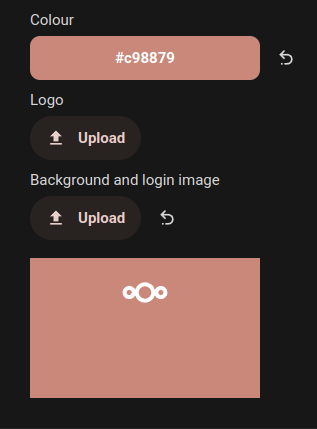 |
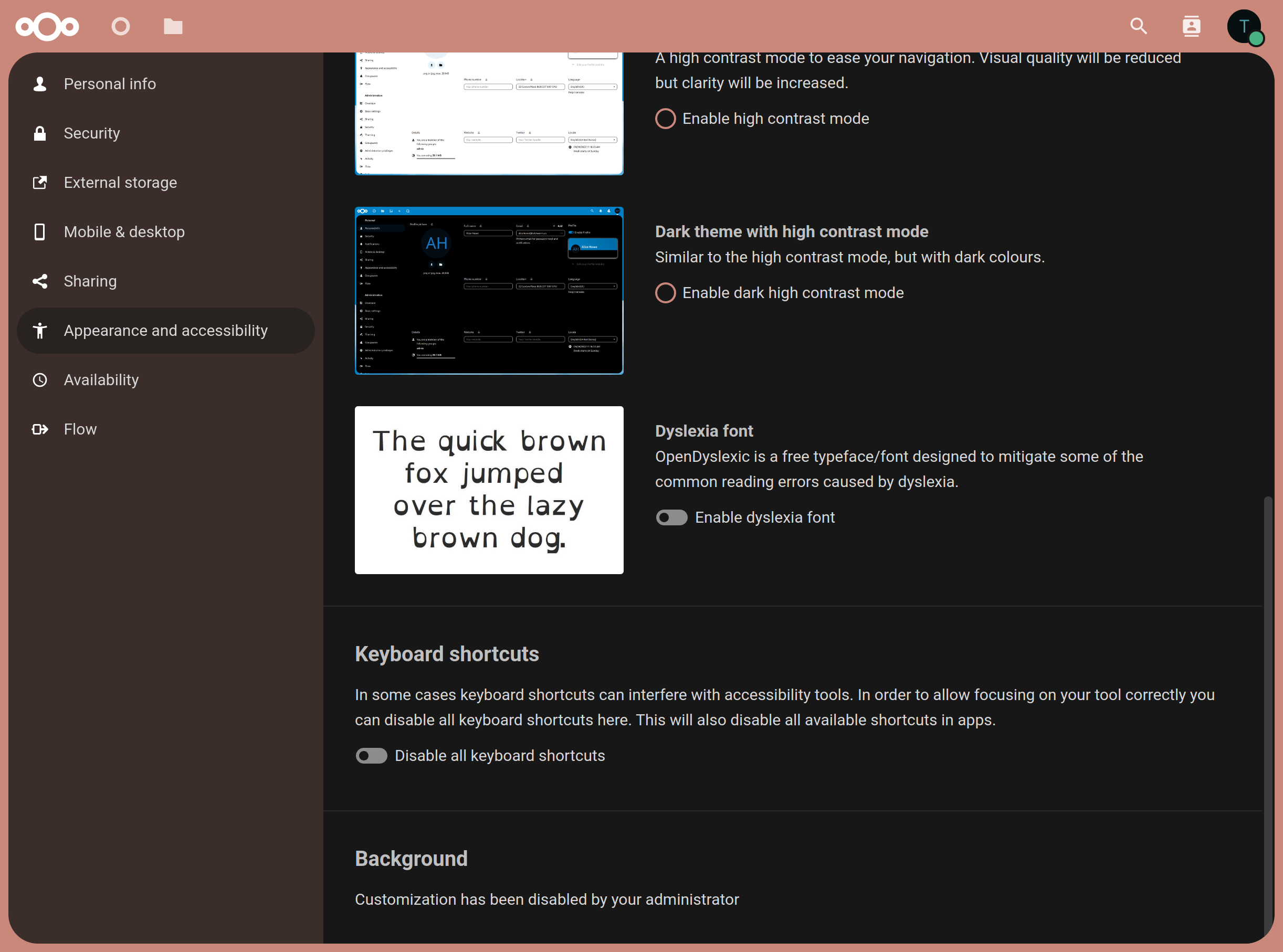 |

AH! I was able to trigger something though, if you upload a custom image AND you delete it, it will still be displayed for users indeed :thinking:
Will fix asap