
richdocuments
 richdocuments copied to clipboard
 nextcloud
It seems that at first try documents don't open
Describe the bug Recently I tried opening an .odt file that I've never opened before, and the screen just got stuck in loading. This has happened multiple times since I use Collabora/Nextcloud Office, though after some attempts the file does load.
The errors do refer to the File Access Control app, but it shouldn't matter because the condition to block the files isn't satisfied.
To Reproduce Steps to reproduce the behavior:
- Go to one .docx or .odt file in your Nextcloud Files.
- Click on
- See error
Expected behavior The files should obviosuly succesfully open even if I haven't opened it before.
Screenshots
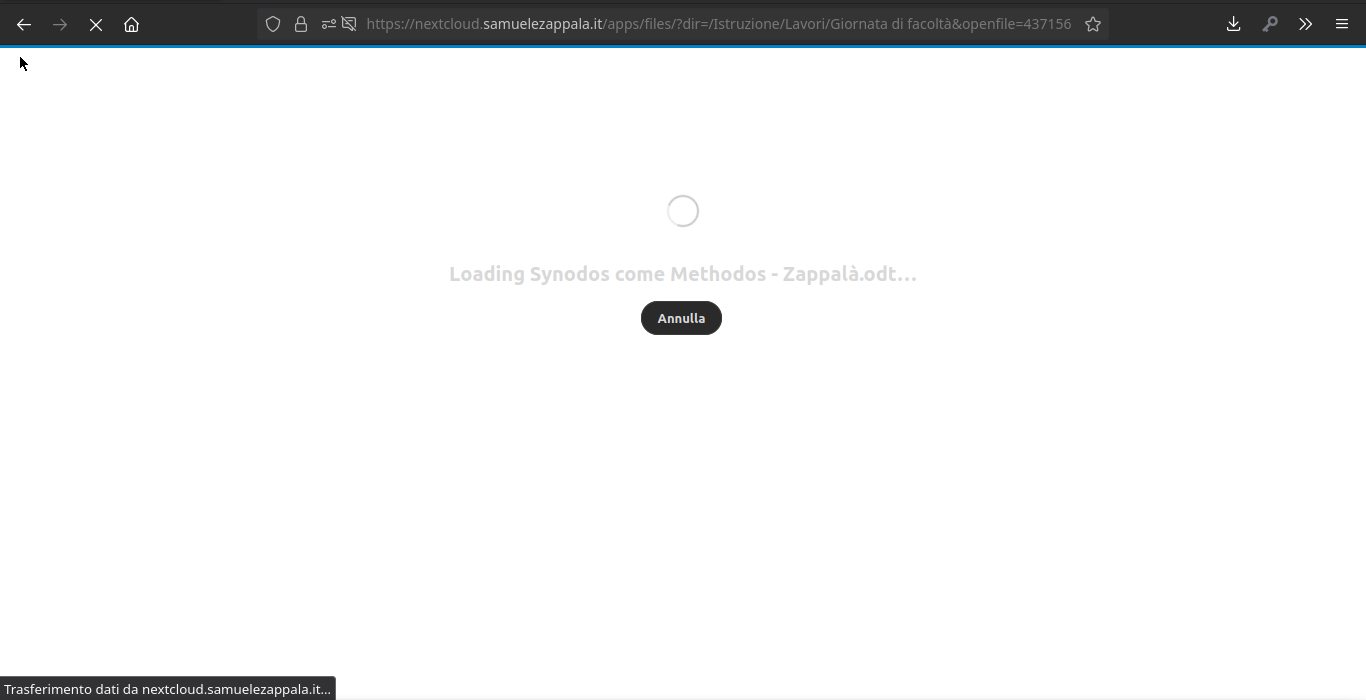
The screen is stuck here:
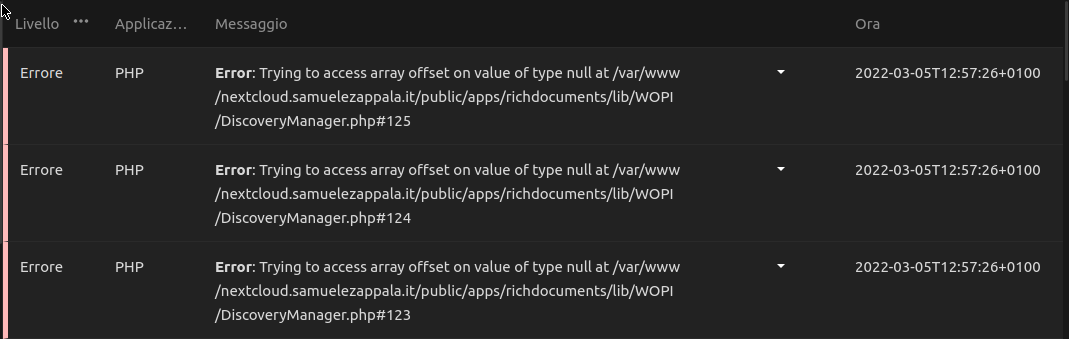
These are the error that appear in the logging section:
Client details:
- OS: KDE Neon
- Browser: Firefox
- Version: 97.0.1
- Device: Lenovo B51-30
Server details
Operating system: Ubuntu 18.04
Web server: Apache2
Database: MySQL
PHP version: 8.0.15
Nextcloud version: 23.0.2
Version of the officeonline app: Nextcloud Office 5.0.3
Version of Office Online server: Collabora Online - Built-in CODE Server 21.11.204
Logs
Nextcloud log (data/nextcloud.log)
{"reqId":"wC4CExFql12o4dkZW6gr","level":0,"time":"2022-03-05T11:57:11+00:00","remoteAddr":"79.35.211.79","user":"Samuele","app":"workflowengine","method":"PROPFIND","url":"/remote.php/dav/files/Samuele/Istruzione/Lavori/Giornata%20di%20facolt%C3%A0/Synodos%20come%20Methodos%20-%20Zappal%C3%A0.odt","message":"Flow activation: rules were requested for operation Blocca accesso a un file","userAgent":"Mozilla/5.0 (X11; Linux x86_64; rv:97.0) Gecko/20100101 Firefox/97.0","version":"23.0.2.1"}

{"reqId":"wC4CExFql12o4dkZW6gr","level":0,"time":"2022-03-05T11:57:11+00:00","remoteAddr":"79.35.211.79","user":"Samuele","app":"workflowengine","method":"PROPFIND","url":"/remote.php/dav/files/Samuele/Istruzione/Lavori/Giornata%20di%20facolt%C3%A0/Synodos%20come%20Methodos%20-%20Zappal%C3%A0.odt","message":"No flow configurations is going to run Blocca accesso a un file","userAgent":"Mozilla/5.0 (X11; Linux x86_64; rv:97.0) Gecko/20100101 Firefox/97.0","version":"23.0.2.1"}

{"reqId":"wC4CExFql12o4dkZW6gr","level":0,"time":"2022-03-05T11:57:11+00:00","remoteAddr":"79.35.211.79","user":"Samuele","app":"workflowengine","method":"PROPFIND","url":"/remote.php/dav/files/Samuele/Istruzione/Lavori/Giornata%20di%20facolt%C3%A0/Synodos%20come%20Methodos%20-%20Zappal%C3%A0.odt","message":"Flow activation: rules were requested for operation Blocca accesso a un file","userAgent":"Mozilla/5.0 (X11; Linux x86_64; rv:97.0) Gecko/20100101 Firefox/97.0","version":"23.0.2.1"}

{"reqId":"wC4CExFql12o4dkZW6gr","level":0,"time":"2022-03-05T11:57:11+00:00","remoteAddr":"79.35.211.79","user":"Samuele","app":"workflowengine","method":"PROPFIND","url":"/remote.php/dav/files/Samuele/Istruzione/Lavori/Giornata%20di%20facolt%C3%A0/Synodos%20come%20Methodos%20-%20Zappal%C3%A0.odt","message":"No flow configurations is going to run Blocca accesso a un file","userAgent":"Mozilla/5.0 (X11; Linux x86_64; rv:97.0) Gecko/20100101 Firefox/97.0","version":"23.0.2.1"}

{"reqId":"wC4CExFql12o4dkZW6gr","level":0,"time":"2022-03-05T11:57:11+00:00","remoteAddr":"79.35.211.79","user":"Samuele","app":"workflowengine","method":"PROPFIND","url":"/remote.php/dav/files/Samuele/Istruzione/Lavori/Giornata%20di%20facolt%C3%A0/Synodos%20come%20Methodos%20-%20Zappal%C3%A0.odt","message":"Flow activation: rules were requested for operation Blocca accesso a un file","userAgent":"Mozilla/5.0 (X11; Linux x86_64; rv:97.0) Gecko/20100101 Firefox/97.0","version":"23.0.2.1"}

{"reqId":"wC4CExFql12o4dkZW6gr","level":0,"time":"2022-03-05T11:57:11+00:00","remoteAddr":"79.35.211.79","user":"Samuele","app":"workflowengine","method":"PROPFIND","url":"/remote.php/dav/files/Samuele/Istruzione/Lavori/Giornata%20di%20facolt%C3%A0/Synodos%20come%20Methodos%20-%20Zappal%C3%A0.odt","message":"No flow configurations is going to run Blocca accesso a un file","userAgent":"Mozilla/5.0 (X11; Linux x86_64; rv:97.0) Gecko/20100101 Firefox/97.0","version":"23.0.2.1"}

{"reqId":"wC4CExFql12o4dkZW6gr","level":0,"time":"2022-03-05T11:57:11+00:00","remoteAddr":"79.35.211.79","user":"Samuele","app":"workflowengine","method":"PROPFIND","url":"/remote.php/dav/files/Samuele/Istruzione/Lavori/Giornata%20di%20facolt%C3%A0/Synodos%20come%20Methodos%20-%20Zappal%C3%A0.odt","message":"Flow activation: rules were requested for operation Blocca accesso a un file","userAgent":"Mozilla/5.0 (X11; Linux x86_64; rv:97.0) Gecko/20100101 Firefox/97.0","version":"23.0.2.1"}

{"reqId":"wC4CExFql12o4dkZW6gr","level":0,"time":"2022-03-05T11:57:11+00:00","remoteAddr":"79.35.211.79","user":"Samuele","app":"workflowengine","method":"PROPFIND","url":"/remote.php/dav/files/Samuele/Istruzione/Lavori/Giornata%20di%20facolt%C3%A0/Synodos%20come%20Methodos%20-%20Zappal%C3%A0.odt","message":"No flow configurations is going to run Blocca accesso a un file","userAgent":"Mozilla/5.0 (X11; Linux x86_64; rv:97.0) Gecko/20100101 Firefox/97.0","version":"23.0.2.1"}

{"reqId":"wC4CExFql12o4dkZW6gr","level":0,"time":"2022-03-05T11:57:11+00:00","remoteAddr":"79.35.211.79","user":"Samuele","app":"workflowengine","method":"PROPFIND","url":"/remote.php/dav/files/Samuele/Istruzione/Lavori/Giornata%20di%20facolt%C3%A0/Synodos%20come%20Methodos%20-%20Zappal%C3%A0.odt","message":"Flow activation: rules were requested for operation Blocca accesso a un file","userAgent":"Mozilla/5.0 (X11; Linux x86_64; rv:97.0) Gecko/20100101 Firefox/97.0","version":"23.0.2.1"}

{"reqId":"wC4CExFql12o4dkZW6gr","level":0,"time":"2022-03-05T11:57:11+00:00","remoteAddr":"79.35.211.79","user":"Samuele","app":"workflowengine","method":"PROPFIND","url":"/remote.php/dav/files/Samuele/Istruzione/Lavori/Giornata%20di%20facolt%C3%A0/Synodos%20come%20Methodos%20-%20Zappal%C3%A0.odt","message":"No flow configurations is going to run Blocca accesso a un file","userAgent":"Mozilla/5.0 (X11; Linux x86_64; rv:97.0) Gecko/20100101 Firefox/97.0","version":"23.0.2.1"}
These are the errors visibile in the logging section of Nextcloud: Error 1/3:
[PHP] Errore: Trying to access array offset on value of type null at /var/www/nextcloud.samuelezappala.it/public/apps/richdocuments/lib/WOPI/DiscoveryManager.php#123

GET /apps/richdocuments/index?fileId=437156&requesttoken=%2FT%2FM2uCKKY7htd6Z0XJOo7ZzxTA2jjgpkTf%2FhZNk%2FIU%3D%3AqQyE9a7%2BaP%2BV7e7wmhEf8%2F4yjEMHpXVTo3WVycFLkdE%3D&path=%2FIstruzione%2FLavori%2FGiornata%20di%20facolt%C3%A0%2FSynodos%20come%20Methodos%20-%20Zappal%C3%A0.odt
from 79.35.211.79 by Samuele at 2022-03-05T11:57:26+00:00
Error 2/3:
[PHP] Errore: Trying to access array offset on value of type null at /var/www/nextcloud.samuelezappala.it/public/apps/richdocuments/lib/WOPI/DiscoveryManager.php#124

GET /apps/richdocuments/index?fileId=437156&requesttoken=%2FT%2FM2uCKKY7htd6Z0XJOo7ZzxTA2jjgpkTf%2FhZNk%2FIU%3D%3AqQyE9a7%2BaP%2BV7e7wmhEf8%2F4yjEMHpXVTo3WVycFLkdE%3D&path=%2FIstruzione%2FLavori%2FGiornata%20di%20facolt%C3%A0%2FSynodos%20come%20Methodos%20-%20Zappal%C3%A0.odt
from 79.35.211.79 by Samuele at 2022-03-05T11:57:26+00:00
Error 3/3:
[PHP] Errore: Trying to access array offset on value of type null at /var/www/nextcloud.samuelezappala.it/public/apps/richdocuments/lib/WOPI/DiscoveryManager.php#125

GET /apps/richdocuments/index?fileId=437156&requesttoken=%2FT%2FM2uCKKY7htd6Z0XJOo7ZzxTA2jjgpkTf%2FhZNk%2FIU%3D%3AqQyE9a7%2BaP%2BV7e7wmhEf8%2F4yjEMHpXVTo3WVycFLkdE%3D&path=%2FIstruzione%2FLavori%2FGiornata%20di%20facolt%C3%A0%2FSynodos%20come%20Methodos%20-%20Zappal%C3%A0.odt
from 79.35.211.79 by Samuele at 2022-03-05T11:57:26+00:00
Browser log
Insert your browser log here, this could for example include:
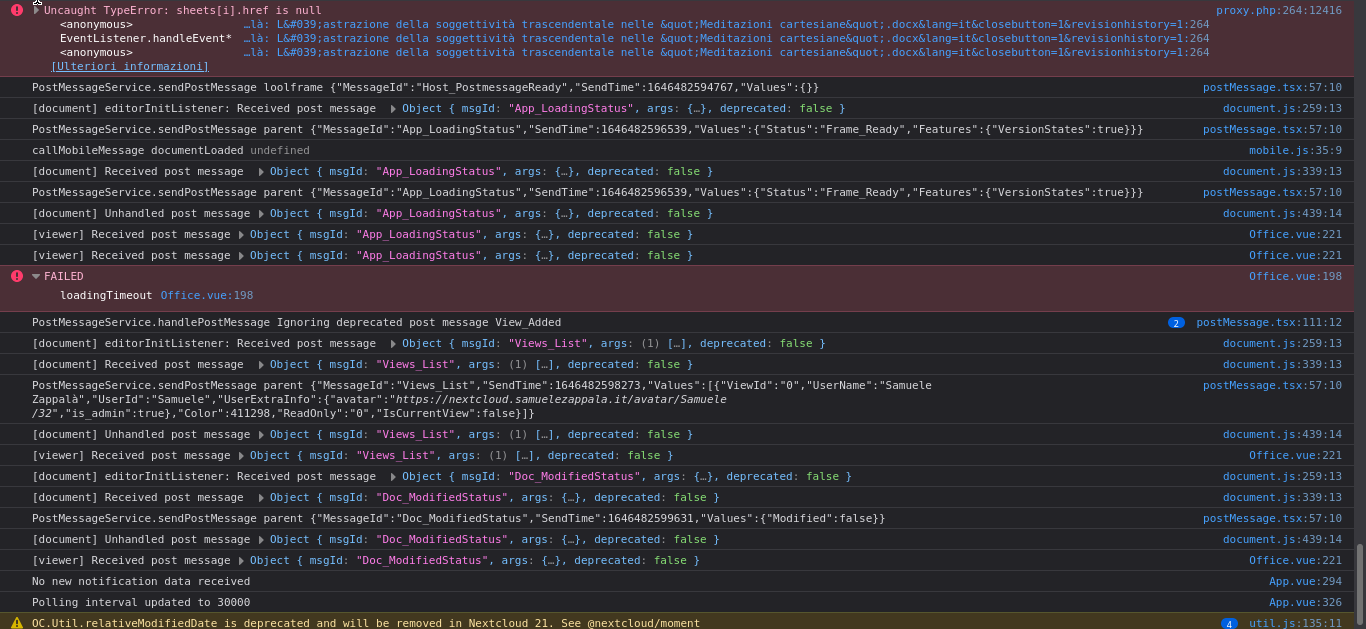
a) The javascript console log:

I've experienced that same (similar) thing. On a chromebook - if I try to edit a document, it will attempt to download. If I try to open a new document it will say the template failed. If I:
- Go to settings
- Go to Office
- set the options to host my own Then it "resets" or "starts" wopi (I'm guessing). Almost like when I start or restart my server then the wopi part doesn't load until I manually force it to start from the settings.
**Update - I noticed that I didn't have the timezone properly set on my server - so I set the proper timezone and rebooted my server. This is the first time that documents have opened/been editable without doing the above. Maybe it was a time issue for me.

I'm using the built-in CODE, I wouldn't know how to set the timezone, even if this was the problem. Any suggestion?