

 nextcloud
Geo property of a contact is ignored by Maps
Steps to reproduce:
- create a new contact
- add coordinates to the geo property field of this contact
- go to Maps app: the contact is not shown
Expected behaviour: Contacts with geo coordinates should be displayed on map (not only adress fields. Often the locations have no adress)
Setups tested: I tested it with 2 setups: Nextcloud server 20.0.11 contacts 3.5.1 maps 0.1.8 PHP 7.3.28 mysql 5.7.34
and Nextcloud server 21.0.3 contacts 3.5.1 maps 0.1.8 PHP 7.4.20 pqsql 7.50
See also #401
My company is willing to pay for this bug to be fixed. Let me know if you accept bountysource or if you have other preferences.
Cheers, Torsten

Logfile reads
Error: strlen() expects parameter 1 to be string, array given at /var/www/nextcloud/apps/maps/lib/Controller/ContactsController.php#72
Error message disappears when strlen() is replaced by count().
However, now in my NC 22.2.0 no new contacts (either with address or geo or both) show up on maps. No error message in log.
I checked on an old instance with server 20.0.13: new contacts with adresses are put on maps, but still no geo coordinates (even after fixing above error)


Could you check if #709 solves your problem?
Unfortunately it didn't work.
Upon debugging I found some geo co ordinates causing the issue. It's more of a Contacts issue when using a mix or thunderbird iOS. Managed to get it working now.
Thank you!
Ok I solved it in a very bad way. Started sending the output to a telegram chat. Initially it was an Array. Which it was complaining of. When i printed index 1 of the array it got me 90. Then I tried checking mariadb table with the associated id and it was going no where. At last I downloaded my contact list from nextcloud UI. Searched for 90 which was a Geo attribute. Deleted the line and imported it back. :( This was the only line with GEO attribute.
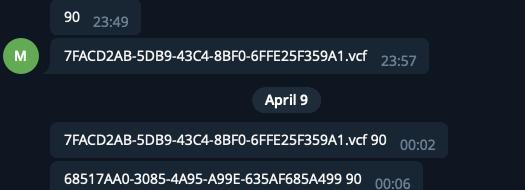
Removing GEO;VALUE=FLOAT:90 solved it for me :(
OK I don't get it. What are you typing into the Geo field to reproduce this issue?
Apologies for being unclear. I think there were too many tickets on this issue and I perhaps wrongly added my comment here. I just wanted to solve this issue and described above the thing which helped me byepass for the moment. But this just confirms the issue is a correct one and related to GEO field.
Feel bad for spamming by stupid comments here. Please ignore.