nextcloud
Ability to download from search results is now missing
Posted in Files - Fulltextsearch as well here.
NC 18.0.1 Ubuntu 18.04 Full text search 1.4.1 Full text search - Elasticsearch Platform 1.5.0 Full text search - Files 1.4.1 Full text search - Files - Tesseract OCR 1.4.0
On the search results page, we used to be able to click on the three dot menu and have a download option. Now, it only allows "Go to Folder".
Due to a number of these folders have over 100k documents, this is not usable. Why was this feature removed?
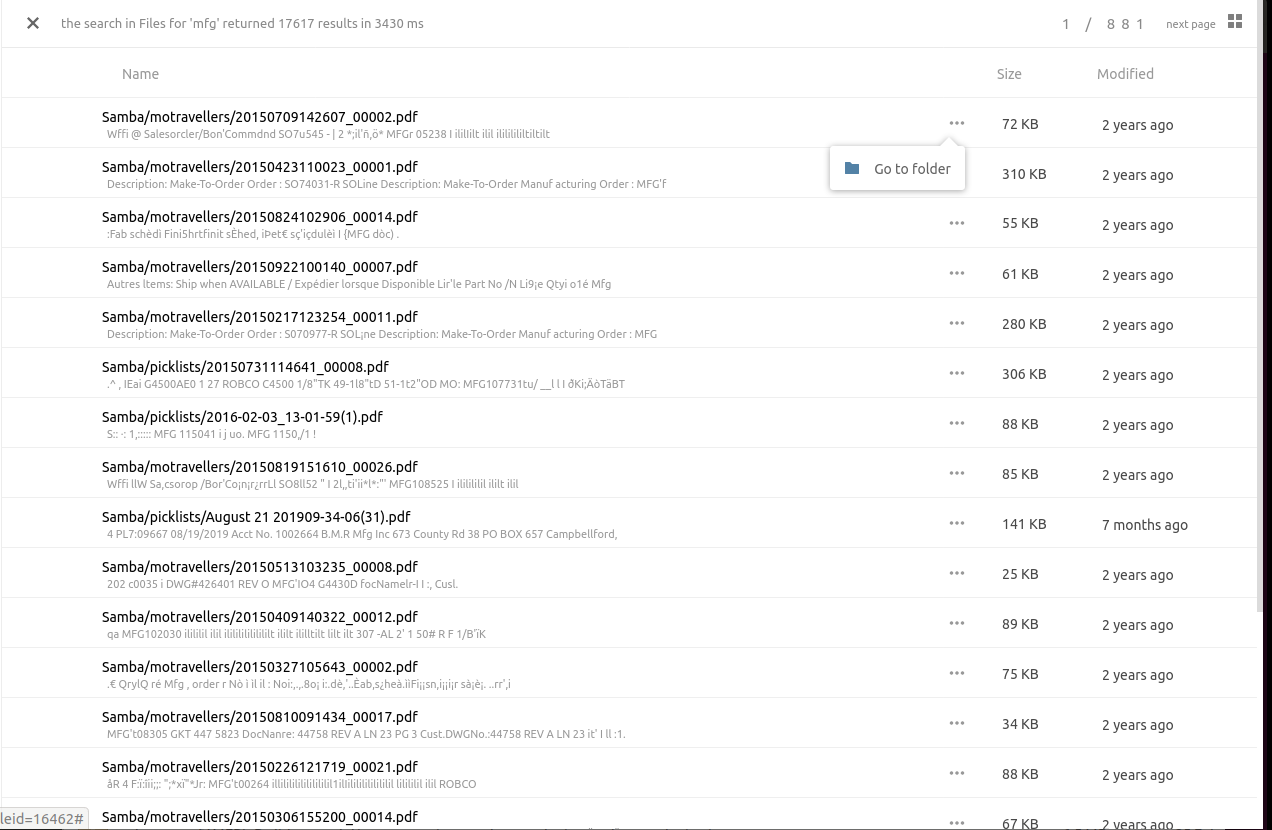

In my case its the same. The folder contains about 6000 pdfs and about 6G. There is no ... and no download option. Clicking on a result it tries to open the folder which ends up in a busy browser. It is the same with NC17 and NC18.

In my case its the same. The folder contains about 6000 pdfs and about 6G. There is no ... and no download option. Clicking on a result it tries to open the folder which ends up in a busy browser.
@XiaoJun9 Can you give a screenshot of what your search results page looks like? If you don't see the menu (three dots) you may have a different problem.
Also, which Fulltextsearch apps do you have enabled?
 Raspberry Pi 4 - Buster
Fulltextsearch 1.4.1
Fulltextsearch Elasticsearch 1.5.0
Fulltextsearch Files 1.4.1
NC 18.0.2
In the meanwhile, I did a Version upgrade, but the problem is still the same.
Raspberry Pi 4 - Buster
Fulltextsearch 1.4.1
Fulltextsearch Elasticsearch 1.5.0
Fulltextsearch Files 1.4.1
NC 18.0.2
In the meanwhile, I did a Version upgrade, but the problem is still the same.
You write "If you don't see the menu (three dots) you may have a different problem."
What kind of problem du you have in mind?
Thanks a lot!
lai [email protected] hat am 16. März 2020 um 15:08 geschrieben:
In my case its the same. The folder contains about 6000 pdfs and about 6G. There is no ... and no download option. Clicking on a result it tries to open the folder which ends up in a busy browser.
@XiaoJun9 Can you give a screenshot of what your search results page looks like? If you don't see the menu (three dots) you may have a different problem. Also, which Fulltextsearch apps do you have enabled? —You are receiving this because you were mentioned.Reply to this email directly, view it on GitHub, or unsubscribe.
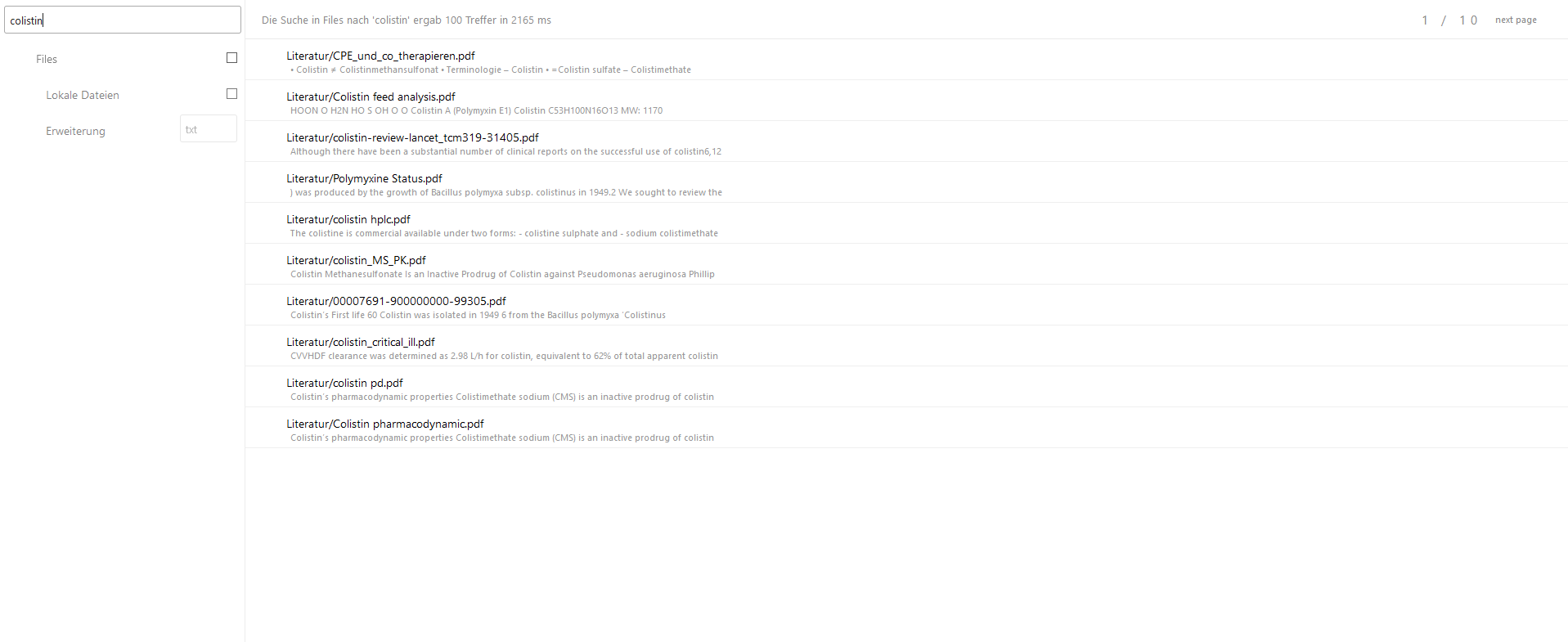
Can you show a screenshot with the WHOLE screen? You have cut out the search bar here. Importantly, I want to see what the search glass looks like.
@XiaoJun9, it looks like Fulltextsearch - Files is not enabled.
Hi Lai,
thanks for your reply.
Here is the screenshot.
Filefulltextsearch is enabled.
Regards XiaoJun
lai [email protected] hat am 8. April 2020 um 15:08 geschrieben:
Raspberry Pi 4 - BusterFulltextsearch 1.4.1Fulltextsearch Elasticsearch 1.5.0Fulltextsearch Files 1.4.1NC 18.0.2In the meanwhile, I did a Version upgrade, but the problem is still the same.
Can you show a screenshot with the WHOLE screen? You have clipped out the search bar here. Importantly, I want to see what the search glass looks like. It looks like Fulltextsearch - Files is not enabled. —You are receiving this because you were mentioned.Reply to this email directly, view it on GitHub, or unsubscribe.
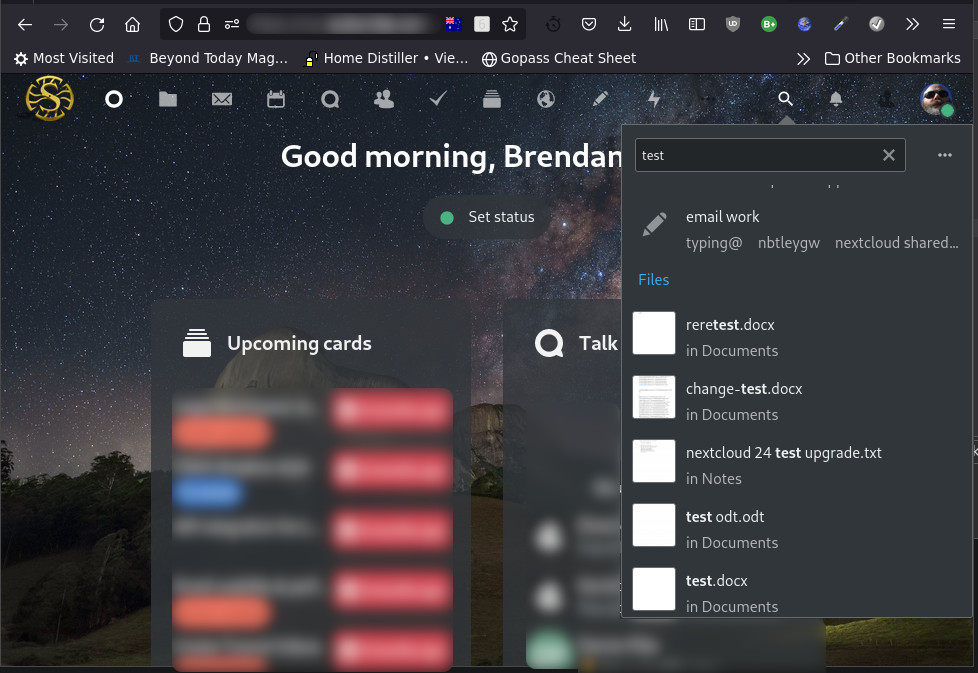
I would like to revive this ticket please. Download from search worked fine for me in NC 23 but after upgrading to 24 (currently at 24.0.2.1) I lost this ability. There is no ... and right clicking only give you the browser options even if I enable 'right click' app. Normally I have no additional search apps installed, for testing I added 'Full text search' and 'Full text search - Files' but made no difference. Please help me to debug this as its creating frustration for staff. Screenshot attached and also commented in forum here https://help.nextcloud.com/t/unable-to-download-file-directly-from-search/142228/2