nextcloud
Drop-downs and screen readers
There are some form fields that work as hybrid input fields and select-elements. When the user activates it a selection of choices is shown, but the user can also write their own text in the field.
Unfortunately, the select functionality here does not work with screen readers. The screen reader will only read what’s written in the field, but won’t read the options in the select-options. When the user presses down arrow the focus marker moves down into the options, but they’re not read by the screen reader, instead, it just says what the user has written in the field or “Empty” if the field is empty, likely the screen reader focus does not move down with the keyboard focus.
If a hybrid field should be used here it must be done in an accessible way and work well for both keyboard navigation and screen reader users.
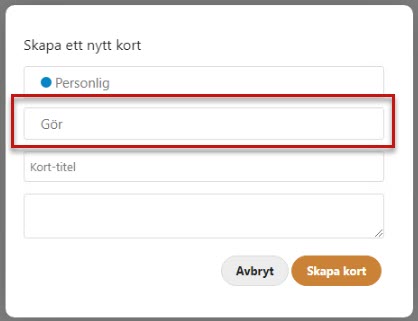
In the screenshot below the marked field is a hybrid field, we wrote “Gör” in it.