
deck
 deck copied to clipboard
 nextcloud
Attachments can not be deleted
How to use GitHub
- Please use the 👍 reaction to show that you are affected by the same issue.
- Please don't comment if you have no relevant information to add. It's just extra noise for everyone subscribed to this issue.
- Subscribe to receive notifications on status change and new comments.
Describe the bug
If I want to delete an attachment, I can click on the delete button. However, that never deletes the attachment but keeps it around. You can still restore it and it will still show in the list of attachments to insert into the description.
To Reproduce Steps to reproduce the behavior:
- Upload Attachment
- Click on delete
- Attachment will be flagged as deleted
- But Attachment wont go away
Expected behavior
If the attachment is deleted, it should not be visible anymore in the list of attachments to insert.
Furthermore there should be a method to actually delete attachments. Maybe have a second button to finally delete the attachment if wanted.
Screenshots
Attachment is "deleted"
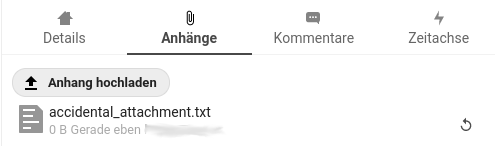
but still selectable:

NC 19.0.4 / Deck 1.1.2

I am also affected by this bug. A little annoying. I am running Nextcloud 20.
@reox: As a temporary solution, you may run delete from oc_deck_attachment where data='accidental_attachment.txt'; or similar on your database. Also make sure that the file is deleted in nextcloud/data/appdata_123456/deck/file-card-xx.
Hope this helps for the moment, but a bug fix would be very appreciated!

@cfanatic Make sure you have a cronjob setup so the attachments get cleaned up after some grace period.

What would this cronjob look like to remove such attachments. I am having the same problem. It's a bummer for sure. Is this something Nextcloud is supposed to look after periodically by default or is this a custom cron needing to be inserted.

