

 nextcloud
Add user to Attendees if use Appointment
Is your feature request related to a problem? Please describe.
When someone creates an appointment, you currently neither see who created this appointment and thus it is not possible to contact the user.
Describe the solution you'd like
Add the user who created the appointment as Attendees
Describe alternatives you've considered
No response
Additional context
No response

Do you mean create the user who created the appointment - i. e. who you're booking an appointment with - as an ATTENDEE on the Calendar Event?

You do not have to register the user. You can also simply enter the email that he has specified as a attendees .
Because it is possible to register users who do not have a nextcloud account as attendees via email.
That is not what I'm asking.
Where exactly would you like to see the user information for the user who created this appointment?
Here?
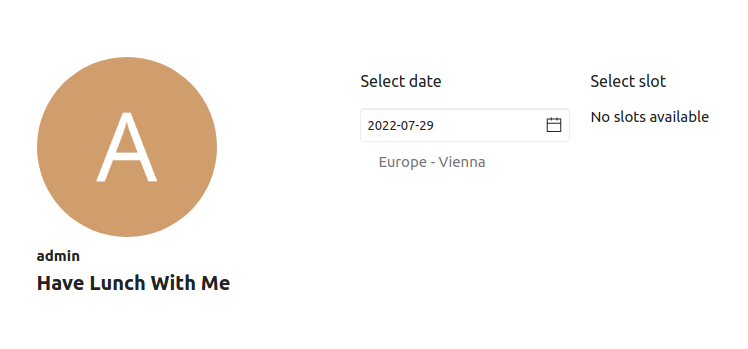
sorry then I have misunderstood you
In the red marked area I just do not know why now the participant is displayed there
I have tested this before creating the ticket at least 10 times with different browsers and never had a second entry there, only my own user.
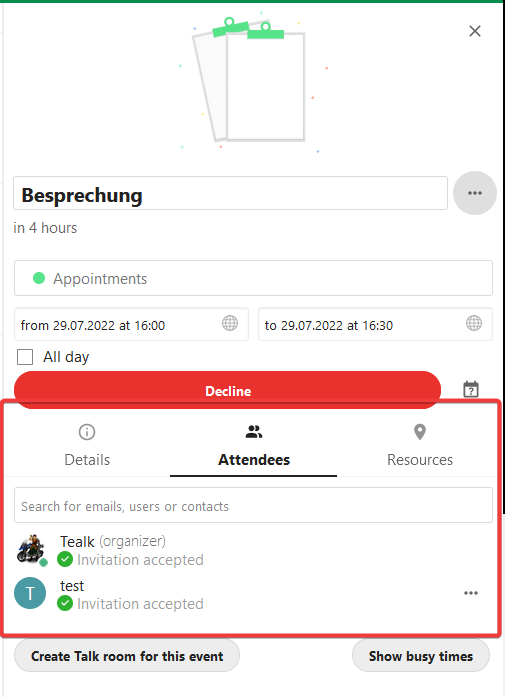
but even so i still have no way to see the users email address to contact them
sorry then I have misunderstood you
In the red marked area I just do not know why now the participant is displayed there
I have tested this before creating the ticket at least 10 times with different browsers and never had a second entry there, only my own user.
but even so i still have no way to see the users email address to contact them
Ok lovely that it works for you now. I think if there's an exteral user, we only show the label at the moment (CN: in the ics). We can look at this at some point to make it more verbose.