

 nextcloud
Avatars for Rooms and Participants are broken


When adding a new participants, the avatars don't correctly resolve.
I confirm that this problem has existed for several years in Nextcloud Calendar, but also in Nextcloud Files (in sharing tab).


Hello, i have the same Problem, and the Problem may be that it loads the "wrong" Avatar.
I use the LDAP-Backend, so i have weird User-IDs like "B8F13E54-AF45-44B8-BB02-A9594E7D39D2", but the avatar will get loaded via https://nextcloud.domain.de/avatar/User%20Name/64
If i change the Name to the User-ID, the avatar gets loaded.
Also, since the Upgrade to 24.0, the "find available times" popup does nothing - but i think this might be another bug...
Thank you, Michael

I have a similar problem with the GitLab app, the icons for issues and merge requests are missing, might this also be related to this issue?
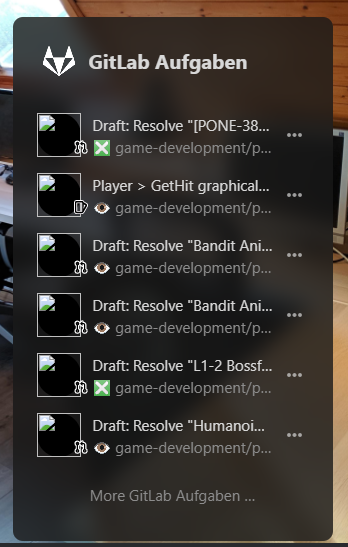
I'm suffering from the missing avatars in Calendar as well at the same time.

@mrschaal It's probably not related as the avatars are remote. See https://github.com/nextcloud/integration_gitlab/issues/8 or please open another issue on that repo.

Reminder if necessary of some information I wrote in one of my closed issues, mentioned here in may 2022 :
Analysis with the code inspector of my browser :
Looking at the HTML source code, here is a fairly easy to understand observation, which might suggest that the problem could (perhaps) be simple and quick to solve: First look at the URL of the called avatar when it is displayed correctly (in the top right of the interface, or in the list of users of the instance): We see "/avatar/{username}/32?v=1".
- "{username}" is what we use for example to connect to Nextcloud, on the login screen
- 32?v=1" has no impact on whether or not the avatar is displayed correctly Then simply look at the URL of the avatars in the list of participants in an event: We see "/avatar/{display name}/32?v=1" ... including accents, spaces, etc ... Conclusion of this little analysis :
- We know what is the expected URL (good) and what it corresponds to (username)
- We know what the actual URL is (bad) and what it corresponds to (display name)
I totally get that this bug is causing frustration. From the surface it should be an easy fix.
However, I investigated this once some time ago and discovered that it is hard to distinguish between Nextcloud users on the particular server and "foreign" attendees. This distinction is important because it only makes sense to fetch the avatars of local users.
Maybe there were some changes implemented since then that would make this easier. It might be worth to give it another shot.
