

 nextcloud
Various Differentials Marked as "Orphans"
I've had next-cloud backup running for about a month without doing anything to it. I now have a fair number of differential backups that are marked "orphans". As far as I can tell, the full that is the root of each differential is present and intact. Also, every backup is marked as unverified as reported in #114.
Here's what I'm seeing:
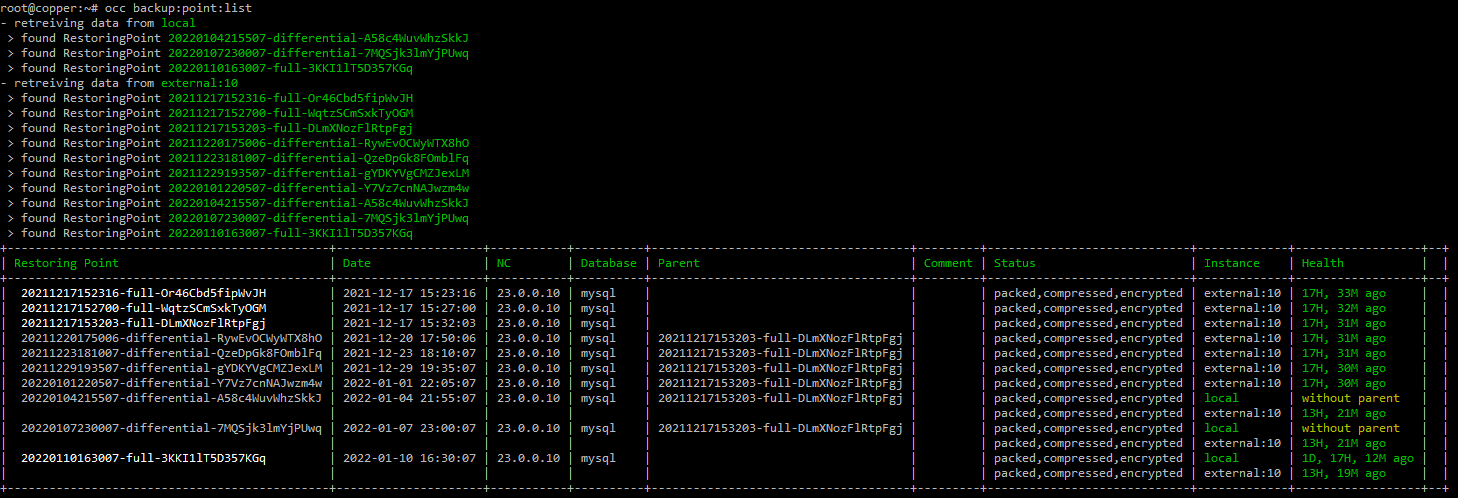
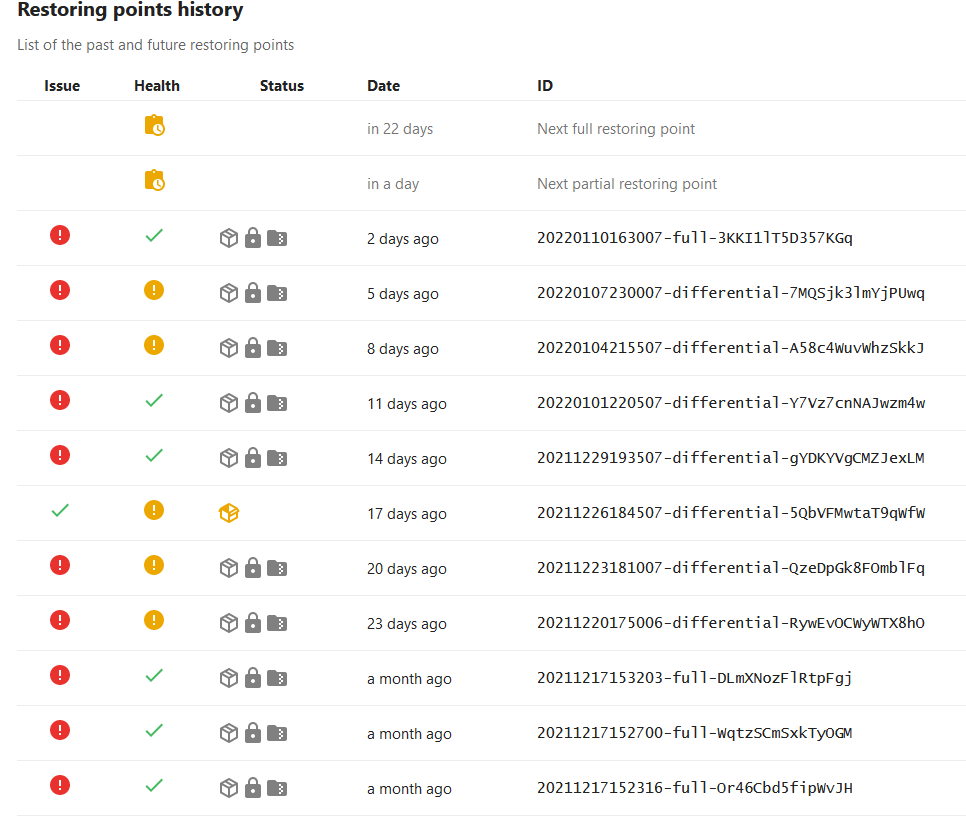
Doing a 'backup:point:scan' doesn't resolve any issues. I am using "external" storage to a second physical volume on the server. However interestingly if I do a 'backup:external:list' I get an error:
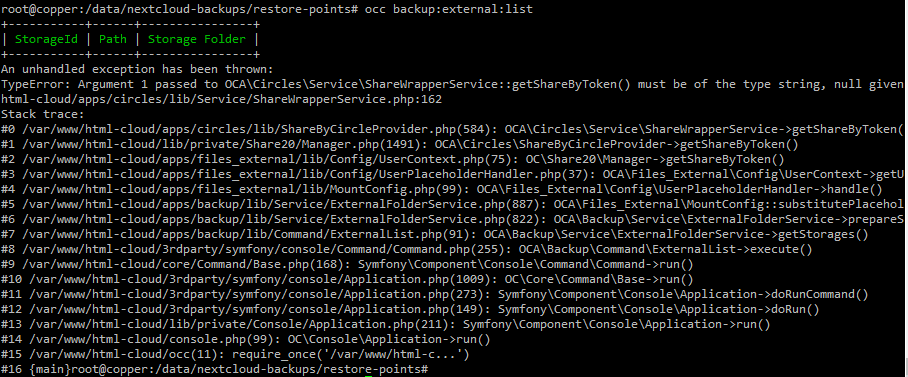
The "External:10" location is the local filesystem /data/nextcloud-backups. The all_data is configured to /data/nextcloud-backups/app_data and restore points is /data/nextcloud-backups/restore-points.

did you delete some of the backups from the local storage ?
backup:point:scan - only looks for the restore points and adds it to the list backup:point:detail - is the correct one - it should check the validity

No files have been manually deleted or modified.
I just ran a few backup:point:detail runs and some of them cleaned themselves up. However there are still two that are marked as orphans even though their parent is present and valid:

The problem is most likely that the "real" parent (the one on local) is not there anymore. So the main question is where are the local full backups
I'm not sure how to answer that question. The backups are configured, as I understand it, to use an "External Storage" target which is basically a volume outside of the main NextCloud data repository. Other than set that up for for app_data and restore-points, I've not configured anything.
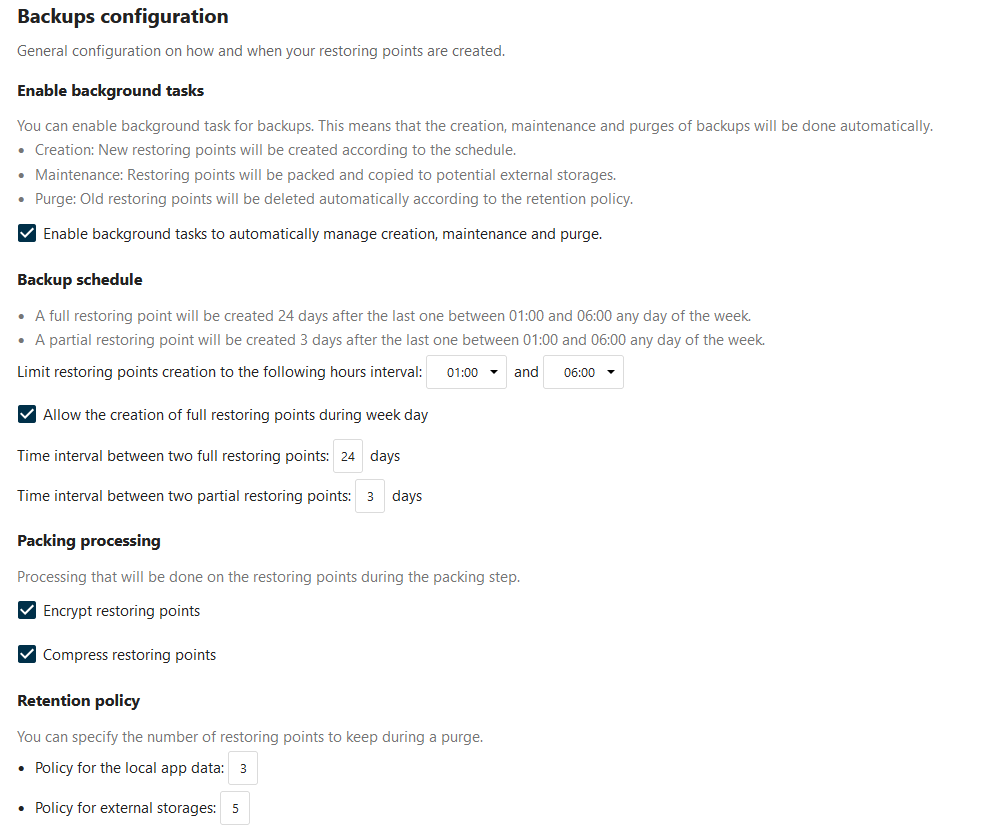
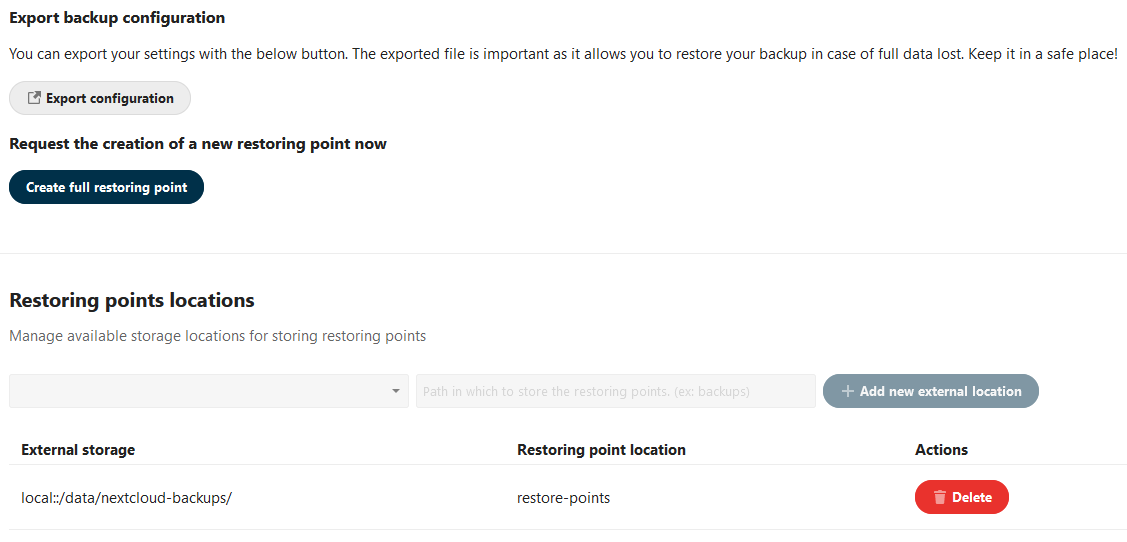
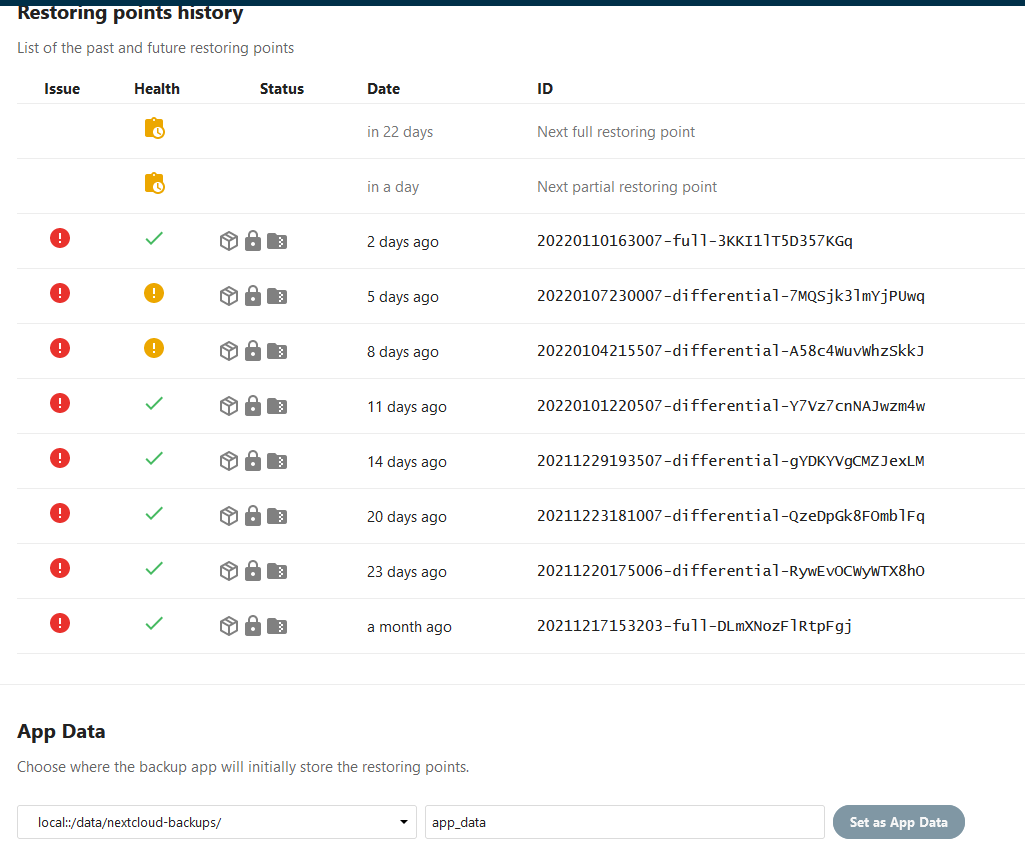
It looks right from the configuration. To me it seems like the retention policy does not work correctly.
Is "local" supposed to be the files in /data/nextcloud-backups/app_data and "external:10" what's in /data/nextcloud-backups/restore-points?
Well, the on-disk contents of those locations are very different. The "local" copies of some of the backups were present but had been lost from the database. I cleaned up the backup list with backup:point:delete and then removed files from the "local" location so everything matches. But something is definitely getting lost. I'll continue to monitor.
As mentioned in #166, I reset everything about this app back to default, cleaned out the filesystems, and started over. I'm still seeing where a differential is marked as an orphan:

It's not clear why the full "local" version is gone because it still exists on disk. If I do a occ backup:point:scan, it interestingly adds a completely unlisted differential (that is also unpacked?) but don't tag the full that's still there:

Note that I have not hand-manipulated anything on disk.
`# ls -l /data/nextcloud/appdata_oc5iubnfxmw8/backup/
total 0
drwxr-xr-x 1 www-data www-data 18 Jan 15 20:10 20220112210315-full-VYze62qEs2pUolW
drwxr-xr-x 1 www-data www-data 154 Jan 15 16:55 20220115215502-differential-t8LIUJGOQS8WOoo
drwxr-xr-x 1 www-data www-data 154 Jan 18 20:15 20220119011502-differential-9DwykRQ6dgSJtH5 `