
backup
 backup copied to clipboard
 nextcloud
Never ending maintenance mode
I had start the backup manually but there is no progress to see in the target directory, no files. My nextcloud is now for 4 days in maintanace mode and I don't know when it will be done. No information in the log. I have a nextcloud storage with 200GB and the backup target is an external drive.

Hey,
do you have shell access to the server? if so please login and run "ps ax | grep "php" ". The output should show you the currently running php processes. I assume that your backup job has failed or stalled, you have to bring Nextcloud out of maintenance mode manually then. It also makes sense to run the first Backup via shell to see potential road blocks.
Cheers

Hey
ps ax | grep "php
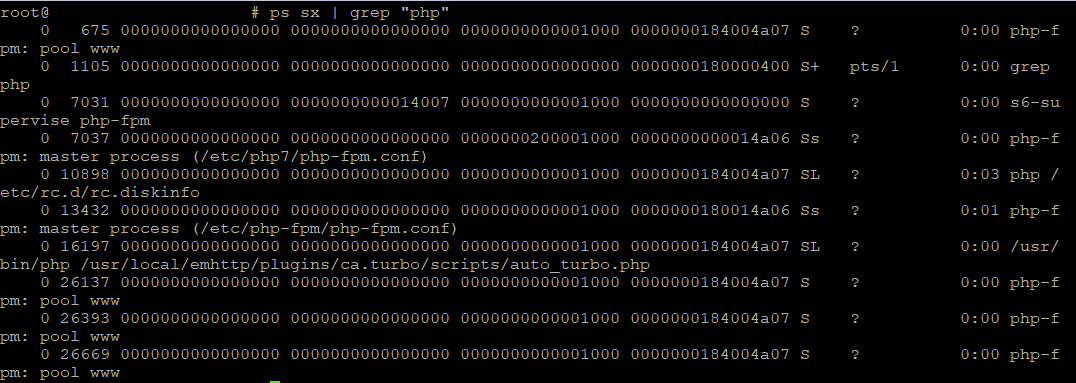
And I got some errors after starting the backup via shell: ` In ExceptionConverter.php line 114:
An exception occurred while executing a query: SQLSTATE[70100]: <<Unknown error>>: 1927 Connection wa s killed
In Exception.php line 26:
SQLSTATE[70100]: <<Unknown error>>: 1927 Connection was killed
In Statement.php line 92:
SQLSTATE[70100]: <<Unknown error>>: 1927 Connection was killed
backup:point:create [--output [OUTPUT]] [--generate-log] [--differential] [--] [
PHP Fatal error: Uncaught PDOException: SQLSTATE[HY000]: General error: 2006 MySQL server has gone away in /var/www/html/3rdparty/doctrine/dbal/src/Driver/PDO/Statement.php:92
Stack trace:
#0 /var/www/html/3rdparty/doctrine/dbal/src/Driver/PDO/Statement.php(92): PDOStatement->execute(NULL)
#1 /var/www/html/3rdparty/doctrine/dbal/src/Connection.php(1163): Doctrine\DBAL\Driver\PDO\Statement->execute()
#2 /var/www/html/lib/private/DB/Connection.php(267): Doctrine\DBAL\Connection->executeStatement('UPDATE oc_file...', Array, Array) #3 /var/www/html/3rdparty/doctrine/dbal/src/Query/QueryBuilder.php(354): OC\DB\Connection->executeStatement('UPDATE oc_file...', Array, Array)
#4 /var/www/html/lib/private/DB/QueryBuilder/QueryBuilder.php(287): Doctrine\DBAL\Query\QueryBuilder->execute()
#5 /var/www/html/lib/private/Lock/DBLockingProvider.php(233): OC\DB\QueryBuilder\QueryBuilder->execute()
#6 /var/www/html/lib/private/Lock/AbstractLockingProvider.php(120): OC\Lock\DBLockingProvider->releaseLock('files/38d3fc13a...', 1)
#7 /var/www/html/lib/private/Lock/DBLockingProvider.php(289): OC\Lock\AbstractLockingProvider->releaseAll()
#8 [internal function]: OC\Lock\DBLockingProvider->releaseAll()
#9 {main}
`
I am using the Nextcloud Docker container for unRAID 6.9.2 and a mariaDB

so, it's not done, it just crashed and failed to leave maintenance mode...
./occ maintenance:mode --off
I will have a deeper look on why the maintenance mode is kept after the crash. Also, how big is your database ?

so, it's not done, it just crashed and failed to leave maintenance mode...
./occ maintenance:mode --offI will have a deeper look on why the maintenance mode is kept after the crash. Also, how big is your database ?
okay please let me know what is the issue My Nextcloud data folder is 300GB and my database is 498,1MiB
Looks like I have the same issue. Just installed. 30G data and within serveral minutes already the nextcloud.log is at 40G while the initial backup zip file is only 95M. At this rate, my only option is to abort & reset.
