
android
 android copied to clipboard
 nextcloud
Failed to create document from template
⚠️ Before posting ⚠️
- [X] This is a bug, not a question or an enhancement.
- [X] I've searched for similar issues and didn't find a duplicate.
- [X] I've written a clear and descriptive title for this issue, not just "Bug" or "Crash".
- [X] I agree to follow Nextcloud's Code of Conduct.
Steps to reproduce
- create a new text document
- see the following error message
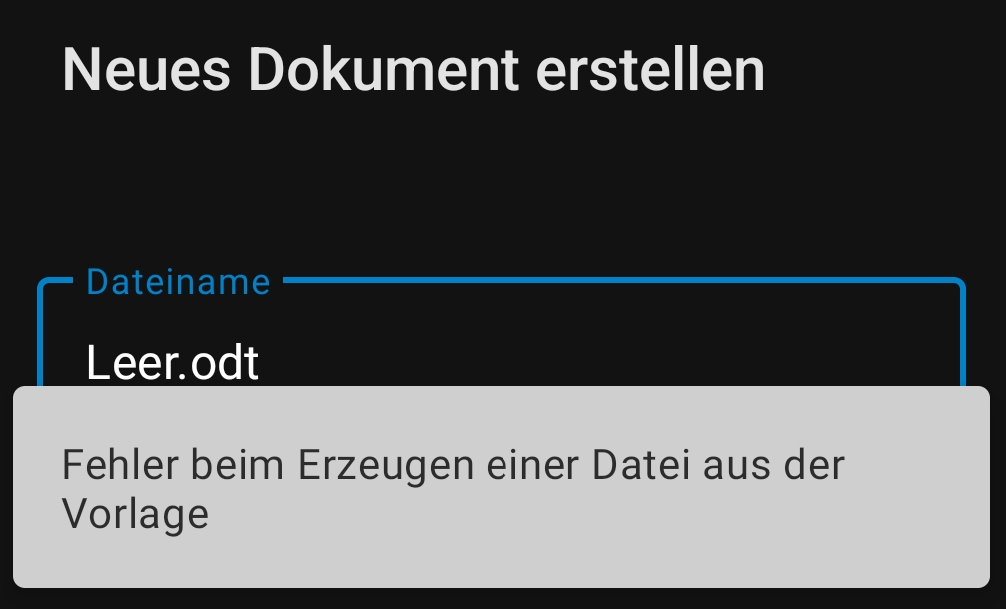
Expected behaviour
a text document should be created
Actual behaviour
no text document is created
Android version
12
Device brand and model
Realme RMX3085
Stock or custom OS?
Stock
Nextcloud android app version
3.20.3
Nextcloud server version
24.0.3
Using a reverse proxy?
No
Android logs
No response
Server error logs
No response
Additional information
No response

Thanks for your report. Can you get a logcat from the Android device so we can see if there's any errors? Instructions here: https://github.com/nextcloud/android#getting-debug-info-via-logcat-mag
Feel free to search and replace the server URL, username and other file names in the output.


Thanks for your report. Can you get a logcat from the Android device so we can see if there's any errors? Instructions here: https://github.com/nextcloud/android#getting-debug-info-via-logcat-mag
Feel free to search and replace the server URL, username and other file names in the output.
no unfortunately not and the link does not work
This bug report did not receive an update in the last 4 weeks. Please take a look again and update the issue with new details, otherwise the issue will be automatically closed in 2 weeks. Thank you!
![github-actions[bot] avatar](https://avatars.githubusercontent.com/in/15368?v=4 "Published by a pub.dev verified publisher")
Can be reproduced as follows:
- install Nextcloud AIO Server (stable)
- config.php customization 'skeletondirectory' => '', 'knowledgebaseenabled' => false,
- connect Nextcloud Android (or IOS) app with account
- Create new document
- see the error message
That's interesting. Empty skeletondirectory should prevent templates from being copied on user creation, but apart from that should not make anything crash. Will investigate
I think i have a similar problem on iOS 16 as well.
If i want to create a new .odt file within the Nextcloud App on iOS i get this request in the logs: (the 212.50 is my caddy reverse proxy btw):
192.168.212.50 - DerLinkman [20/Sep/2022:17:10:15 +0000] "POST /ocs/v2.php/apps/richdocuments/api/v1/templates/new?format=json HTTP/1.1" 500 111 "-" "Mozilla/5.0 (iOS) Nextcloud-iOS/4.4.4" "CENSORED_IPV6"
It results in a Error 500 (as seen in the response code of the request above). My guess is that it happens because i don´t have a valid Template to select from at the document creation process on the App.
Interestingly if i open a existing Document it works like a charm without an error.

Yes, this is also the behavior on Android. (Documents that exist are apparently not affected)
Couldn't reproduce even with the above steps. Will have to try again
Have you made any progress?
@tobiasKaminsky this is the issue I am also experiencing with our production server and master branch of the Android client

Could you check your Nextcloud log if there is an error similar to this one or a different one?
Undefined array key \"dirname\" at /var/www/nextcloud/apps/richdocuments/lib/Controller/OCSController.php#322
If it is the same error then creating documents should only fail in the root directory and a fix would be in https://github.com/nextcloud/richdocuments/pull/2543

Fix was merged and back ported and will become available with the next maintenance releases of richdocuments.