
hexo-theme-next
 hexo-theme-next copied to clipboard
 next-theme
Dark mode not working
Issue Checklist
- [x] I am using NexT version 8.0 or later.
- [x] I have already read the Troubleshooting page of Hexo and Troubleshooting page of NexT.
- [x] I have already searched for current issues, which does not help me.
Expected behavior
Darkmode working
Actual behavior
I have installed the last version of Next available via npm 8.7.0, installed a default website with hexo init, switeched to next theme, and just enabled dark mode but it's not working.
I have tried with all 4 schemes, disabled the next cache, ran hexo clean, emptied the browser cache, tried with both firefox and chromium, the website never get black.
It is reproducible 100% of the time with a minimal setup.

While served with hexo server or python -m http.server or ruby -run -ehttpd (webrick) the dark mode is not working, but surprisingly, while served by Gitlab Pages after being generated by Gitlab CI the dark mode works.
My gitlab-ci config:
# Official framework image. Look for the different tagged releases at:
# https://hub.docker.com/r/library/node/tags/
# https://nodejs.org/en/download/releases/
image: node:15

stages:
  - deploy

# This folder is cached between builds
# http://docs.gitlab.com/ce/ci/yaml/README.html#cache
cache:
  paths:
  - node_modules/

before_script:
  - npm --version
  - node --version
  - npm install hexo-cli -g
  - npm install

pages:
  stage: deploy
  script:
    - hexo generate
  artifacts:
    paths:
      - public
  only:
    - master
CI env
$ npm --version
7.7.6
$ node --version
v15.14.0
Steps to reproduce the behavior
hexo init darkmode_not_working && cd darkmode_not_workingnpm install hexo-theme-next --savecp node_modules/hexo-theme-next/_config.yml _config.next.yml- Switch to
theme: nextin_config.yml - Switch to
darkmode: truein_config.next.yml hexo g && hexo s
Environment Information
Node.js and NPM Information
$ node -v && npm -v
v16.6.1
7.20.3
Package dependencies Information
$ npm ls --depth 0
[email protected] /home/noraj/Dev/the_forbidden_trove
├── [email protected]
├── [email protected]
├── [email protected]
├── [email protected]
├── [email protected]
├── [email protected]
├── [email protected]
├── [email protected]
├── [email protected] extraneous
├── [email protected]
└── [email protected]
Hexo Configuration
The default, just changed theme: next.
# Hexo Configuration
## Docs: https://hexo.io/docs/configuration.html
## Source: https://github.com/hexojs/hexo/

# Site
title: Hexo
subtitle: ''
description: ''
keywords:
author: John Doe
language: en
timezone: ''

# URL
## Set your site url here. For example, if you use GitHub Page, set url as 'https://username.github.io/project'
url: http://example.com
permalink: :year/:month/:day/:title/
permalink_defaults:
pretty_urls:
  trailing_index: true # Set to false to remove trailing 'index.html' from permalinks
  trailing_html: true # Set to false to remove trailing '.html' from permalinks

# Directory
source_dir: source
public_dir: public
tag_dir: tags
archive_dir: archives
category_dir: categories
code_dir: downloads/code
i18n_dir: :lang
skip_render:

# Writing
new_post_name: :title.md # File name of new posts
default_layout: post
titlecase: false # Transform title into titlecase
external_link:
  enable: true # Open external links in new tab
  field: site # Apply to the whole site
  exclude: ''
filename_case: 0
render_drafts: false
post_asset_folder: false
relative_link: false
future: true
highlight:
  enable: true
  line_number: true
  auto_detect: false
  tab_replace: ''
  wrap: true
  hljs: false
prismjs:
  enable: false
  preprocess: true
  line_number: true
  tab_replace: ''

# Home page setting
# path: Root path for your blogs index page. (default = '')
# per_page: Posts displayed per page. (0 = disable pagination)
# order_by: Posts order. (Order by date descending by default)
index_generator:
  path: ''
  per_page: 10
  order_by: -date

# Category & Tag
default_category: uncategorized
category_map:
tag_map:

# Metadata elements
## https://developer.mozilla.org/en-US/docs/Web/HTML/Element/meta
meta_generator: true

# Date / Time format
## Hexo uses Moment.js to parse and display date
## You can customize the date format as defined in
## http://momentjs.com/docs/#/displaying/format/
date_format: YYYY-MM-DD
time_format: HH:mm:ss
## updated_option supports 'mtime', 'date', 'empty'
updated_option: 'mtime'

# Pagination
## Set per_page to 0 to disable pagination
per_page: 10
pagination_dir: page

# Include / Exclude file(s)
## include:/exclude: options only apply to the 'source/' folder
include:
exclude:
ignore:

# Extensions
## Plugins: https://hexo.io/plugins/
## Themes: https://hexo.io/themes/
theme: next

# Deployment
## Docs: https://hexo.io/docs/one-command-deployment
deploy:
  type: ''
NexT Configuration
cache:
  enable: false

darkmode: true
Other Information
- Firefox 90.0.2
- Chromium 92.0.4515.131
Related issues & resources
- https://github.com/theme-next/hexo-theme-next/issues/1662, opened on the wrong repository
- https://github.com/next-theme/hexo-theme-next/issues/339, closed because it was just a pointer
- https://theme-next.js.org/docs/theme-settings/#Dark-Mode, official doc
Thoughts
In thought of an inheritance issue but setting it in theme_config or the site config doesn't solve the problem.
theme_config:
  darkmode: true
Even forcing the value in node_modules/hexo-theme-next/_config.yml doesn't change it.


seems related to prefers-color-scheme
https://developer.mozilla.org/en-US/docs/Web/CSS/@media/prefers-color-scheme
if I set Emulate CSS media feature prefers-color-scheme to dark in chrome devtools, it works fine.
also, in linux (I use gnome), it not works, seems a known bug from chromium
- https://bugs.chromium.org/p/chromium/issues/detail?id=998903
tho it works fine in firefox here (archlinux) (need to set color theme to dark in control center, browser will detect OS color scheme)
(the config darkmode setting likely could be auto, forced, disabled instead of true or false?)
because when user set darkmode to true, it is confusing that actually it depend on OS desktop settings.

This is a way not gentle but working: find all "@media (prefers-color-scheme: dark)" and delete them
this line will check browser color style property, and this prop in firefox changes with the system, in edge you can set it in settings

Does everything work well? I just full tested it and didn't reproduced it. My OS is Windows 10 Enterprise 21H2 19044.1466
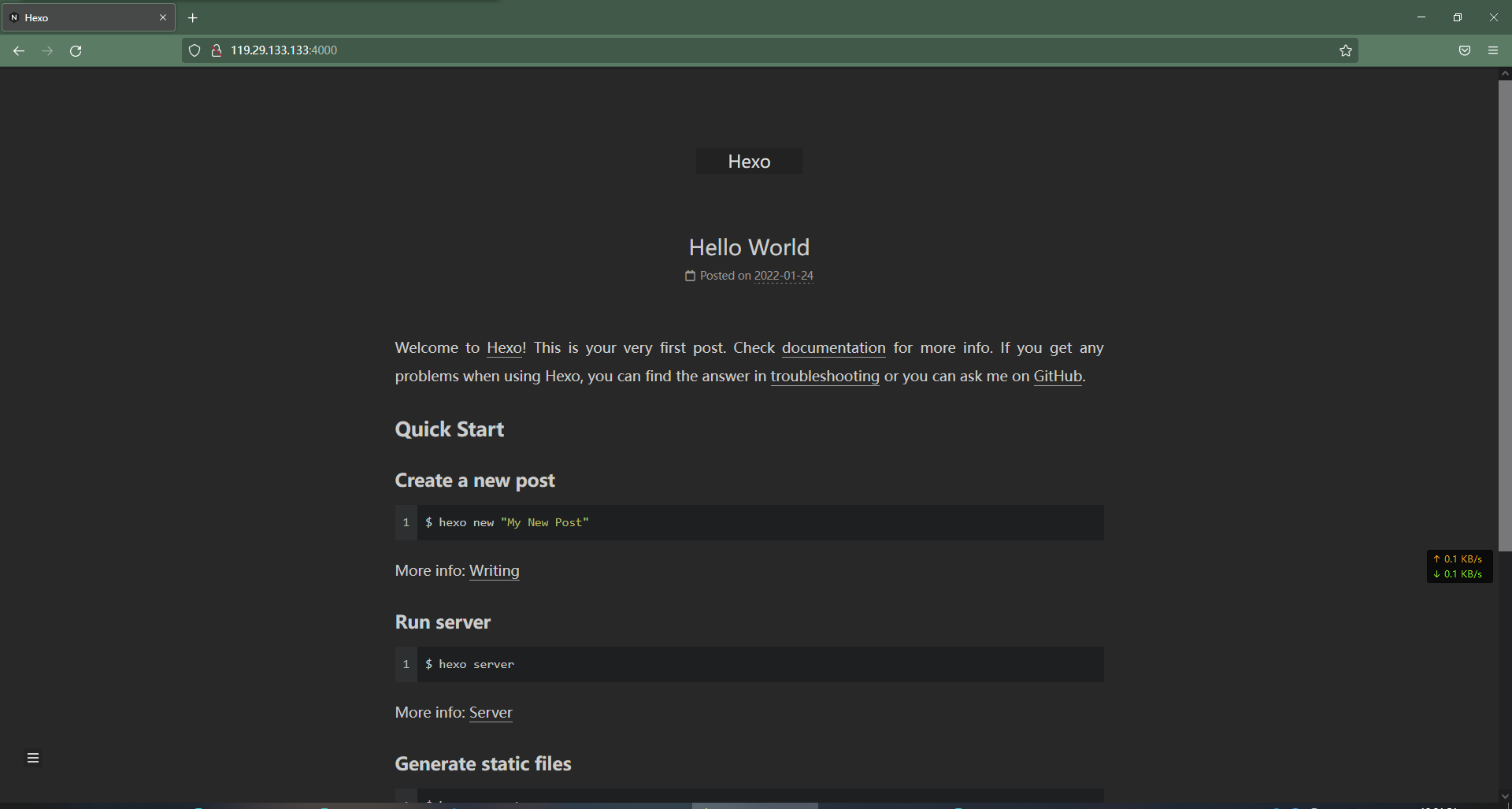
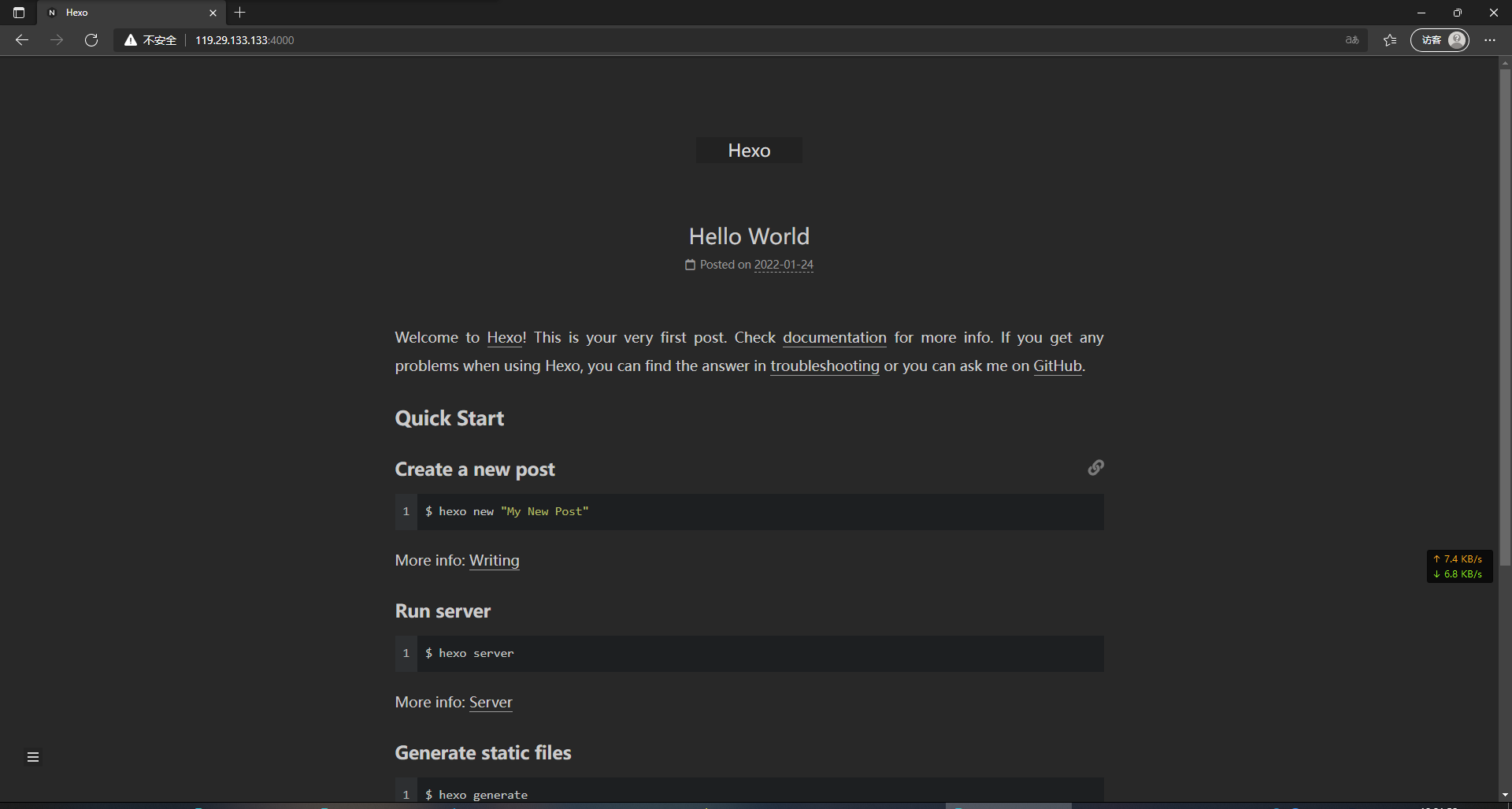

@ljcbaby
I just full tested it and didn't reproduced it. My OS is Windows 10 Enterprise 21H2 19044.1466
As changsijay stated, it's most likely a `prefers-color-schemeè issue that seems to only happen on Linux (eg. for Chromium.
So not reproducing on Windows is not a thing.
I also encountered the same problem, so I came to issues for help. Now I probably understand that your browser also needs to set the appearance so that darkmode can take effect. (by online translation)

Dark mode requires browser and operating system support for the 'prefers-color-scheme' feature. This functionality was initially tested and worked well on macOS. However, for other operating systems (Windows and Linux), support may vary.
For example: https://bugs.chromium.org/p/chromium/issues/detail?id=998903
