

 netdata
[Bug]: Lost all historical data upon update
Bug description
2 servers updated to 1.35.0-41 nighlty and lost all historical data, while another remained on 1.35.0-29.
It already happened when updated from 1.34.* to 1.35 and again now. Graphs are also very odd compared to old version!?

Is there something I can do to prevent data loss in the future? I'm keeping 7 days of history and plan to keep an entire month, but updates are regularly loosing all data.
Expected behavior
Data should not be lost upon updating netdata software
Steps to reproduce
- Update from 1.35.0-29 to 1.35.0-41
Screenshots
No response
Error Logs
No response
Desktop
OS: [e.g. iOS] Browser [e.g. chrome, safari] Browser Version [e.g. 22]
Additional context
No response

FWIW, 2 servers upgraded to -41 automatically (not sure how) and this morning all data where gone. I then upgraded 2 other servers from -29 to -41 (using webmin UI) and one lost all data, the other did not !?
Is there a way to stay on stable versions and not receive every nightly updates constantly!? I have a server still running 1.32.0-32 and I'm quite happy with it and Webmin tells me there is no updates!? How come?
@cpipilas @hugovalente-pm Do you guys think this is for the agent team or the visualizations team?

Is there a way to stay on stable versions and not receive every nightly updates constantly!? I have a server still running 1.32.0-32 and I'm quite happy with it and Webmin tells me there is no updates!? How come?
@ced1check sorry for the issues caused, let's see if we can get inputs from the team in order to troubleshoot and understand what happened. regarding your question above when you install Netdata you can pass the following parameter to ensure you don't get update on nightlies.
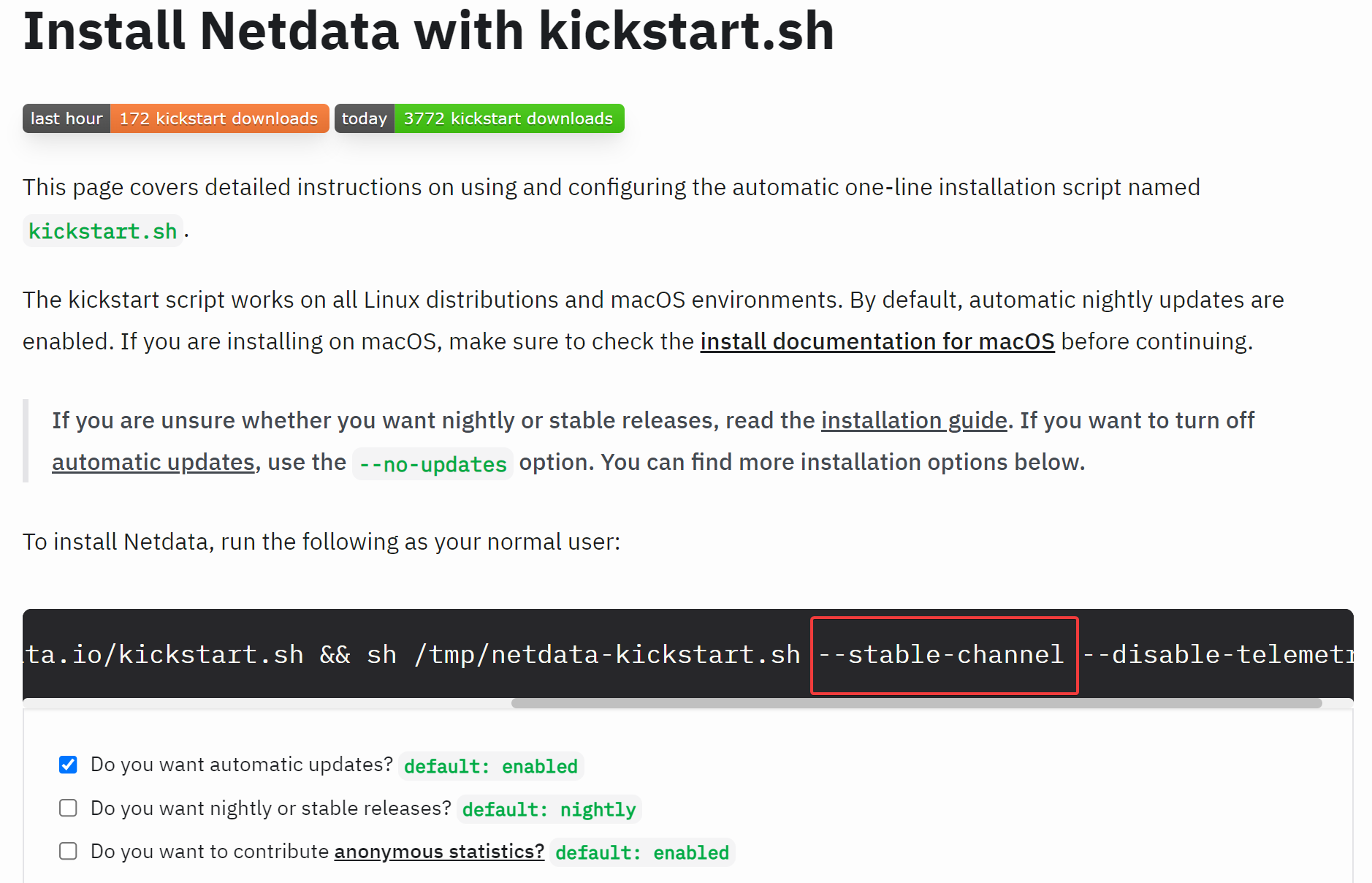
In case you want to change this you can do it, please check https://learn.netdata.cloud/docs/agent/packaging/installer/update#control-automatic-updates
@dimko I would suggest to start with investigation on the Agent side since this seems related to updating and losing history-

The --stable-channel or --no-updates do not seem to do anything in my config!?
Here is the repositories that are setup on servers that keep upgrading nightly
impish/main | https://packagecloud.io/netdata/netdata-edge/ubuntu/ impish/main | https://packagecloud.io/netdata/netdata-repoconfig/ubuntu/
On the servers that stays on 1.32.1-32, it is the same URL but hirsute/main repo.
Shouldn't I change on of those to stay on stable channel? I don't want to have to disable the netdata repositories, but I'd like to avoid updating so frequently.
thanks for sharing that, will also move this ticket to netdata/netdata repo since it is related to the Agent specifically and someone from the team can probably help on this
this could be linked to [Bug]: general config is frequently lost upon updating #13178
got the buildinfo from that other ticket @ced1check please rectify anything if needed
Version: netdata v1.35.0-49-nightly
Configure options:  '--build=x86_64-linux-gnu' '--includedir=${prefix}/include' '--mandir=${prefix}/share/man' '--infodir=${prefix}/share/info' '--disable-option-checking' '--disable-silent-rules' '--libdir=${prefix}/lib/x86_64-linux-gnu' '--libexecdir=${prefix}/lib/x86_64-linux-gnu' '--disable-maintainer-mode' '--prefix=/usr' '--sysconfdir=/etc' '--localstatedir=/var' '--libdir=/usr/lib' '--libexecdir=/usr/libexec' '--with-user=netdata' '--with-math' '--with-zlib' '--with-webdir=/var/lib/netdata/www' '--disable-dependency-tracking' 'build_alias=x86_64-linux-gnu' 'CFLAGS=-g -O2 -ffile-prefix-map=/usr/src/netdata=. -fstack-protector-strong -Wformat -Werror=format-security' 'LDFLAGS=-Wl,-Bsymbolic-functions -Wl,-z,relro' 'CPPFLAGS=-Wdate-time -D_FORTIFY_SOURCE=2' 'CXXFLAGS=-g -O2 -ffile-prefix-map=/usr/src/netdata=. -fstack-protector-strong -Wformat -Werror=format-security'
Install type: binpkg-deb
    Binary architecture: x86_64
    Packaging distro:
Features:
    dbengine:                   YES
    Native HTTPS:               YES
    Netdata Cloud:              YES
    ACLK Next Generation:       YES
    ACLK-NG New Cloud Protocol: YES
    ACLK Legacy:                NO
    TLS Host Verification:      YES
    Machine Learning:           YES
    Stream Compression:         YES
Libraries:
    protobuf:                YES (system)
    jemalloc:                NO
    JSON-C:                  YES
    libcap:                  NO
    libcrypto:               YES
    libm:                    YES
    tcalloc:                 NO
    zlib:                    YES
Plugins:
    apps:                    YES
    cgroup Network Tracking: YES
    CUPS:                    YES
    EBPF:                    YES
    IPMI:                    YES
    NFACCT:                  YES
    perf:                    YES
    slabinfo:                YES
    Xen:                     NO
    Xen VBD Error Tracking:  NO
Exporters:
    AWS Kinesis:             NO
    GCP PubSub:              NO
    MongoDB:                 NO
    Prometheus Remote Write: YES
Running Ubuntu Linux 21.10, Linux 5.13.0-51-generic on x86_64
Most likely not related to https://github.com/netdata/netdata/issues/13178 (that particular issue should not be affecting anything but configuration, and it’s an external issue in webmin).
Regarding updates, stable versions, and such:
- Given that you’re using our native packages, you can switch the system from nightlies to stable updates by manually running
apt-get install netdata-repo(this should ask about uninstallingnetdata-repo-edge), updating repo metadata, and then runningapt-get update netdata. Manually re-running the installer with--stable-versionshould also switch installation channels, but does not appear to work reliably in all cases at the moment. - You mention running on Ubuntu 21.10. We will be ending official support for Ubuntu 21.10 concurrently with it going EOL upstream on 2022-07-31 (just over a month from now). Past that point in time, you’ll still be able to install, but won’t see any newer version of Netdata there than what was available on that day unless you convert it to using static builds (see https://learn.netdata.cloud/docs/agent/packaging/installer/reinstall#changing-the-install-type-of-an-existing-installation for instructions on how to change the installation type).
- You also indirectly mention running an Ubuntu 21.04 system (the system running 1.32.1-32). We have not officially supported Ubuntu 21.04 since it went EOL upstream on 2022-01-20. If you want to use a newer version of Netdata on that system, you’ll need to convert it to using a static build. There is also an open bug regarding handling of such platforms on installation that may be of interest to you: https://github.com/netdata/netdata/issues/12931
- On an installed system, toggling automatic updates can be done as outlined at https://learn.netdata.cloud/docs/agent/packaging/installer/update#control-automatic-updates. Note that what this changes is not in the Netdata configuration itself, but in whatever mechanism your system uses for running scheduled tasks (probably cron or some cron compatibility layer on top of systemd timers).

Thanks for the info on updates, I suppose removing the edge repo should do it and keep me on stable versions, less frequent updates.
Yes I'm using Ubuntu 21.10, and 21.04 was upgraded to that version a while back, however the repo was not updated. I'll be upgrading the systems to 22.04 sooner or later so it should be no problem, right?
Yep, Ubuntu 22.04 should be no problem at all.
It sounds like you may have to manually update the repos though (unfortunately, unlike on RPM systems, there’s no way to template the repo URLs based on the distro version on DEB systems, so we can’t have them trivially track releases like we do on Fedora or Alma). Manually updating the repository configuration with the correct codename should be sufficient here, but it may be more reliable to do a clean reinstall as outlined at https://learn.netdata.cloud/docs/agent/packaging/installer/reinstall#performing-a-clean-reinstall (note that if you want to take that route, you will need to manually preserve any config/data, check the section right below that on switching install types for a list of what you need to copy for that).
Quick update based on internal discussion:
My initial comment that this was probably unrelated to https://github.com/netdata/netdata/issues/13178 may be wrong. If non-default settings for the dbengine (or history if you’re using something other than dbengine for storage), then the issue in #13178 would result in that being reset to the defaults, which in turn would wipe any excess history when it happens.
We’re going to look further into this internally and try to confirm one way or the other.
When this happens I loose all historical data, not just the default. And it may happen without loosing custom configuration.
all historical data
Is it really all or MySQL only? Do you still have the issue @ced1check?

Yes, all data is lost. I recently had this issue upgrading from 1.35 to 1.36 (stable releases).
EDIT: It seems it affected mysql and apache (at least), however cpu/network/disk data were not lost!
I've never seen this issue after a restart and I did many. Did restart netdata each time I had to restart mysql after a synchro. Never seen this issue either after any reboot (maintenance every other weeks for upgraded kernels on 6 servers).
I 🤷 then, my assumption was: we had both python and go versions of MySQL collector and on restart (or upgrade) one of them (random order) starts collecting data. We have removed python versions from the repo, but it affects clean installs, you still have them.
If you hover on a chart date you can see what collector produces metrics, e.g. (go.d/mysql)
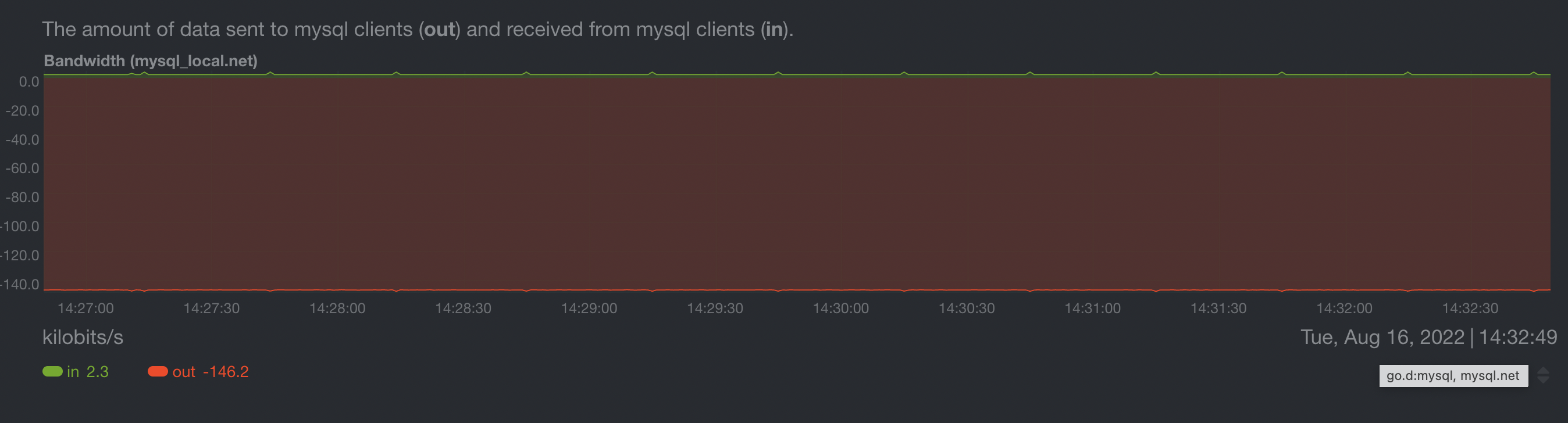
Can you check your Apache and MySQL charts?
I tried to hover onto chart date, hower it never popped-up anything and the date always shows 'latest: ...' like this:
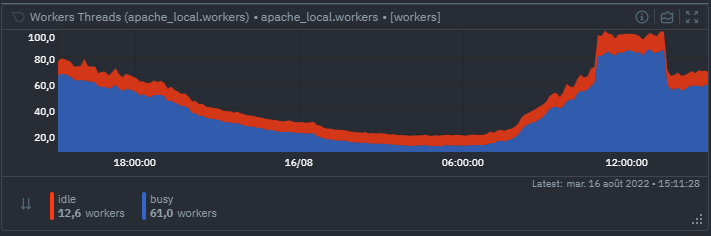
It would seem you access those graphs from somewhere else? Maybe locally, which I can't. Any other way I can give you that information? Maybe from the server, launching a debug session manually?
Yes, I used the local dashboard. You can check it from the single node view (not overview) by clicking on the Info icon:
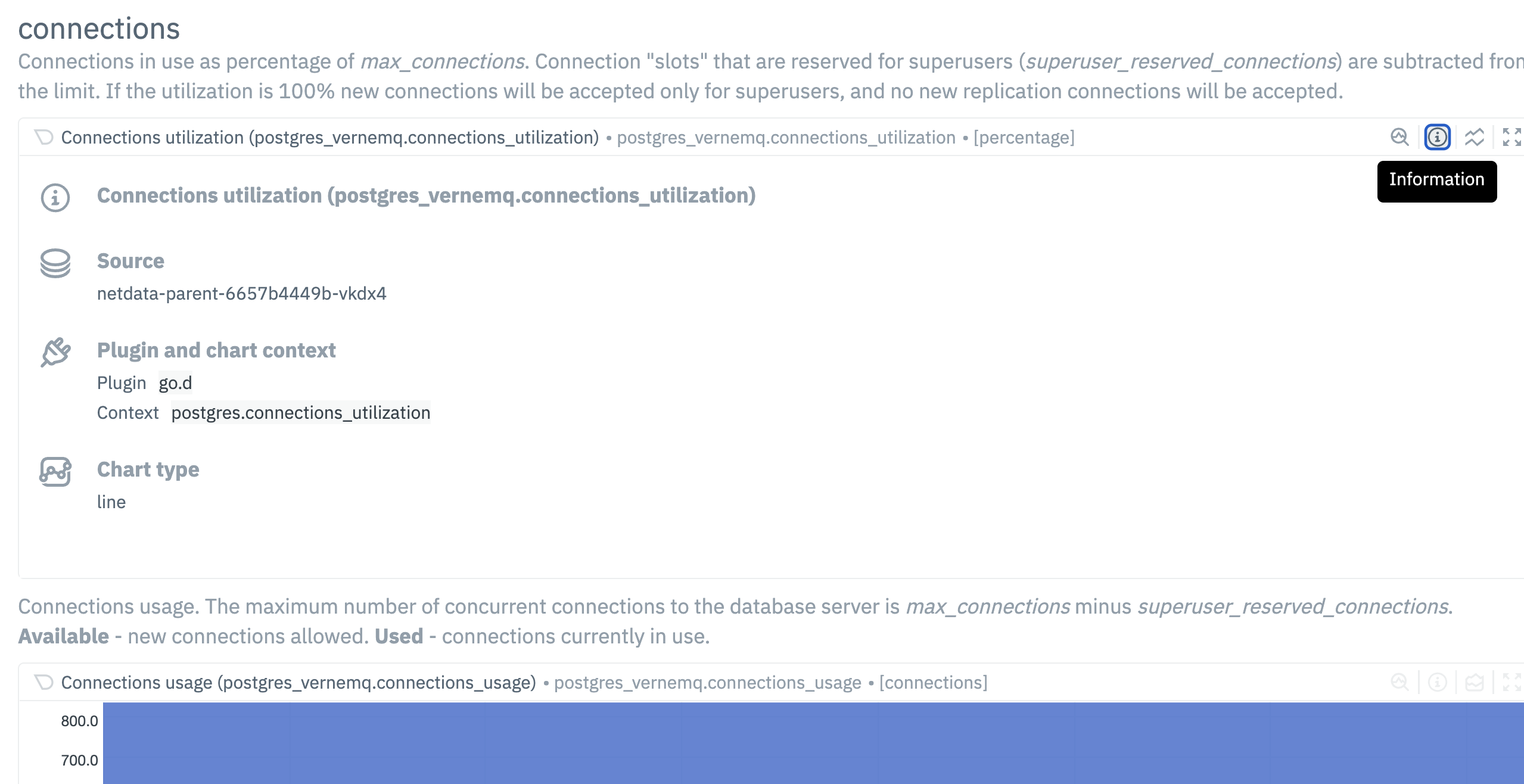

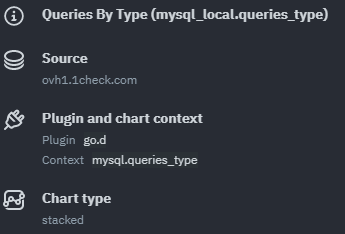
Ok. If you lose metrics only for web log apache/MySQL:
sudo rm /usr/libexec/netdata/python.d/mysql.chart.py
sudo rm /usr/libexec/netdata/python.d/web_log.chart.py
sudo rm /usr/libexec/netdata/python.d/apache.chart.py
If my assumption is correct this should fix the problem (I think there is an open issue for that, I will try to find it). If not - we can't reproduce the problem and there are no similar reports.
Actually I don't have those files. Could they have been removed during 1.36 update?
Update from 1.35.0-29 to 1.35.0-41
Ah, I see, somehow I missed that you installed v1.35.0+. We removed those collectors in v1.35.0.
Well, I couldn't find this ticket so I opened a new one :( https://github.com/netdata/netdata/issues/13548
Now I realize I was on netdata-cloud so I couldn't see this one on netdata!
Last update was from 1.35 stable to 1.36 and I lost everything on 6 servers. I suppose this was execpted because of those files?
No, it wasn't because of the files. It was just my assumption that proved to be wrong.
Maybe locally, which I can't.
Why? If you have the local dashboard disabled, can you enable it just for testing? What is your setup: parent/child or standalone instances? What configuration parameters did you change? Any non-default config parameters? What memory mode do you use (can be found in http://<IP>:19999/api/v1/info)?
When this happens I loose all historical data, not just the default. And it may happen without loosing custom configuration.
If we determine that you lose the data and but your configuration stays the same, then the only other reason it could happen if the dbengine files are lost (are you using dbengine?)
Can you do please an sudo ls -l /var/cache/netdata/dbengine on an affected server?
