djangocms-blog
 djangocms-blog copied to clipboard
 nephila
Article title only in one language
Hey guys,
I can't seem to figure out how to publish the title of an article in different languages. If I go to the German page and change the title, the title is also in German on the English and Dutch page and vice versa.
Also, only the English-language label is highlighted in the django admin at all times.
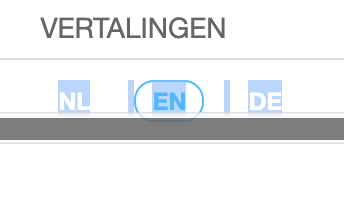
Another thing is that I want to show a specific 'register for newsletter' plugin on the blog main site (eg in the "content" placeholder but not on the blog article sites. I can't seem to figure out how that would work in djangocms-blog as I can't just create a new site for blog article pages. Any tips?
I appreciate any help.
UPDATE: Issue no2 regarding placeholder content is solved thanks to @fsbraun .

For your second question, I would suggest to add a static placeholder to your blog main site (i.e., djangocms_blog/post_list.html). Somewhere in your customized template you might want to try:
{% static_placeholder "additional_interaction" %}
The name of the placeholder is entirely up to you. It will show up on all overview pages, i.e. the main page, the authors' pages, tags' pages, archive pages and category pages.
If - for any reason - you would like to have such a placeholder on the blog article pages, it would need to go into djangocms_blog/post_detail.html.

Thanks, @fsbraun. Great to know with the static_placeholders. Any thoughts on the language issue anyone?
After some digging, I found that also form url is wrong in the admin:
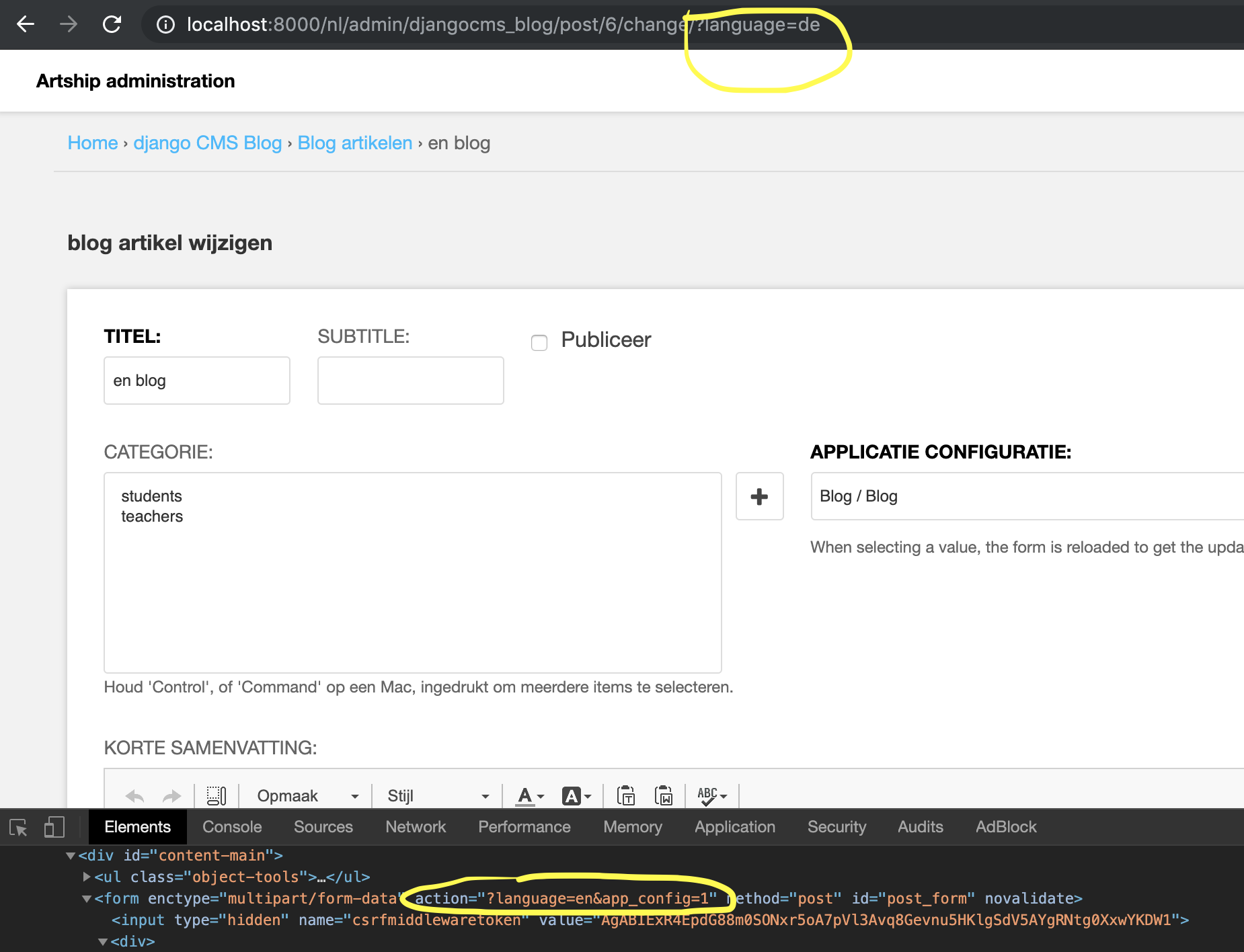 If I change the path to ?language=de and send the form, the form still gets saved for the 'english' language version.
There are also no language tabs on Django-CMS blog admin-pages. There are language tabs on all other Django-CMS admin pages.
As far as I know, I set up the translations' URL paths correctly:
urlpatterns += i18n_patterns(
    url(r'^$', views.StartView.as_view(), name='start'),
    url(_(r'^courses/'), include('courses.urls', namespace='courses')),
    ...
    url(r'^', include('django.conf.urls.i18n')),
    url(r'^', include('cms.urls')),
)
And also the settings.py:
LANGUAGE_CODE = 'en'
TIME_ZONE = 'Europe/Amsterdam'
USE_I18N = True
USE_L10N = True
USE_TZ = True

# LOCALIZATION
LANGUAGES = (
    ('nl', _('Dutch')),
    ('en', _('English')),
    ('de', _('German')),
)
But it only goes to the English form, even if I click on 'German', like above.
Any hints on what could be the problem? @fsbraun ?
Is there any progress on a Django CMS 3.6 implementation and/or the above fixes or any help? Or am I the only one with this problem?
I'm running Django CMS 3.6 and Django CMS blog 1.0b1.
Sorry, I have only little experience in multi-language environments. I see the language tabs in my admin forms, however (version 1.0b1). So it seems to be a configuration issue.
I am not sure what the line url(r'^', include('django.conf.urls.i18n')) does. I also have set
PARLER_LANGUAGES = {
    1: (
        {'code': 'nl',},
        {'code': 'de',},
        {'code': 'en',},
    ),
    'default': {
        'fallbacks': ['nl, 'de', 'en', ],
    }
}
But again, they are currently unused and I am not sure if this helps.
Hey @fsbraun,
I tried adding the parler-languages setting and it solved the problem. Thanks. This is a bug and should be tagged as one as the documentation says that the parler-languages definition is not needed. Or the documentation should be changed.
Kind Regards and thanks for your help.
@lggwettmann actually documentation states to add PARLER_LANGUAGES, what's your CMS_LANGUAGES settings?