

 neos
neos
BUG / FEATURE: Jump to live url of the document
Current state
The change "BUGFIX: Use preview links consistently" consisting of https://github.com/neos/neos-ui/pull/3974 (8.3 & 8.4) and https://github.com/neos/neos-ui/pull/3973 (9.0) adjusted the behaviour of the show preview button.
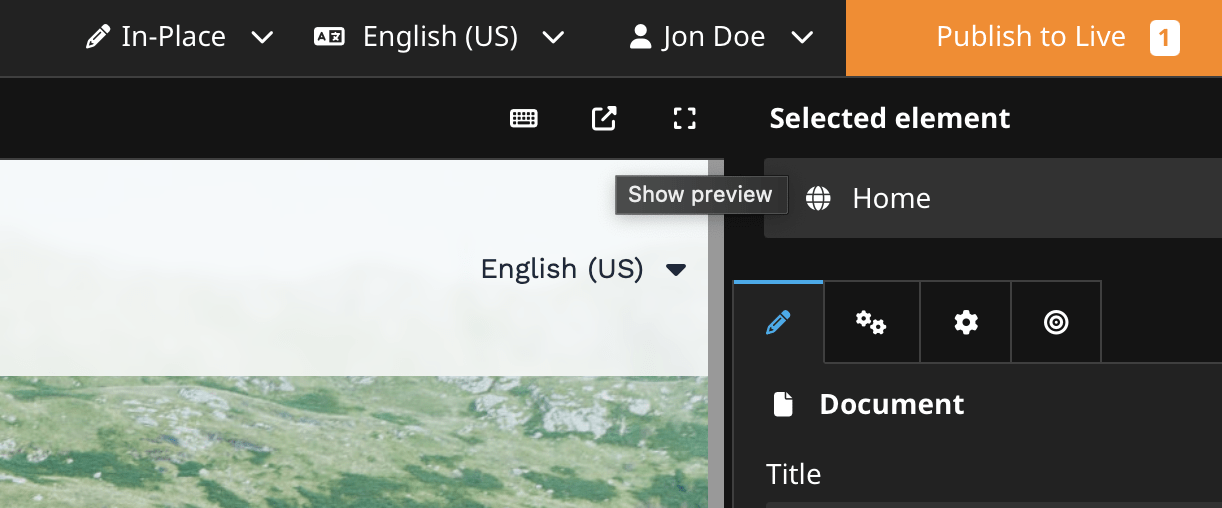
The preview button of the user interface previously redirected to the published content without showing pending changes. With this change the preview shows the same version of content like seen in the backend. For Neos 8.4 a configuration allows to restore the previous behaviour which is removed with Neos 9.
Problem
As reported in slack the changed behaviour in Neos 9.0.2 (and probably in Neos 8.4) causes confusion as we herby remove the ability to easily navigate to the live - human readable url - of the document.
The tricky bit is, editors now have a choice, which is good. They can see stuff with or without hidden things, depending on their chosen edit/preview mode. But a button that kinda replicates the old behaviour is certainly useful. It's deceptive though and we need to communicate that. As nice as that old preview is, it's is wrong depending on workspace nesting and things you did in your workspace.
Idea 1
two rudimentary drafts for a possible inspector preview.
this draft also accounts for the "copy live url" use-case thats why it includes the clipboard button - it could be valuable every time a redactor wants to link to the page from external like a blog post. But then again one can also open the page or possibly right click and copy from the preview button (if the href is set correctly)
| Preview of the live url | No preview because the base workspace has not been published |
|---|---|
Idea 2
two buttons side by side without label would be confusing ... we could make them distinct by adding a second icon overlay like for the user preview a user.
Further thoughts:
- From slack: possibly allow enabling/disabling the Buttons by YAML-Settings
- For low-experienced Editors for example the Preview-Button could be hidden to not confuse them
Idea 3
A preview button which has a dropdown to see other options and by default opens the user workspace preview.
| Dropdown closed (serves as a button for main choice) | Dropdown opened entries do the action |
|---|---|
Further thoughts:
- maybe a button that turns into a dropdown if the document has pending changes?
- this would also need to account for pending changes recursively for all base workspaces as some could have pending changes
- this might also be necessary when the workspace is outdated to live as it shows different content?
Additional thoughts
- The preview must account for the case that the site is not published (or potentially disabled and thus unavailable -> but i think we can build links to disabled nodes so thats not true)

Thx! I think we should do 1+3 without the need for 2 clicks for the selection action. And we should check other CMS too.

I think we should do 1+3 without the need for 2 clicks for the selection action. And we should check other CMS too.
3 is the one with an extra click, or do you mean Idea 2 @Sebobo 🤔

~I would prefer Idea 2~ After this comment im totally fine with 3 as @Sebobo
And additional i also love the Idea 1
The dropdown should behave like the publishdropdown. A klick on the label opens the selected preview and the arrow allows switching the preview mode, or directly opens the selection. So your usual action would be 1 click and the less used 2 clicks.
I dont want to explain the 2 icons from idea 2 to editors
The dropdown should behave like the publishdropdown. A klick on the label opens the selected preview ...
Oh, i didn't got that Click AND Select Thing 🙈 NOW im totally in for this solution 🤩 IF the default Action can be defined in a Setting 🙏
I dont want to explain the 2 icons from idea 2 to editors
Im with you ☝️