

 natmlx
Higher preview resolution looks blurry on windows
I was playing the demo project with a stereo cameras, with resolution support like 640x376(single view),1280x376(dual views), 2560x800, 3840x1080. However, not matter how high I config the previewResolution and MP4Recorder.videoWidth, the result preview resolution I get on screen looks like a very low resolution. Then I updated natdevice to 1.3.1 and natcorder to 1.9.1, still the same results: Even I set the preview resolution to 640x376, the result is a blurry dual view.
I just set screen resolution to : 640,376 and added two prints as: cameraDevice = query.FirstOrDefault(device => device is CameraDevice) as CameraDevice; cameraDevice.previewResolution = (playWidth, playHeight); //cameraDevice.photoResolution = (1920, 1080); print(" resolutions preview: " + cameraDevice.previewResolution.width + " : " + cameraDevice.previewResolution.height); audioDevice = query.FirstOrDefault(device => device is AudioDevice) as AudioDevice; // Start the camera preview previewTextureOutput = new TextureOutput(); cameraDevice.StartRunning(previewTextureOutput); // Display the preview texture var previewTexture = await previewTextureOutput; previewImage.texture = previewTexture; previewAspectFitter.aspectRatio = (float)previewTexture.width / previewTexture.height; print(" previewTexture "+ previewTexture.width + " : " + previewTexture.height);
The result is : resolutions preview: 640 : 376 previewTexture 640 : 376
https://user-images.githubusercontent.com/11953709/200452187-b7a53ff9-7eb1-44ab-b80d-19f2e9acd1ed.png

Hi @olokobayusuf,
I am trying the latest version of the NatDevice plugin from the MediaKit and I am facing some similar issues with rendering the camera preview of a USB web camera exactly to the desired aspect ratio (16:9). I have a dropdown of names of all the USB camera devices attached to my computer and upon selecting either one of them, I am trying to start the corresponding USB camera by passing the name and input resolution from a dropdown and input fields. I am using NatDevice 1.3.2 and Unity editor version 2021.3.15f1 with Windows build target platform.
I want to get the camera preview resolution to be 1920 x 1080 rendered on a 3D quad from a USB camera in Unity Editor. But when I start the USB camera using the NatDevice API, it somehow does not render the camera preview with 1920 x 1080 resolution. The output texture has black strips on either side of the camera preview as shown in the attached image, but the camera device's preview resolution says 1920 x 1080. This is what it looks like:
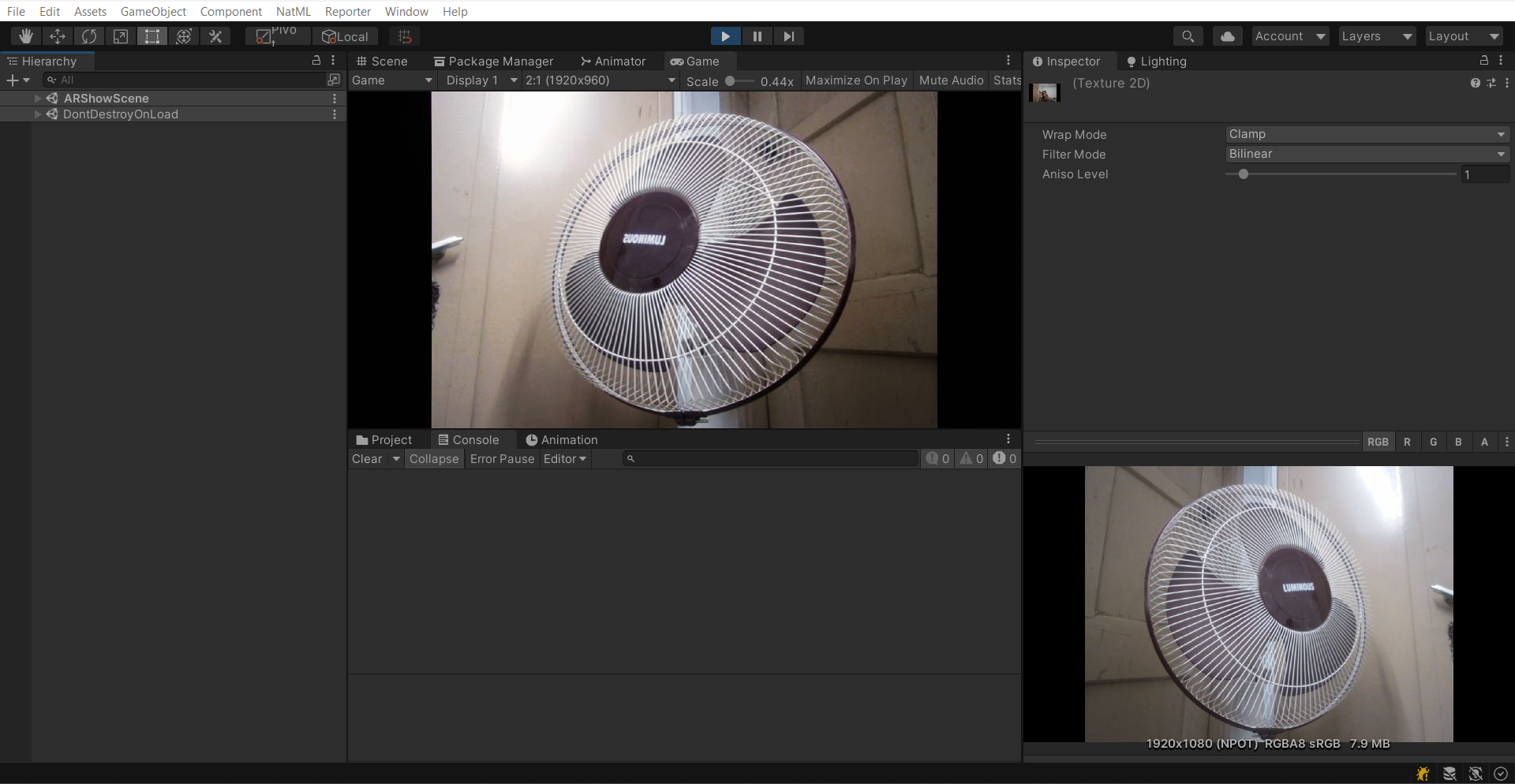
I tried Unity's native WebCamTexture API and it renders the camera preview texture accurately based on the specified resolution. This is what it should look like:
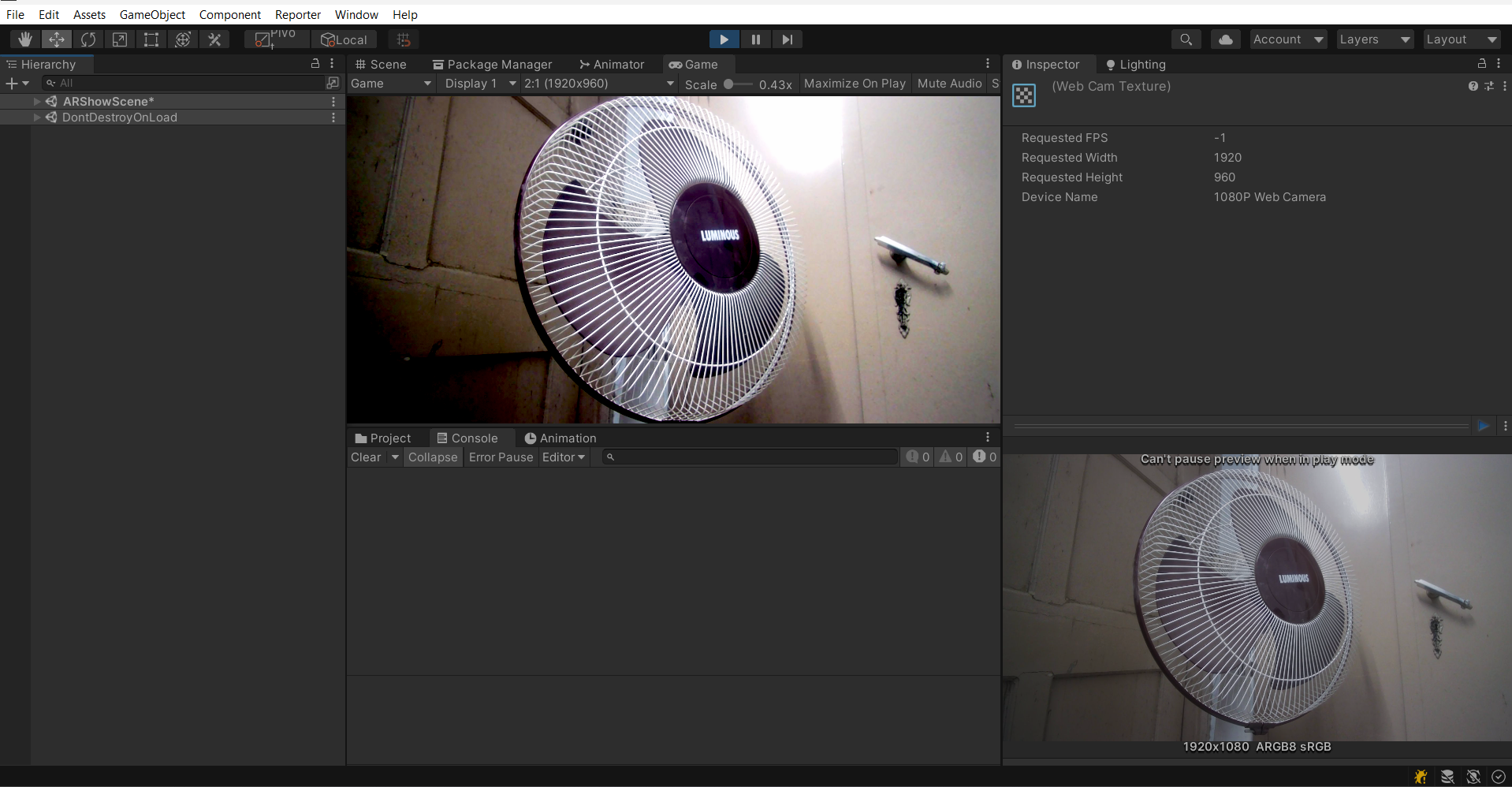
The USB camera in question is a normal Hikvision FullHD camera (DS-UL2) but I have also tried this on a Logitech 720p USB camera and I get the same results, the camera feed is not actually 16:9 but comes with black strips on either side using NatDevice Camera APIs.
I simply put the preview texture on the main texture of a quad and scaled it to cover the full game view for experimentation. This is how I start the camera using NatDevice API:
public async static void StartCamera(string deviceName, Action<Texture> OnNatCamStart)
{
    if (!IsCameraPlaying())
    {
        Debug.Log("Starting camera preview...");
        if (IsCameraPermissionEnabled())
        {
            // Create a device query for device cameras
            var filter = MediaDeviceCriteria.CameraDevice;
            var deviceQuery = new MediaDeviceQuery(filter).ToArray();
            foreach (IMediaDevice camDevice in deviceQuery)
            {
                if (StringEquals(camDevice.name, deviceName))
                {
                    cameraDevice = camDevice as CameraDevice;
                    break;
                }
            }
            if (cameraDevice == null)
            {
                Debug.LogError("Camera not available.");
                return;
            }
            // Start the preview
            cameraDevice.previewResolution = PlayerPrefsManager.instance.GetWebCameraResolution();
            previewTextureOutput = new TextureOutput();
            cameraDevice.StartRunning(previewTextureOutput);

            await previewTextureOutput.textureCreated;
            var previewTexture = previewTextureOutput.texture;
            Debug.Log($"Started camera preview with resolution {previewTexture.width}x{previewTexture.height}");
            Debug.Log($"cameraDevice.previewResolution: {cameraDevice.previewResolution}");
            Debug.Log("Screen.orientation: " + Screen.orientation);
            OnNatCamStart(previewTexture);
        }
    }
}
Let me know if I am missing something. Look forward to a solution. Thanks.


Closing this issue as it should be fixed in VideoKit 0.0.18. Feel free to test the VideoKit alpha, and create a new issue if this still occurs.