

 nathantannar4
Pasting multiple lines causes whitespace at the bottom of the view
Hi, it seems that pasting text consisting of multiple lines causes a lot of whitespace to appear at the bottom. Steps to repro:
- Start the example app
- Select any of the styles
- Paste some multiline text Expected result: Last line of text is at the bottom of the control Actual result: Last line of text is almost at the top.
Here's some text that shows the issue:
A beluga whale seen in the Thames for a second day is "swimming strongly and feeding normally", the RSPCA has said. The animal welfare charity said the whale, nicknamed Benny, had moved towards the estuary, and there were no major concerns for its welfare. It was first spotted around barges in the Thames on Tuesday near Gravesend.
Thanks!


Thanks for the quick response. It looks like it only happens on certain devices. It happens on the iPhone 8 simulator, as an example, but not iPhone X. Here's the result after pasting on an iPhone 8:
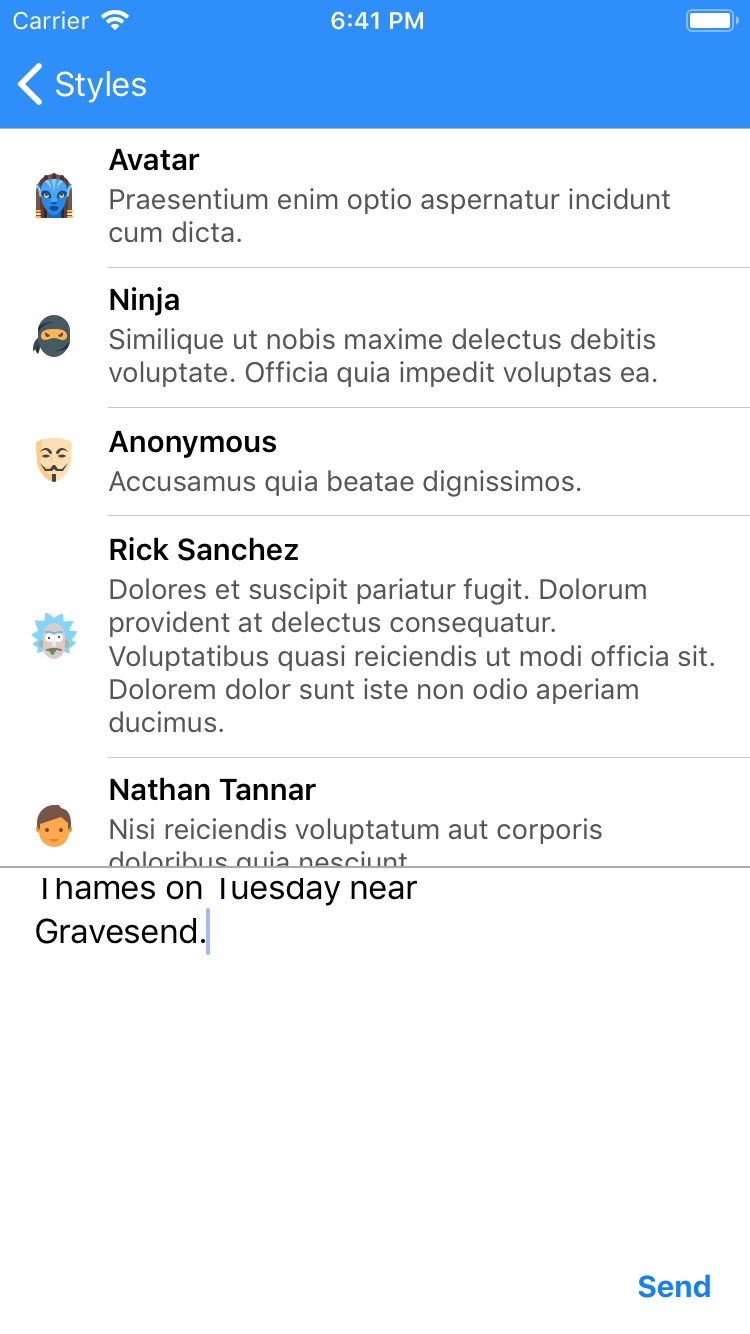
Does this occur on an iPhone 8 physical device? I don't have an 8 to test with. If it only occurs on the simulator then it's likely a simulator bug
Sent with GitHawk
I have an iPhone SE and I can replicate it on that device. It was reported by one of our testers using a physical device, which from the screenshots looks like an iPhone 8 (certainly not an SE).
Issue seemed to be related to the toggling of UITextView.isScrollEnabled: Bool property. Must be difference on some devices? Couldn't reproduce on iPhone 7 plus but was able on an iPhone 5 so I managed to find a fix. Please update to 4.0.2
Hey there @nathantannar4 , thanks for the fix. Unfortunately it didn't work for us -- even though it fixed the issue in the example app.
After some investigation I found that it was related to the AutocompleteManager, which the example app uses but we don't. So if I comment out all the code relating to AutocompleteManager in the example app, I see the original issue. Similarly, if I add the following lines to my viewDidLoad, I'm able to paste just fine:
let autocomplete = AutocompleteManager(for: inputBar.inputTextView)
autocomplete.register(prefix: "§")
inputBar.inputPlugins = [autocomplete]
Cheers
Hi @melfynr That's weird, not sure how it could be liked to the autocomplete. Quick question, is this a result you reproduced in the example or are you using any delegates with InputTextView in your app?
Hi @nathantannar4 ,
Yes, in the example app if I comment out uses of the autocompletemanager lazy property, I can replicate the issue.
In our app, specifically with the inputTextView, we're using the textViewDidBeginEditing(_:), textViewShouldEndEditing(_:) and textView(_:shouldChangeTextIn:replacementText:). Although they seem to not be being called....
@melfynr I can't seem to reproduce it in the example after commenting out the autocomplete stuff. Are you sure you are using the latest version? Could your delegate method textView(_:shouldChangeTextIn:replacementText: be causing this bug for you?
I also had this bug at iOS12.1, iPhoneXR.
I tried
textView(_:shouldChangeTextIn:replacementText:
, but it didn't works.

sometime i got this problem in device iphone when paste some string like link..., the tableview is show with height about ~64 and look like blank space, did someone fixed that?

just remove one text then tableview disappear https://user-images.githubusercontent.com/8202437/105927422-88a73900-6076-11eb-852e-e5697684b6c5.MP4