

 nathantannar4
Cursor overlaps with placeholder text
Trying to configure the message input textview cursor to not overlap with the placeholder text on version 4.3.3
This setup is primarily derived from https://github.com/nathantannar4/InputBarAccessoryView/blob/master/Example/Example/InputBarExamples/iMessageInputBar.swift and is used as part of https://github.com/MessageKit/MessageKit
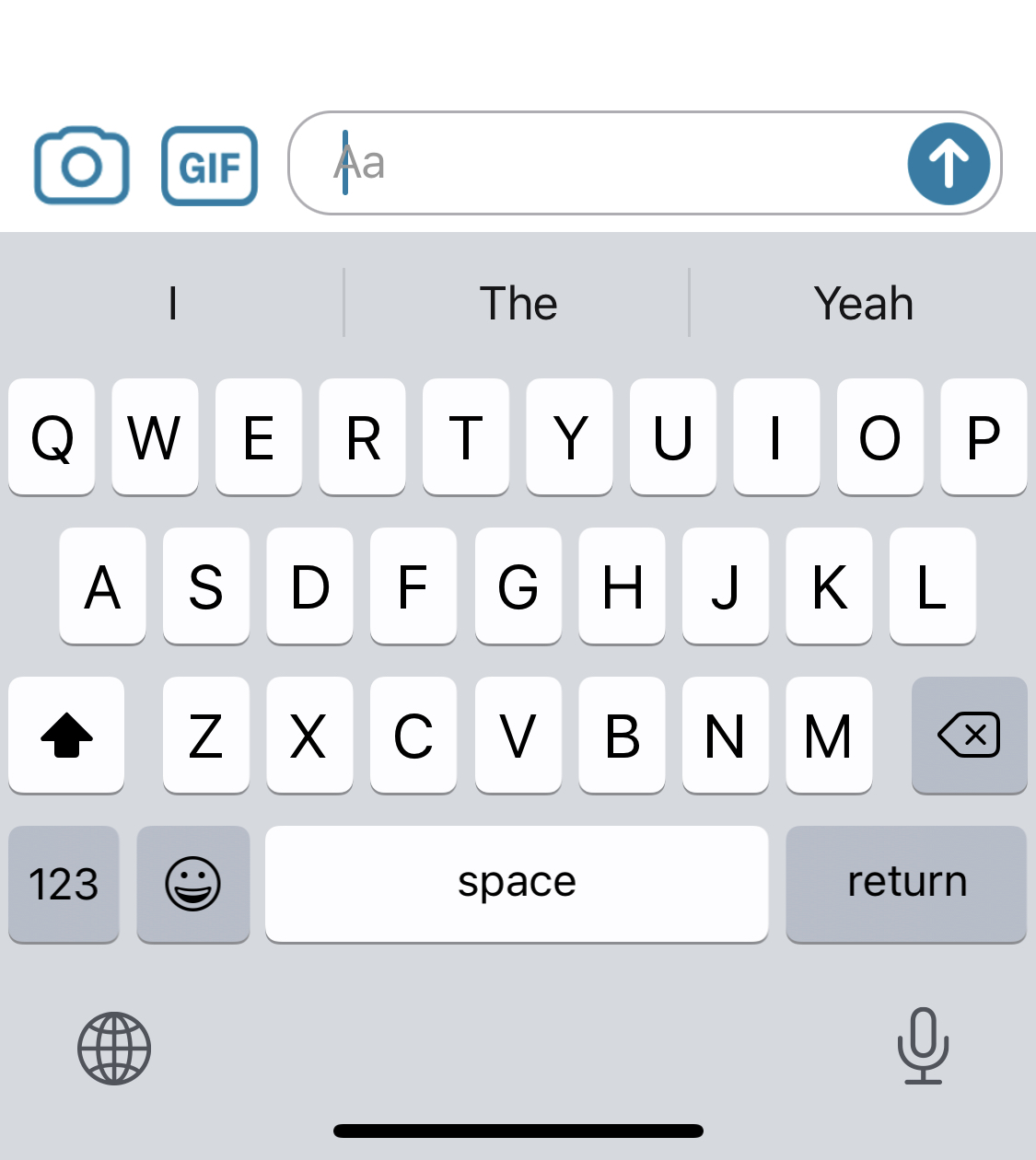
Here is the code setup below:
        messageInputBar.inputTextView.textContainerInset = UIEdgeInsets(top: 8, left: 16, bottom: 8, right: 36)
        messageInputBar.inputTextView.placeholderLabelInsets = UIEdgeInsets(top: 8, left: 20, bottom: 8, right: 36)
The confusing part about this is that, it looks like the textContainerInsets just modifies the placeholder insets anyway, so I am not sure why the example sets both, and no matter where I modify the placeholder insets, that is where the text begins when I start typing.
I spent quite some time trying to figure out why the changing the placeholder insets was not preventing the overlap, and it looks like I needed to do the following:
        messageInputBar.inputTextView.textContainerInset = UIEdgeInsets(top: 8, left: 16, bottom: 8, right: 36)
        messageInputBar.inputTextView.textContainer.lineFragmentPadding = 0
is there a way we can get the InputTextView to have placeholder insets take into account the lineFragmentPadding to prevent that overlap from occurring? or have it default the textContainer's lineFragmentPadding to 0?
something like placeholderLabelConstraintSet?.left?.constant = (placeholderLabelInsets.left + textContainer.lineFragmentPadding)
I didn't just outright create a PR because I wasn't sure if ignoring the behavior of the textContainerInset and placeholderLabelInsets was intentional or not

I need insets on the text container too and I'm also running into this. Could you put up that PR?

@AndrewSB the text container insets do work, it just also changes the placeholder insets. and changing the placeholder insets appears to do nothing. if you set the text container insets and then use messageInputBar.inputTextView.textContainer.lineFragmentPadding = 0 to prevent the cursor overlapping with the placeholder it should be fine
@mmdock awesome, that worked for me.
@nathantannar4 @Kaspik is this expected behavior? Should we open a PR to override the textContainer's constraints in the inputTextView so this works as expected with the placeholder label?
Honestly not sure. @martinpucik might know more, or @nathantannar4 can respond definitely.

Apologies, I was away from this project for quite some time but am starting to get back into it.
The abundance of APIs here can defiantly lead to a confusing result like you experienced.
