

 nat
nat
After run calling localhost:5432 there is a white page
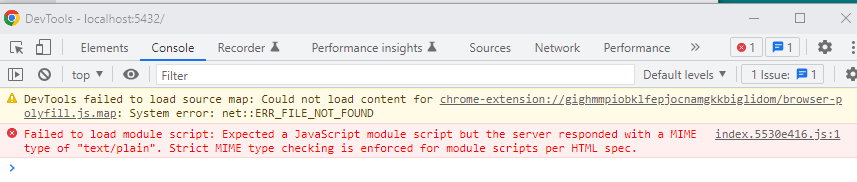
After pip and run, in localhost:5432 I have a white page, only title in tab report OpenPlayground. I open developer tool and in console I have this error message:
Failed to load module
script: Expected a JavaScript module script but the server responded with a MIME type of "text/plain". Strict MIME type checking is enforced for module scripts per HTML spec.


Is this after running openplayground run?
Any errors in the console?

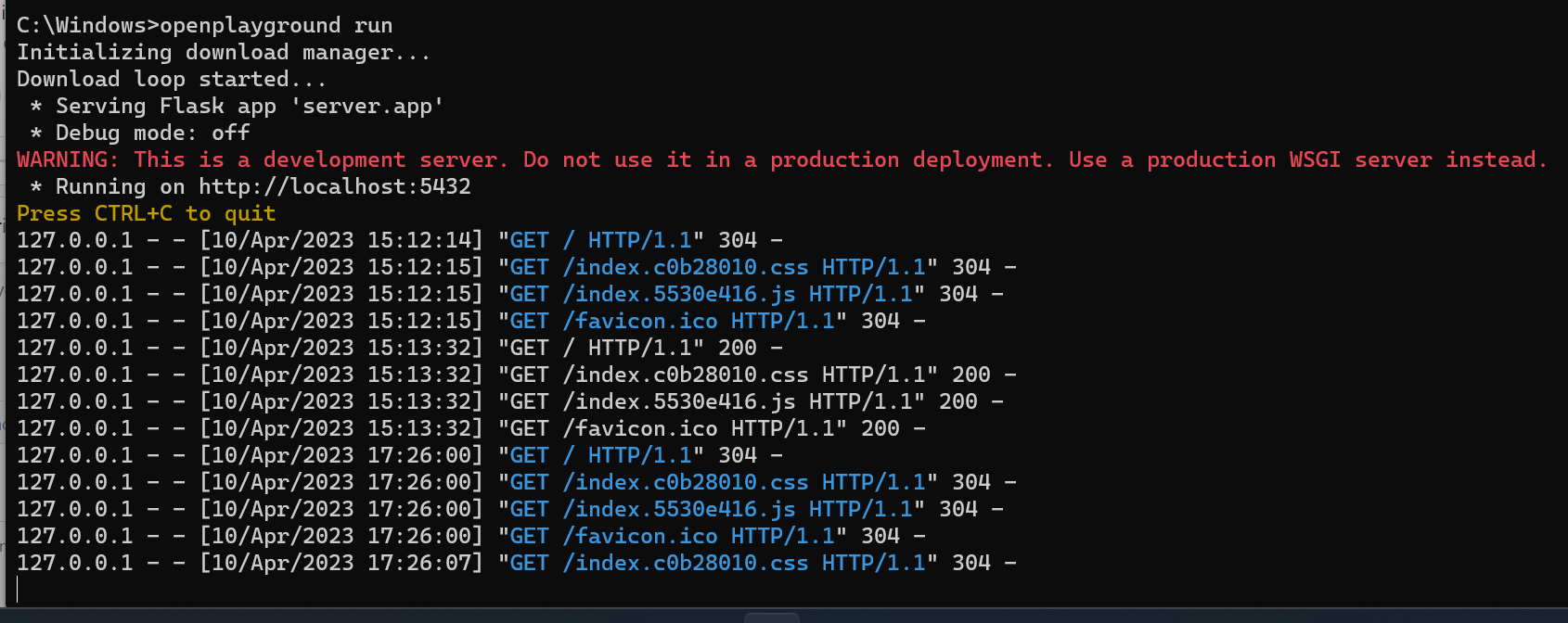
 OS: Win10
Python -v 3.11.3
OS: Win10
Python -v 3.11.3
@sbaglieri @MauGal could you try pip installing the latest package?
@AlexanderLourenco I have upgraded package (openplayground version 0.1.5) and I have the same issue. Same error in developer console on index.d826928d.js. No error in terminal console My OS is Win 11 and python version 3.11.0
I have tried to uninstall and reinstall but nothing, it's equal.
Same issue, Windows 11 Python 3.10.11
Edit: Information from Chrome DevTools
A page or script is accessing at least one of navigator.userAgent, navigator.appVersion, and navigator.platform. Starting in Chrome 101, the amount of information available in the User Agent string will be reduced. To fix this issue, replace the usage of navigator.userAgent, navigator.appVersion, and navigator.platform with feature detection, progressive enhancement, or migrate to navigator.userAgentData. Note that for performance reasons, only the first access to one of the properties is shown.
Edit 2: This appears to be something in the React framework having to do with relative pathing of files and/or pointing to files that are not on your main path. I suspect something to do with where the server folder is deployed (maybe in the user's account folder structure) is not playing well with React. (I'm not a React dev, so I'm basing this off initial Google-Fu.)
