
nv
 nv copied to clipboard
 n-shift
nv





nv is a lua neovim config which tries to be simple, cute and well-documented
Installation
Pre-requisites
For installation
- neovim v0.5.0+ (required for lua support)
- git
Requirements for default config to work
- Nerd patched font - used by nvim-web-devicons
- sumneko-lua - used by lua-dev
- ripgrep - default telescope grep searcher
Manual
- Backup your previous neovim config if it exists
- Clone repository into config folder
- Windows
- cmd
- default:
git clone https://github.com/shift-d/nv --depth 1 %LOCALAPPDATA%\nvim\ - XDG_CONFIG_HOME is set:
git clone https://github.com/shift-d/nv --depth 1 %XDG_CONFIG_HOME%\nvim\
- default:
- powershell
- default:
git clone https://github.com/shift-d/nv --depth 1 $env:LOCALAPPDATA\nvim\ - XDG_CONFIG_HOME is set:
git clone https://github.com/shift-d/nv --depth 1 $env:XDG_CONFIG_HOME\nvim\
- default:
- cmd
- Unix:
- default:
git clone https://github.com/shift-d/nv --depth 1 ~/.config/nvim/ - XDG_CONFIG_HOME is set:
git clone https://github.com/shift-d/nv -- depth 1 $XDG_CONFIG_HOME/nvim/
- default:
- Windows
- Open neovim inside config directory
- Type
:PackerInstall - Reopen neovim - and... done!
Script
Windows
- Open powershell
- Run
Invoke-WebRequest https://raw.githubusercontent.com/shift-d/nv/main/scripts/install.ps1 | select -ExpandProperty Content | Invoke-Expression - Follow steps 3-5 from manual installation
Unix
- Open shell
- Run
curl --proto '=https' --tlsv1.2 -sSf https://raw.githubusercontent.com/shift-d/nv/main/scripts/install.sh | bash - Follow steps 3-5 from manual installation
Configuration
Feel free to configurate everything! Unlike NvChad and kyoto.nvim nv provides only glue for your config. Make it yourself!
Please, review every config file. If you don't know what exactly this option does - run :h $option or if it's in plugin config - visit it's README.md.
Directory overview
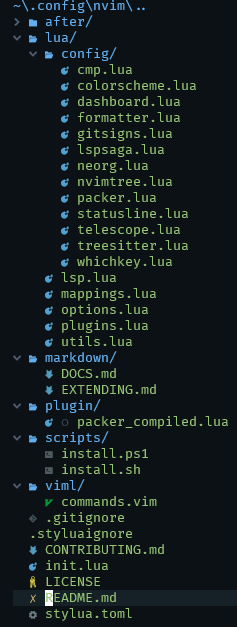
init.lua- file that imports every modulelua/- folder that should be used for containing*.luafilesconfig/- folder for plugin configuration filespacker.lua- packer.nvim config and autoinstall
options.lua-vim.opt,vim.oandvim.goptionsmappings.lua- keybindings handled by nest.nvimplugins.lua- plugin specification file; more info in Plugins sectionlsp.lua- LSP settingsutils.lua- global functions for lua
viml/- folder that should be used for containing*.vimfilescommands.vim- definitions of user commands and autocommands
Comparison to other configs
| State | nv | NvChad | kyoto.nvim | Lunarvim |
|---|---|---|---|---|
| Number of plugins | 18 | 33 | 30 | 26 |
| Why | simplicity and well-documented | fast and pretty | fast and customizable | sane defaults |
| Installation | crossplatform | crossplatform | linux/macos only | not yet |
| Required | nerd font, sumneko-lua, rg | rg, nodejs, nerd font | nerd font, ctags, python, nodejs, rg | rust, python, nodejs |
Latest update of table: 8.09.21
Screenshots
overview
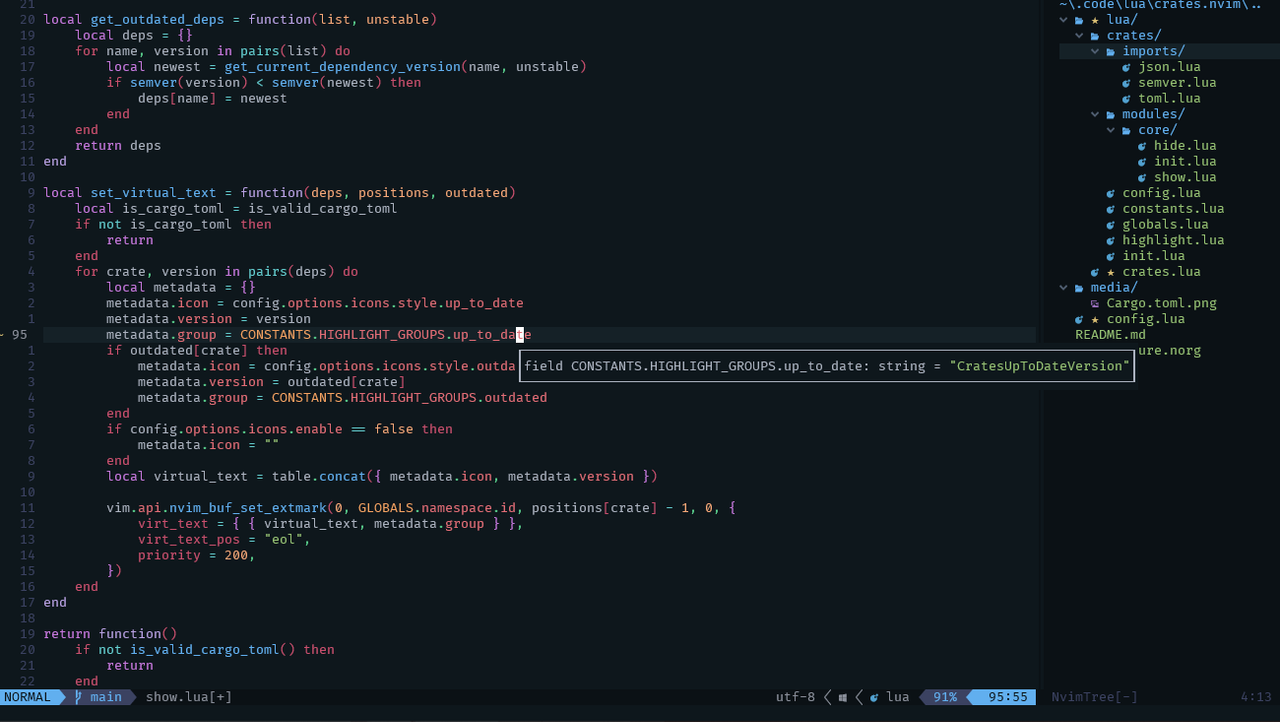
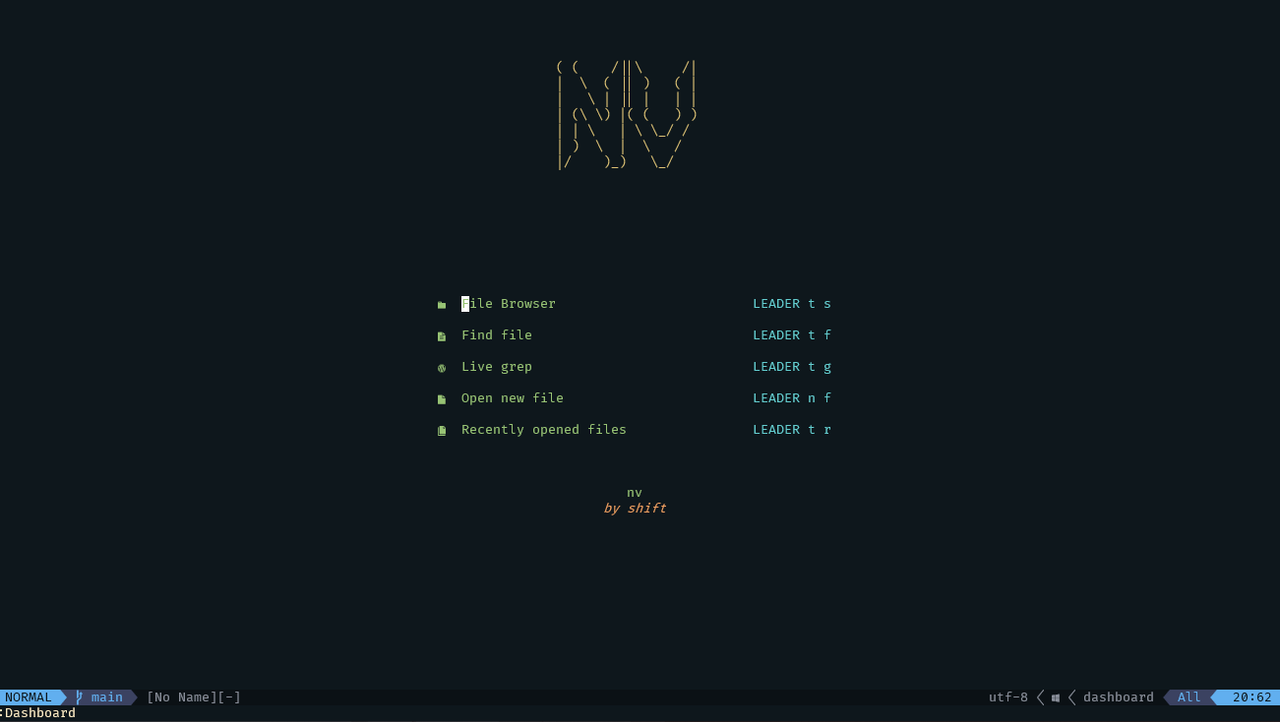
dashboard
nvimtree
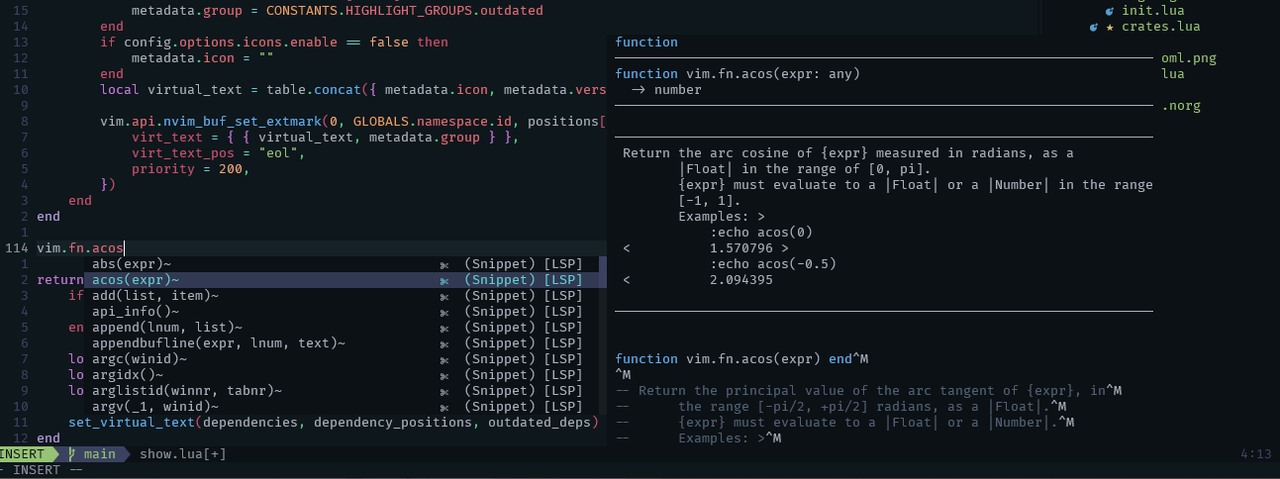
completion
telescope.nvim
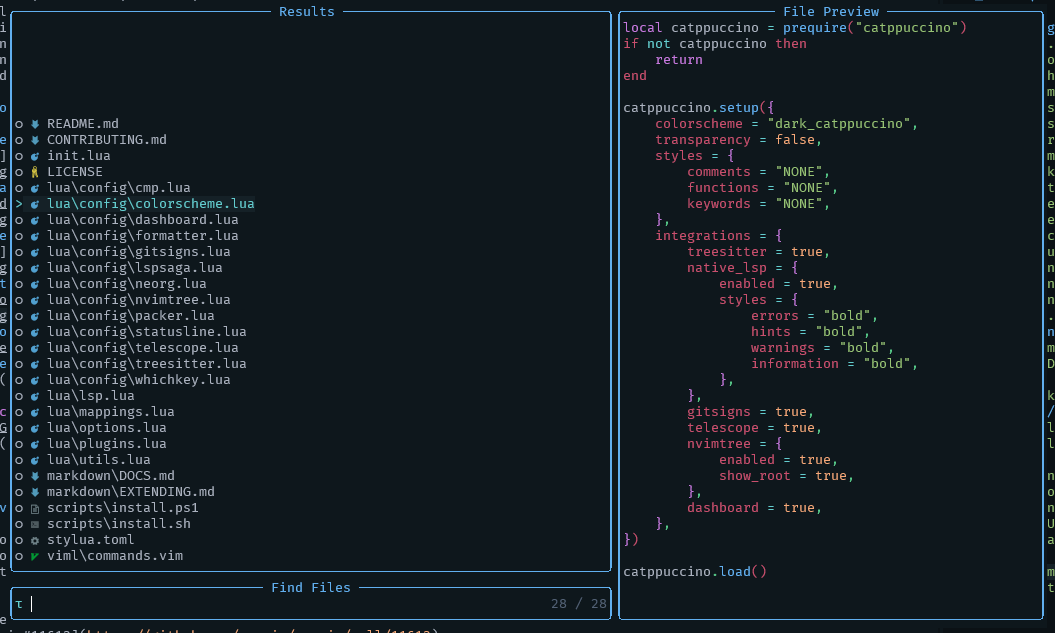
lualine

nv resources
- EXTENDING.md - notes about extending nv
- DOCS.md - nv documentation
FAQ
Why use vimscript and not write entire config in lua?
Sometimes you are not able to write code in lua, so you have to call vimscript from lua.
In my opinion, making stacks of vim.cmd(... is a bad idea, so I'd like to separate vimscript only categories from lua code.
In case of this config, defining commands and autocommands is not supported in neovim lua api yet, so that's why I moved their definition to .vim file.
NOTE: related PR's for adding commands and autocommands support for lua API: neovim/neovim#11613 neovim/neovim#14661
Credits
siduck76 - for his inspirational NvChad
samrath2007 - for his amazing kyoto.nvim
 n-shift