zVirtualDesktop
 zVirtualDesktop copied to clipboard
 mzomparelli
Windows toolbar app launched when changing desktop
zVirtualDesktop behaves strangely. When I switch to any desktop with the numeric keypad (or the numbers on the main keyboard), an application that is fixed to the Windows toolbar is launched almost every time. The launched application is always the same. This behavior is not new. On my old laptop it also happened with older versions of zVirtualDesktop.


Ctrl+Win+Numpad
See the following screenshots:
This is my toolbar:

Wherever desktop I am when I switch to another one it appears the magnifying glass app (which is in 3 place from the end)
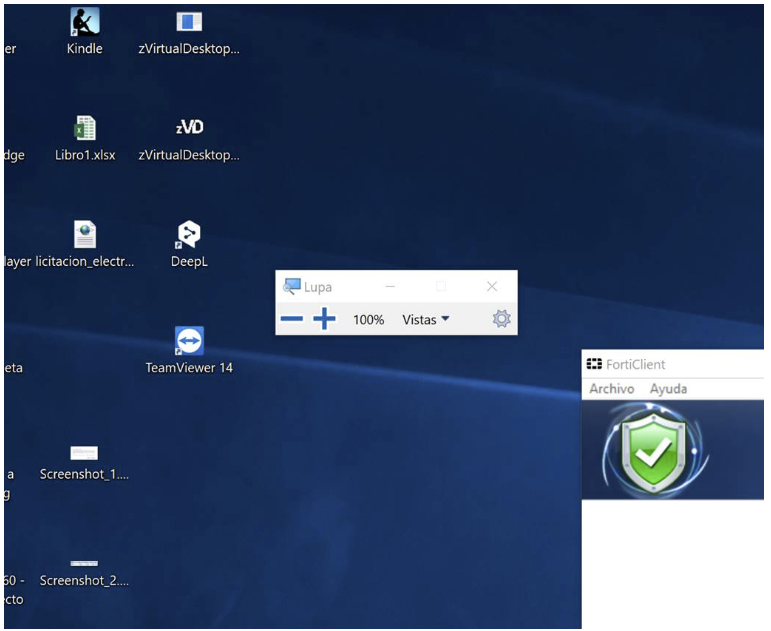
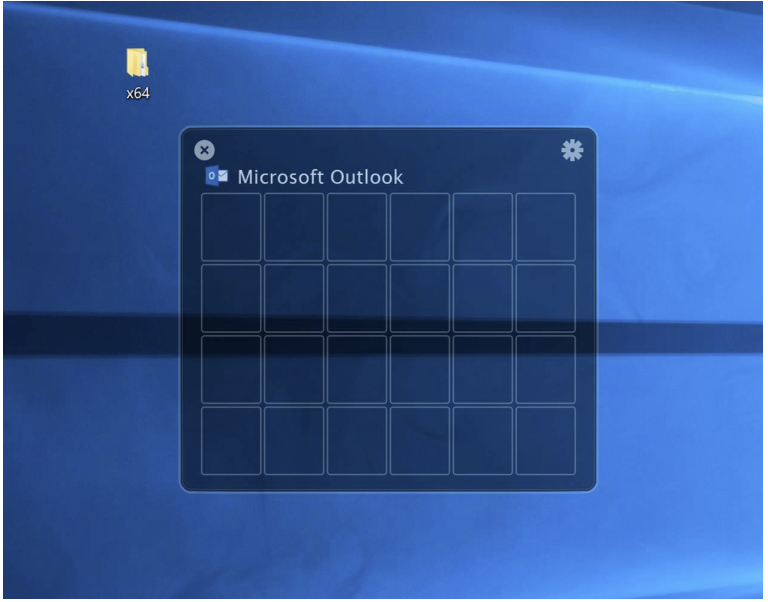
If I exchange the magnifying glass with divvy, when I switch it appears divvy

Best Regards E.Palomares
Unfortunately, none of your screenshots came through. I will try to recreate the issue without them, but please edit your post if you get a moment.
Try this link please: https://www.evernote.com/l/AF7zcPGRGrtLzY5xUJ8gHUZVo5pLkvIQljQ/
I am seeing the same issue, it is very irritating and I close the stray appln which opens!

ok, sorry about this. I will continue looking into this over the weekend.
I was able to reproduce this issue, but it's not clear how it's happening. It's also not happening every time for me. Also for me it's the 14 item I have pinned to the taskbar which happens to be Bing Maps.
If either of you have any idea how this is happening or can provide any additional info then I would appreciate it.
I can't get over your desktop setup. How do you know what's open? The start menu is where you put all of your frequently used programs. The taskbar is designed to show you what you have open. I'm not a fan of pinning to the taskbar.
Here's mine

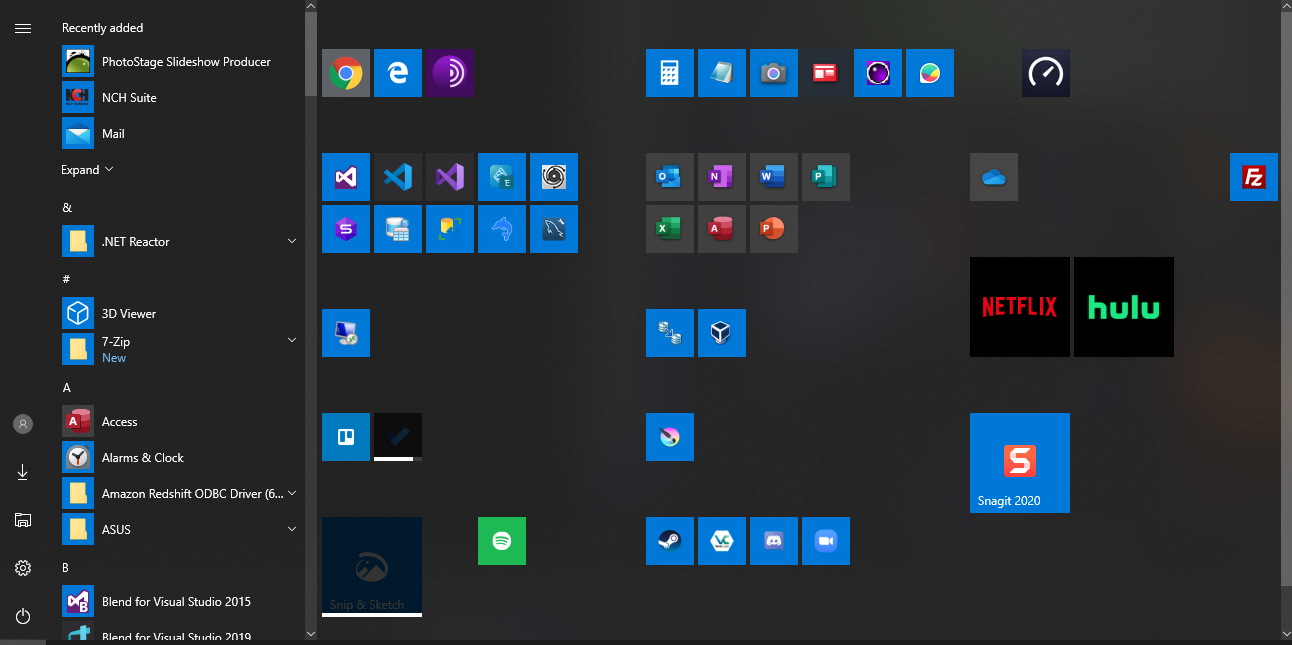
My scenario: This happens when I use keyboard shortcuts to switch from desktop d1 to desktop d2
- I press my keyboard shortcut to get preview (ctrl+~) 2).Then i press the desktop I want to go to say d2 (if I want to go to d2), then a stray appl which is pinned to my taskbar starts. (if I switch to an other desktop say d5, then other stray desktop appl which is pinned to my taskbar starts)
In my case:
-
I have the apps pinned in the toolbar (26 apps) -
Every time I switch whatever desktop with Ctrl+Win+Numpad or Ctrl+Win+Num in keyboard it always start the same pinned app (number 21)
Do yo guys see any correlation in which app it starts and the number you press?
yes, it seems to start the same app (depending on the target Virtual destop number).
Any update on the fix?
I am trying to figure it out. It's not easy because I can't tell how it's happening. I guess WIN+Number is supposed to launch the pinned taskbar at that particular number slot, but in the case for this issue it is always the same app no matter which number key is pressed. There seems to be no correlation between the keys pressed and the item that executes.
no, no, as stated in my previous post, it is the same app for the same destination virtual desktop like I am in desktop 1 and trying to switch to desktop 2 - then app X will open always I am in desktop 1 and trying to switch to desktop 3 - then app Y will open always
This is similar to, but different from, the behaviour that still occasionally happens that the numbered tab in Firefox is switched to instead of the numbered desktop, Ctrl-WIN-n. That only happens if Firefox is the active Window and not that often. The workaround is to harrumph, click on the desktop and then repeat the chord.

I'm sorry guys. I'm trying to get to the bottom of this and still testing on my end. This sounds very annoying and I want to fix it for you.
Hi Michael, any update on this?
To recreate this issue, pin bunch of apps to taskbar(word, excel, onenote, chrome etc). I suggest to have 20 of them, then when you switch from desktop 1->2 or 2->1 or x->y, you will see this issue.
Can you test this using only one modifier key for your hotkeys? I'm pretty sure it's related to the Win key along with a number key. I'm also going to perform the same test as soon as I get time.
I am using "ctrl+ tilde" as shortcut for "Show Desktop view" and then "1" to go to Desktop1/"2" to got ot Desktop2
I am not using win key in the above shortcuts, so dont think win key is the culprit here.
I'm facing the same issue, although on my machine, Chrome is launched. It happens occasionally, but not all the time. Chrome is the 2nd pinned app on my taskbar, if that helps

I think I might have got to the bottom of this. I suspect it's Window's native keyboard shortcut (Win + Num), which launches a pinned app from the taskbar that causes a conflict. Sometimes when I press Ctrl + Win + Num, the pinned app with the corresponding number (order) on the taskbar is launched. For example, when I press Ctrl + Win + 1, the first pinned app on the taskbar will be launched.
That's an excellent observation. If this is the case then it sounds like the WIN key press is still being passed through the hook chain after zVD handles it. I'll take a look at my hook implementation for this.
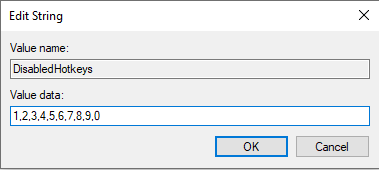
While I look for a proper solution to this issue I have found a way to disable specific WIN+[KEY] hotkeys using the registry.
https://www.nextofwindows.com/how-to-disable-any-specific-win-keyboard-shortcut-in-windows
I tested it out like this and it does in fact do the trick.
Windows 11 has two options for taskbar alignment, left and center (taskbar settings...taskbar behaviours). If I elect "center", I observe the issue reported here, that is, the same pinned app in the taskbar opens sporadically when I switch to another desktop using Ctrl+Windows+Num. If I elect "left", the issue does not show up at all.

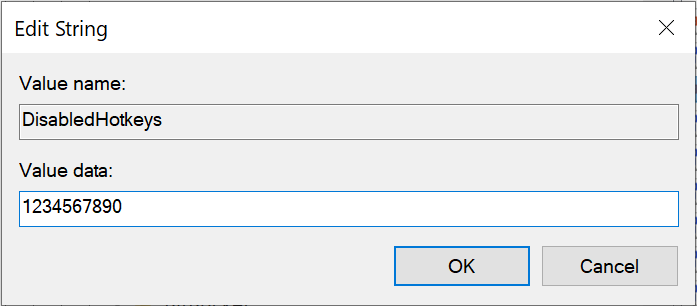
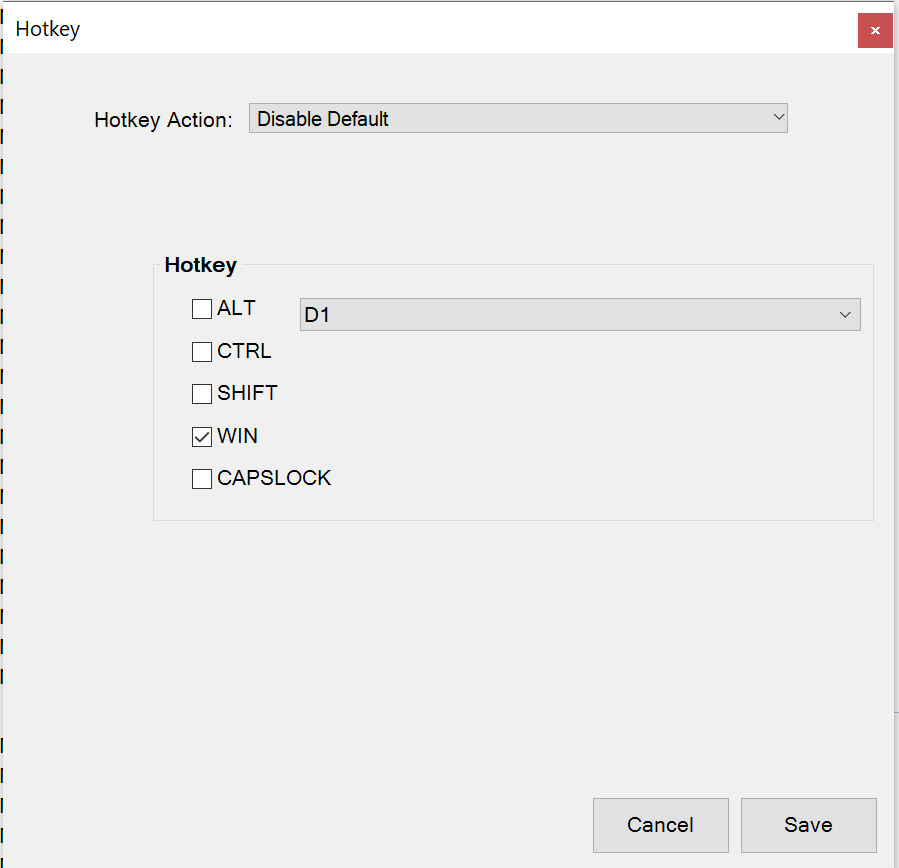
To resolve this now you can use the DisabledHotkeys registry key or you can add hotkeys in zVD to disable the WIN+Num hotkeys like the following:
Computer\HKEY_CURRENT_USER\SOFTWARE\Microsoft\Windows\CurrentVersion\Explorer\Advanced
New string key named DisabledHotkeys