mwganson
custom profiles from helical projection of a sketch
it would be nice to create faces from a planar sketch by an helical projection.
The idea is to create a set of points from every geometry element in the sketch and interpolate there points by a bspline. The result then is flat face which can be used to create any kind of thread-profile.

Sketcher has a tool to convert selected geometry into bsplines. That might work for you.
MeshRemodel workbench has a tool that can create a bspline from the points selected in the gui. Sketcher points are construction mode by default, but you can change them to normal geometry, which will make them visible with the sketch closed. This could be perhaps automated in a script that could take the sketch geometry, discretize it, and use those discretized points to generate the bspline.
ThreadProfile cannot take a sketch as input. The way ThreadProfile works is I created the original profiles manually and used a macro to get the lists of points used to generate the thread profiles as bspline objects. You can find the profiles and the macro in the Resources/assets section, but the macro wasn't designed for end users and is not user-friendly (understatement). The profiles are based on assumption of 1mm pitch and 10mm minor diameter. A horizontal line is moved up in the z direction in 720 discrete steps, at each step the intersection is found between the horizontal line object and the thread profile (on the xz plane). These intersections are stored as a list of 720 x-coordinates. y = 0 for all of them. z is known in the loop used to create the bspline threadprofile objects. Many of the 720 x-coordinates are skipped, depending on the quality setting. The macro would not work well if there are horizontal line segments in the sketch. When I run the macro to get the internal_data and external_data values I run it from a debugger and copy/paste the output from there.
It could be possible (untested) to pass in your own set of 720 x-coordinates to the thread profile creation function.
import ThreadProfileCmd ed = [list of 720 x-coordinates goes here] my_profile = ThreadProfileCmd.ThreadProfileCreateObjectCommandClass().makeThreadProfile(external_data = ed)

Let me explain in more detail:
- user creates a sketch of the section of the thread: the pitch is given by the hight of the sketch, or multiple times of the hight if multiple threads should be created
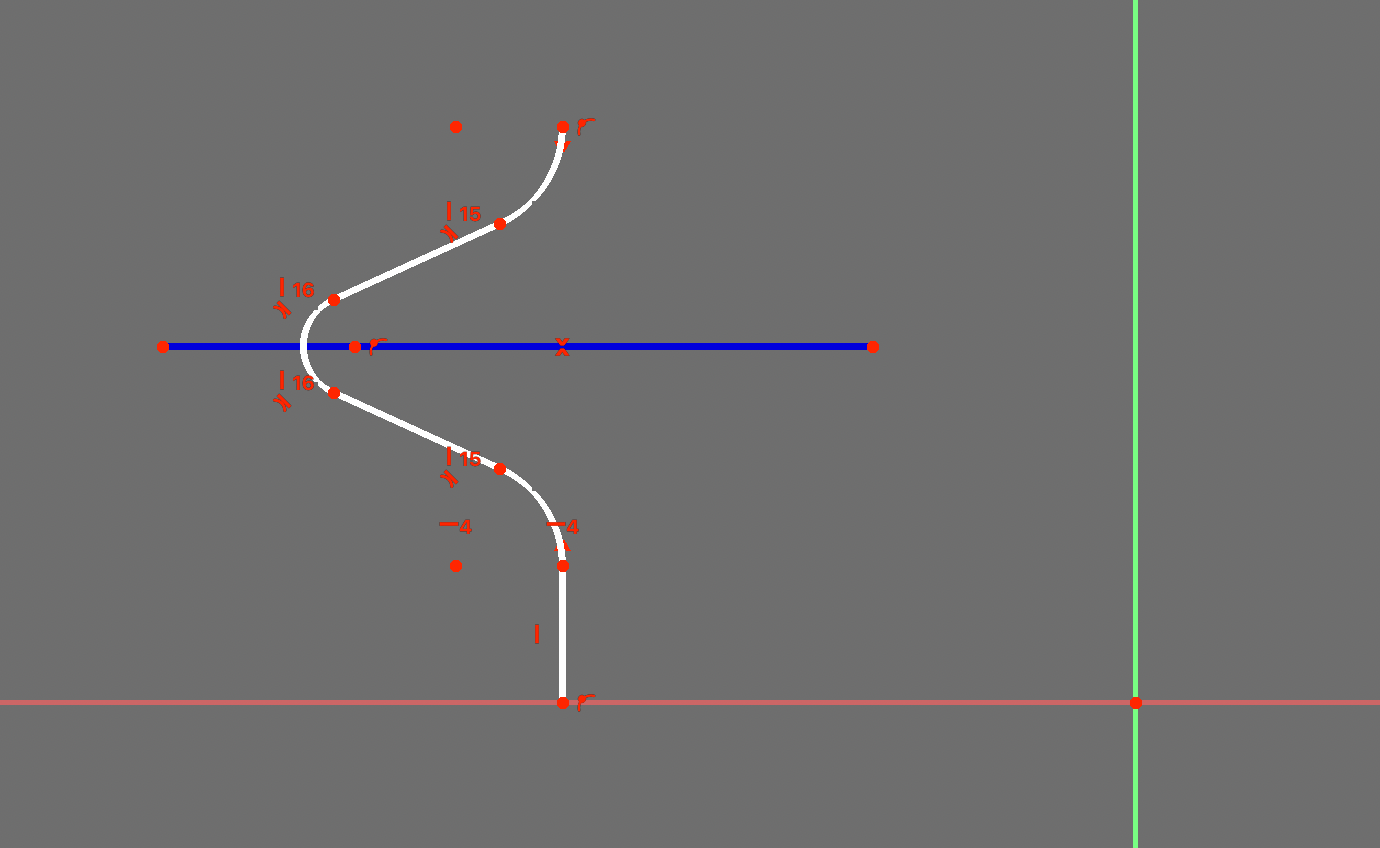
- a face is created by a helical projection of the points. Every geometry element is projected on the plane and a bspline is created. We can simple use a discretization of every edge, project it to the plane with a function like this: https://github.com/looooo/freecad.gears/blob/master/freecad/gears/features.py#L740L745
so all we need is a sketch and an object which has these properties:
- number of threads
- left or right hand
- number of discretization points per edge
here is an example:
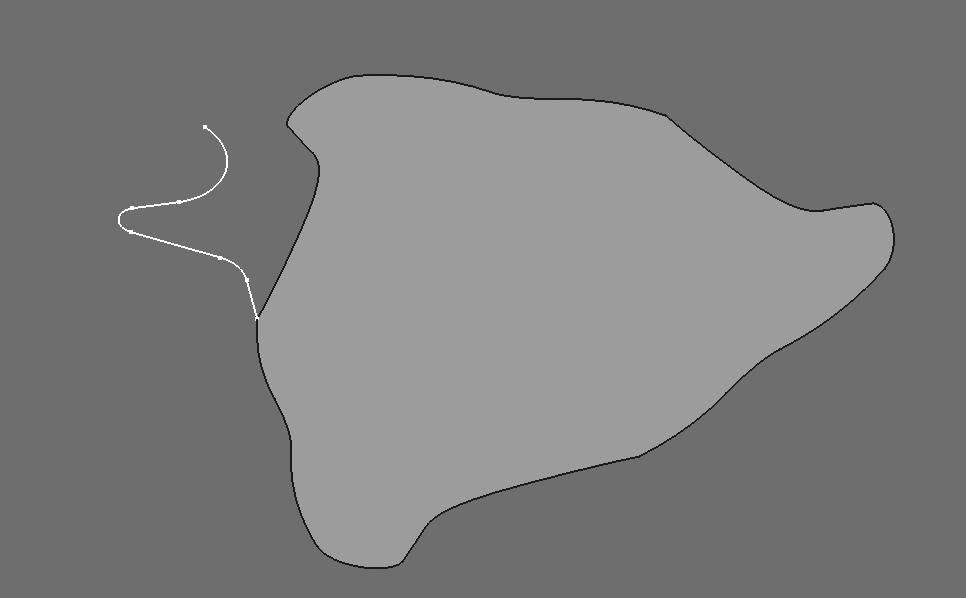
and this is the code I used (pretty simple) maybe you can use this:
import numpy as np
import FreeCAD as App
from Part import BSplineCurve, Wire, Face

class Screw(object):
    def __init__(self, obj):
        '''Screw'''
        print("was soll das")
        obj.addProperty("App::PropertyInteger", "threads", "screw properties", "number of threads").threads = 1
        obj.addProperty("App::PropertyLink","profile","screw properties","sketch profile of section")
        obj.addProperty("App::PropertyLength", "height", "screw properties", "total height").height = 1
        obj.Proxy = self
        self.Object = obj

    def execute(self, obj):
        if not obj.profile:
            return
        # 1: get all edges
        edges = obj.profile.Shape.Edges
        # 2: discretize edges:
        edges_discretized = []
        for e in edges:
            edges_discretized.append(np.array(e.discretize(50)))
        # assume that the profile is in xz-plane (rz)
        # so the helical projection is in the xy-plane (z=0)
        # the z-axis is the direction of the helix
        # 3: height (pitch) of profile
        height = 0
        for ed in edges_discretized:
            height = max([height, max(ed.T[2])])
        pitch = obj.threads * height
        # 4: do the helical projection
        profile_coords = []
        for ed in edges_discretized:
            profile_coords.append(helical_projection(ed.T[0], ed.T[2], pitch)) # leftsided?
        # 5: create the bspline interpolation
        wire = make_bspline_wire(profile_coords)
        wires = [wire]
        for i in range(1, obj.threads):
            angle = 2 * np.pi / obj.threads * i
            mat = App.Matrix()
            mat.rotateZ(angle)
            wire_new = wire.transformGeometry(mat).Wires[0]
            wires.append(wire_new)
        obj.Shape = Face(Wire(wires))


def helical_projection(r, z, pitch, left_hand=True):
    """
    pitch: height of one helical revolution
    r: radius of points
    z: heihgt of points
    """
    sign = int(left_hand) * 2 - 1  # 1 * 2 -1 = 1, 0 * 2 - 1 = -1
    phi = 2 * sign * np.pi * z / pitch
    x = r * np.cos(phi)
    y = r * np.sin(phi)
    z = 0 * y
    return np.array([x, y, 0 * y]). T

def make_bspline_wire(pts):
    wi = []
    for i in pts:
        out = BSplineCurve()
        out.interpolate(list(map(fcvec, i)))
        wi.append(out.toShape())
    return Wire(wi)

def fcvec(x):
    if len(x) == 2:
        return(App.Vector(x[0], x[1], 0))
    else:
        return(App.Vector(x[0], x[1], x[2]))
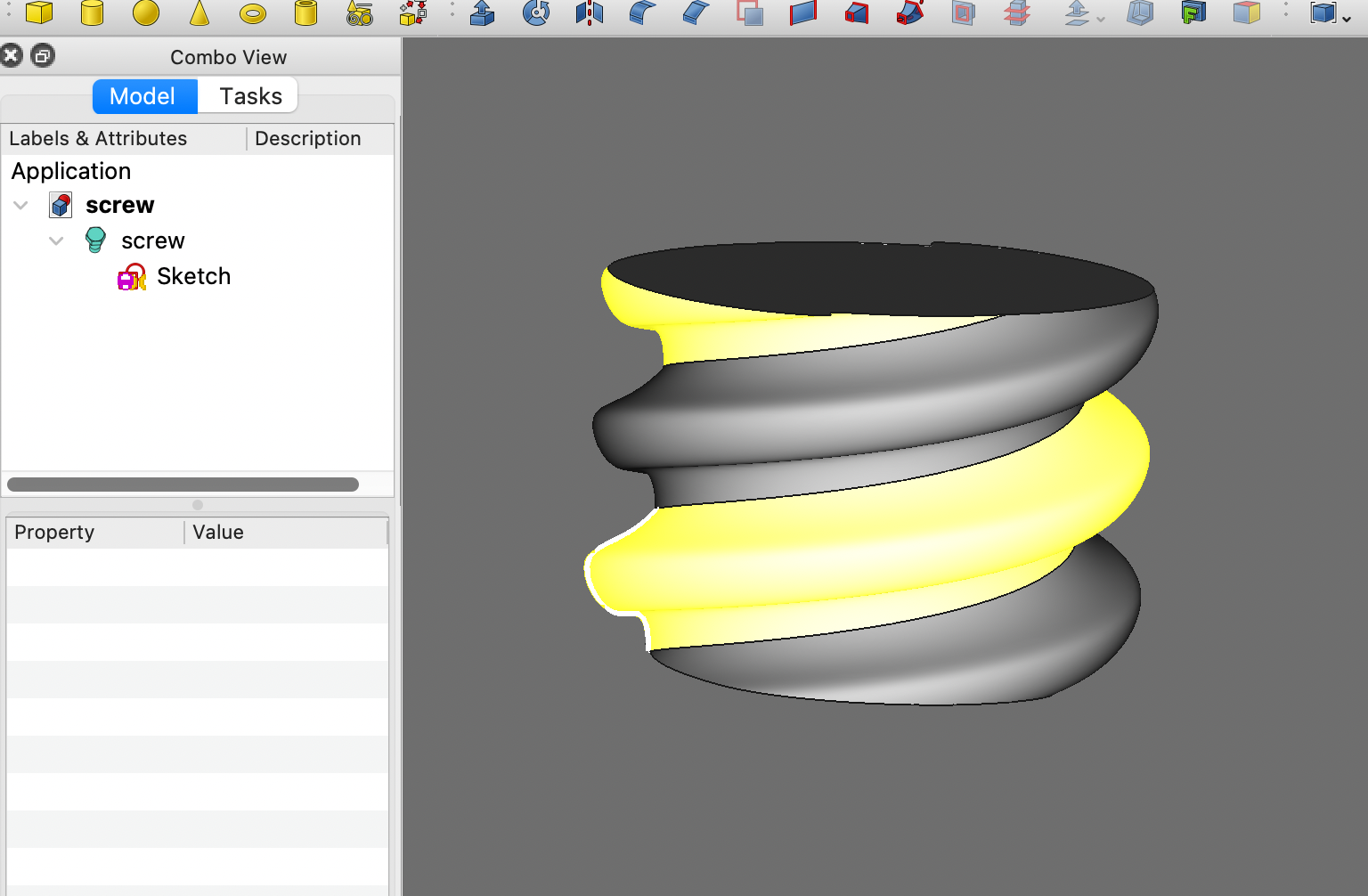
if you want you can try it. I included the code in the freecad.frames workbench.
Thanks for the idea and for the code. Allowing users to create their own custom profiles in a sketch would be a nice addition to the workbench. I installed frame and beams to try it out. Works great.
it could be a nice addition for the part-workbench too to make helical extrusions easier.