musescore
[MU4 Task] Restore the 'Add' context submenu for horizontal and vertical frames
Right-clicking on a horizontal or vertical frame in MuseScore 3 revealed a context menu with options to add text and images. There was also an option to add horizontal frames inside vertical frames to create a table structure. These options should be provided in MU4.
MU3 scores that already contain frames with text and images open correctly in MU4, so we're just missing the option to add new text and images.
MU3 context menus
Vertical Frames (VBox)
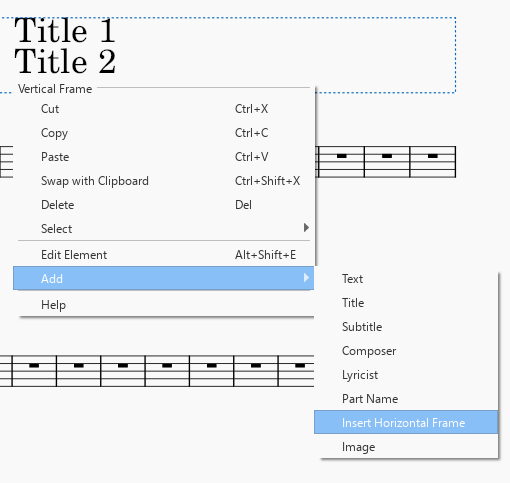
MU4 needs to provide all the options in the Add submenu. Notice that the user can add as many instances of these elements as they like (e.g. multiple 'Title' text elements, multiple horizontal frames, multiple images, etc.). In the screenshot, clicking Add > Title again would add a third title, it wouldn't edit one of the existing ones. The new title would overlap with Title 1 (I dragged Title 2 down to make the image easier to understand). Multiple text instances are necessary to create scores like this (see page 4).
Horizontal Frames (HBox)
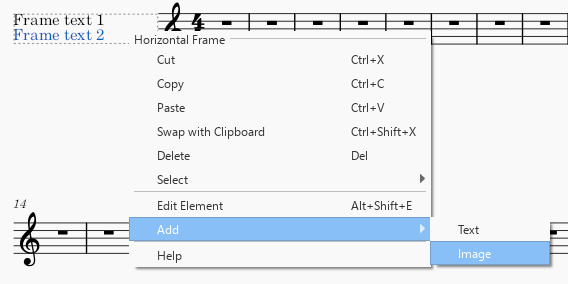
Horizontal frames are more restrictive in terms of what can be added to them, but it is still possible to add multiple text instances and multiple images.
Text Frames (TBox)
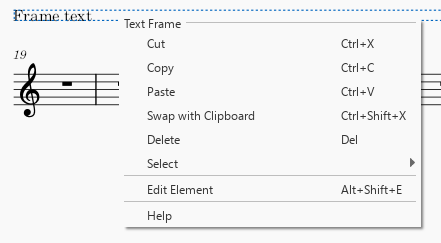
Ordinary text frames don't need an 'Add' submenu because they can only contain a single text instance, which you add by double-clicking on the text frame itself. This is already working in MU4. Text frames cannot contain images.
Additional context
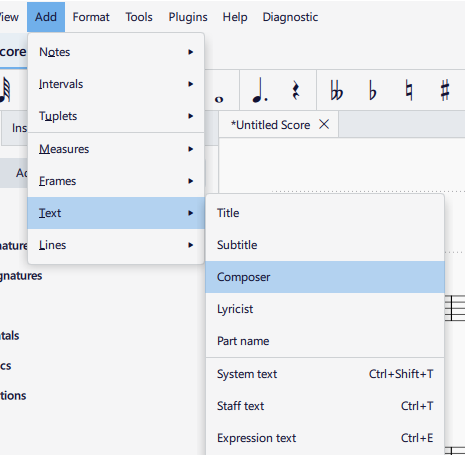
The main Add menu at the top of the screen doesn't help us here. It behaves the same as it did in MU3. It has options to add Title, Subtitle, etc. text, but it only adds that text to the very first vertical frame in the score. It doesn't add text to horizontal frames or to subsequent vertical frames. It also doesn't allow adding images, and it doesn't allow adding horizontal frames inside vertical frames, hence we need the context menus back.