
msycn
msycn
> 那用什么版本?怎么安装? > […](#) 一键安装脚本 curl -fsSL "https://alist.nn.ci/v3.sh" | bash -s install
> 用Unixsocket方式为内存拷贝理论上比TCP更高效 > > 本人已测试,功能正常,望合并 "dsn": "/tmp/mysql.sock“ 报错
> @msycn > > > 求地址格式,感谢分享 > > 看了一下并没有采用我的配置方式,而是直接在配置文件中添加了DSN字段 > > 之前是: > > ``` > "database": { > "type": "mysql", > "host": "localhost", > "port": 3306, > "user": "XXXXXX",...
谢谢 > @msycn 用户名密码等等你所需要的一切都在dsn里面 > > 我的示例是不能直接用的,需要你自行替换一些内容 > > ``` > username[:password]@unix(/tmp/mysql.sock)/alist?charset=utf8mb4&parseTime=True&loc=Local > ``` > > 写成自己的东西就是 > > ``` > //如果有密码 > 用户名:密码@unix(/tmp/mysql.sock)/数据库名?charset=utf8mb4&parseTime=True&loc=Local > > //如果没密码 > 用户名@unix(/tmp/mysql.sock)/数据库名?charset=utf8mb4&parseTime=True&loc=Local >...
永久修复方法 mergerfs如果低于2.38 ```bash mergerfs --version ``` **下载 .deb 文件:** 使用 `wget` 或者浏览器下载您提供的链接: ```bash wget https://github.com/trapexit/mergerfs/releases/download/2.38.0/mergerfs_2.38.0.debian-bookworm_amd64.deb ``` 安装 .deb 文件: 使用以下命令安装下载的 .deb 文件: ```bash sudo dpkg -i mergerfs_2.38.0.debian-bookworm_amd64.deb ``` 如果出现依赖项错误,您可以使用以下命令尝试修复: ```bash...
> This issue has been automatically marked as stale because it has not had recent activity. It will be closed if no further activity occurs. Thank you for your contributions....
Wow ,you are my hero ! Thanks for your idea ,wish will pull request soon
> .strm files work. If this pirate server decides not to send you your illegal streams, there is nothing jellyfin can do about it. Thank you for your help😊, but...
> 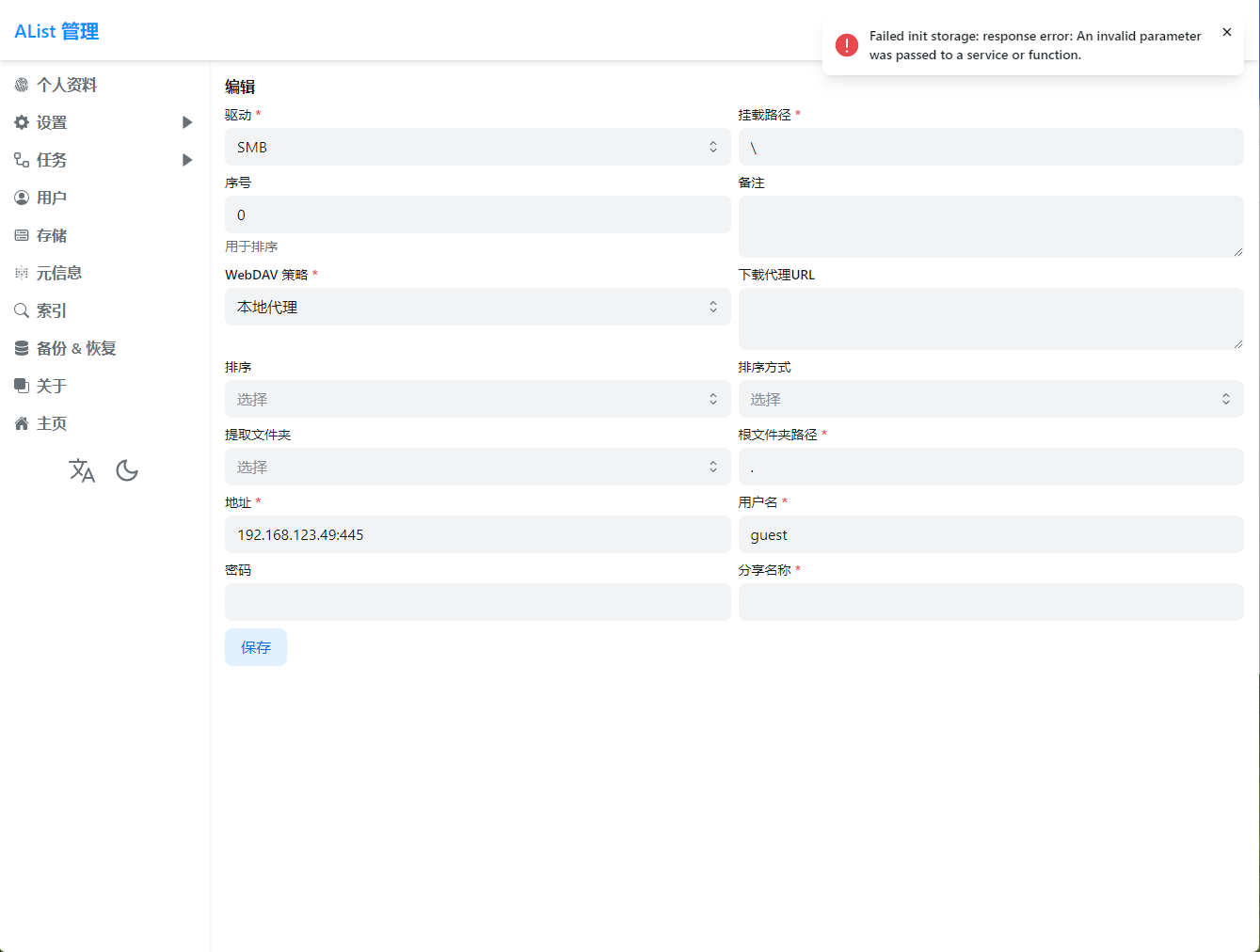 挂载路径为\或者/都不行 挂载路径有歧义,其实是名称,相当于Windows下的盘符一样