notes

notes copied to clipboard
 mozilla
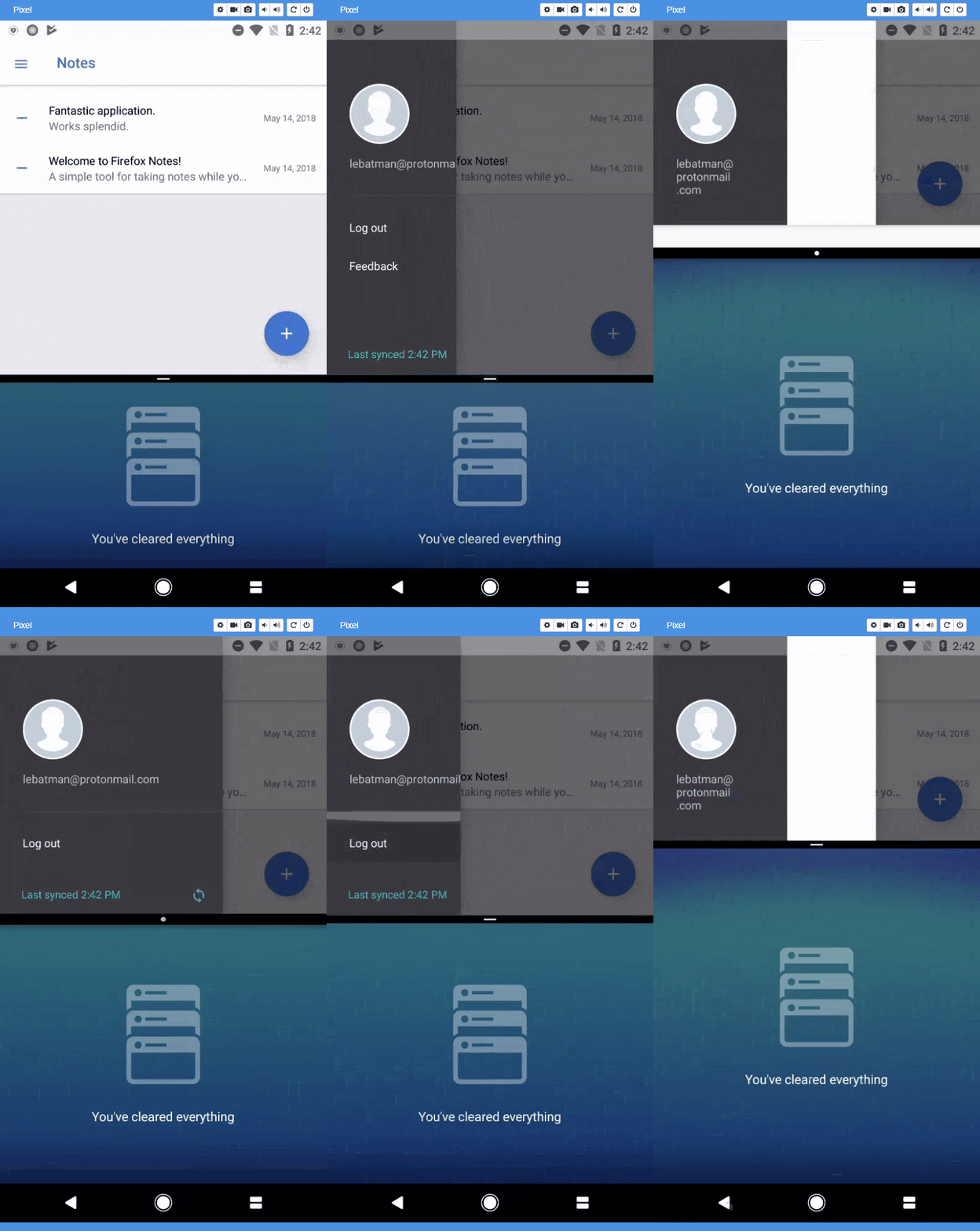
[Android] The right part of the side menu displays a blank space if the app is narrowed while in screen split mode
[Affected Platforms]:
- Samsung Galaxy S8 (Android 8.0.0)
- Pixel (Android 8.0.0)
[Prerequisites]:
- Have the latest version of the "Firefox Notes" application (notes-1_0-qa-v2184 alpha release) installed.
[Steps to reproduce]:
- Open the Notes application and log in if needed.
- Split the screen.
- Click the "Hamburger" button.
- Tap the slider from the middle of the screen and move it to the top of the screen.
- 0bserve the side menu's behavior.
[Expected result]:
- The side menu correctly renders to the screen size.
[Actual result]:
- A blank space is displayed on the right part of the side menu.
[Notes]:
- Attached a screen recording of the issue: