blurts-server

blurts-server copied to clipboard
 mozilla
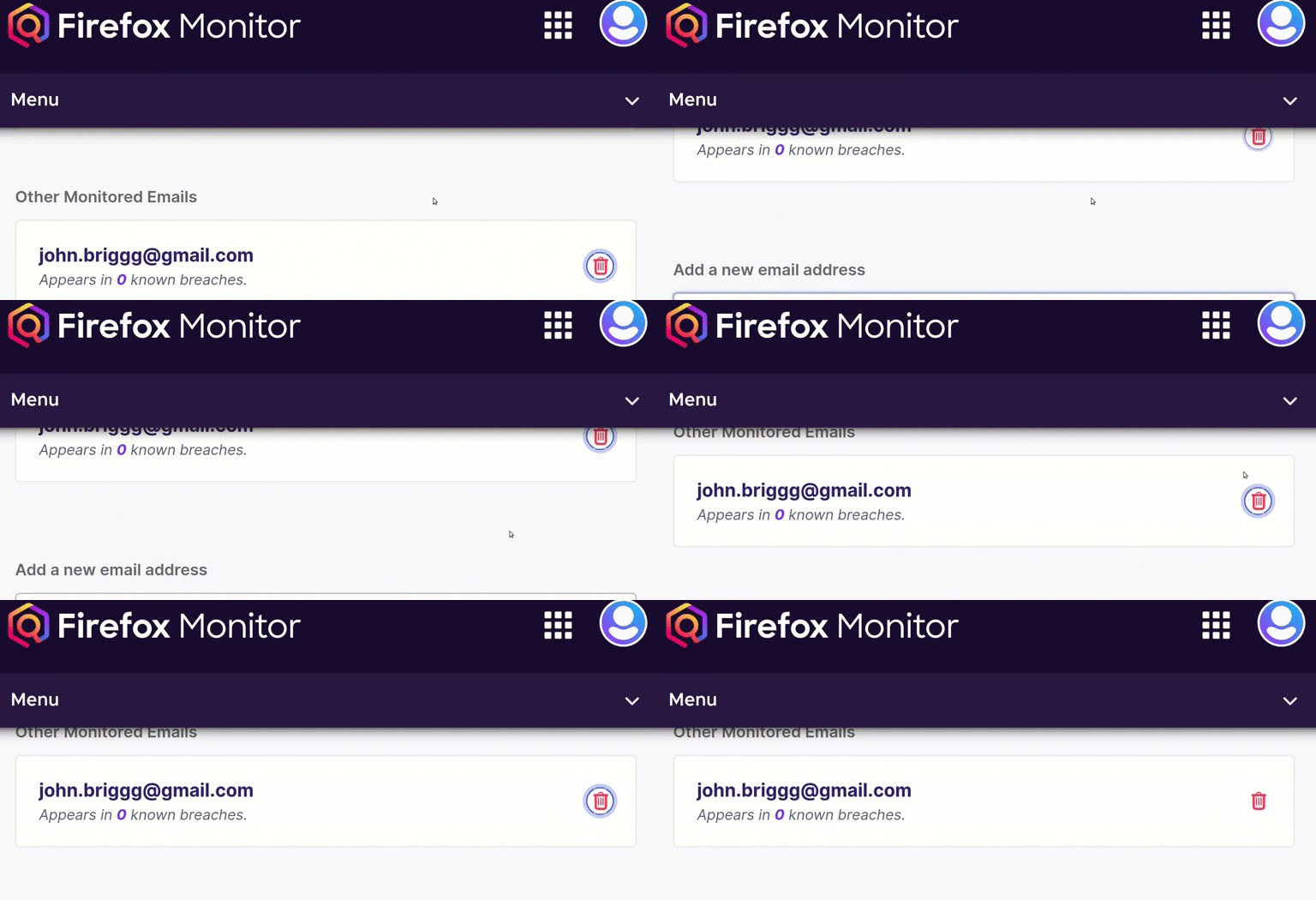
The highlight of the Delete Monitor Email icon is not properly displayed
[Affected versions]:
- Firefox 71
[Affected Platforms]:
- Windows 10 x64
- MacOS 10.14
- Ubuntu 18.04 x64
[Steps to reproduce]:
- Navigate to: https://monitor-v2.herokuapp.com/
- Log into a Firefox Monitor account
- Click on your profile picture and select "Preferences"
- Use the "Tab" key to reach the Delete Monitor Email button.
[Expected result]: The highlight of the "Delete Monitor Email" button is properly done.
[Actual result]: The highlight of the "Delete Monitor Email" icon looks to miss a couple of pixels.


Hi both - since this icon is no longer present on the website in the current state, there's nothing to do here anymore, sorry!