focus-ios

focus-ios copied to clipboard
 mozilla-mobile
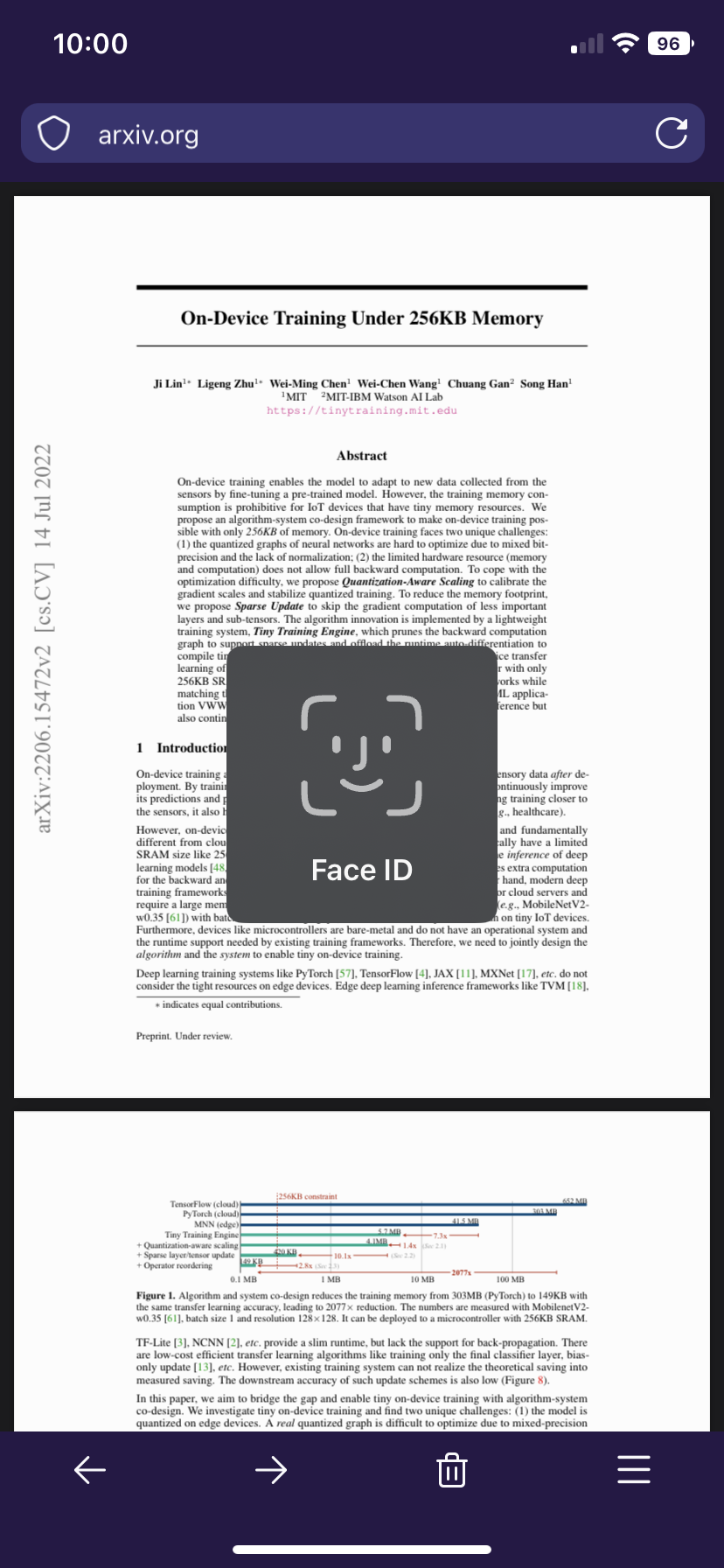
PDFs are not hidden behind the Face ID prompt
Steps to reproduce
- Enable “Settings > Use Face ID to unlock the app”
- Browse to a .pdf file and wait for it to fully load
- Lock the screen or navigate away from the app
- Unlock the screen or navigate back to the app
- You should see the Face ID prompt but with the .pdf file still revealed
Expected behavior
I would expect the “Firefox Focus” splashscreen to be displayed with the Face ID prompt on top (as seen in screenshot 1 of the notes)
Actual behavior
The PDF is displayed with the Face ID prompt on top (as seen in screenshot 2 of the notes)
Device & build information
- Device: iPhone XR, iOS 16.1
- Build version: 105.0 (14498) iOS 16.1
Notes
Attachments: