

 mozilla-mobile
Favicons are displayed in low resolution after upgrading Focus from a lower version
Steps to reproduce
- Install any older version of Focus that doesn't contain favicons.
- Add 4 shortcuts.
- Upgrade to the latest Focus version that contains favicons.
Expected behavior
Favicons should be displayed in high resolution after upgrading from a lower version.
Actual behavior
Favicons are displayed in the low resolution after upgrading Focus from a lower version.
Device & build information
- Device: iPhone 13 Pro (15.1)
- Build version: 9000 (13720).
Notes
Note that if removing the shortcuts and adding new ones on the latest Focus version, the resolution is fine.
Attachments:
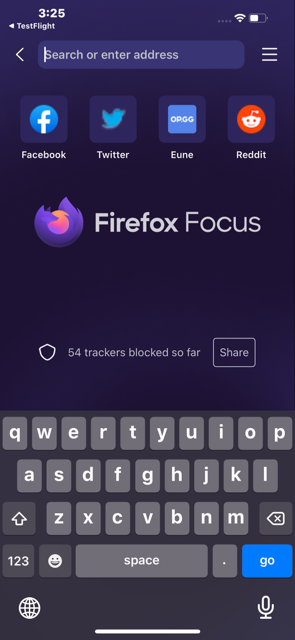

High resolution favicon url can be obtained only after the website is loaded. On upgrade it defaults to a url that shows that low resolution icon. https://github.com/mozilla-mobile/focus-ios/pull/3337
The solution in this case would be to keep the placeholder, and on shortcut tap, after the website is loaded, we ca update the shortcut favicon URL.

Verified fix on v104.0 (13915). A placeholder is displayed. After the website is loaded the favicon is correctly displayed.
