focus-android

focus-android copied to clipboard
 mozilla-mobile
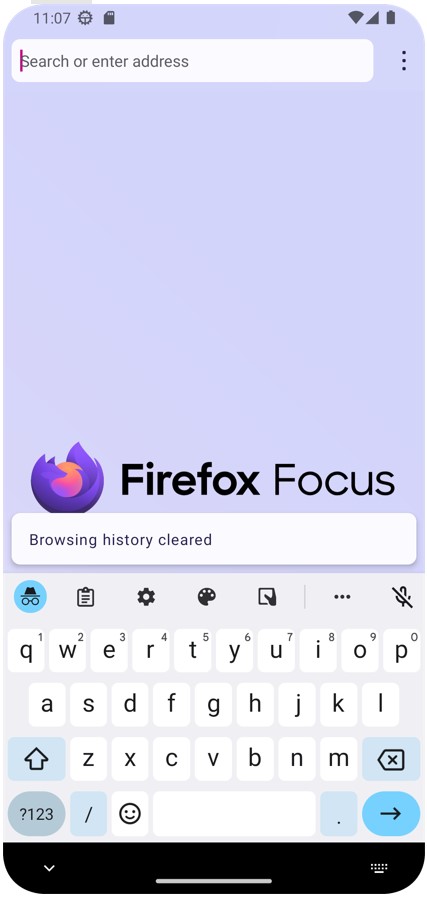
"Browsing history cleared" not displayed on Focus debug
Steps to reproduce
- Open a web site
- Tap the trash bin icon from the nav bar
Alternative steps to reproduce
- Open a web site
- Swipe and open the system taskbar
- Tap "Erase and Open" button from the notification
Expected behavior
Tapping the trash bin icon or the "Erase and Open"button from the notification should display the "Browsing history cleared" snackbar
Actual behavior
The "Browsing history cleared" snackbar is never displayed
Device information
- Android device:
-
- Google Pixel 2 (Android 9, x86)
- Google Pixel 3a (Android 11)
- Focus version: latest Main
Notes
✅ Works properly on latest Nightly

The snackbar with "Browsing history cleared" should not appear when the widget pop up appears, but in all other instances (when the widget pop up does not appear) the snackbar should indeed show.

Verified as fixed on Focus debug build with Google Pixel (Android 10), and an emulator Google Pixel 5 (Android 13, x86-64):