mozilla-mobile
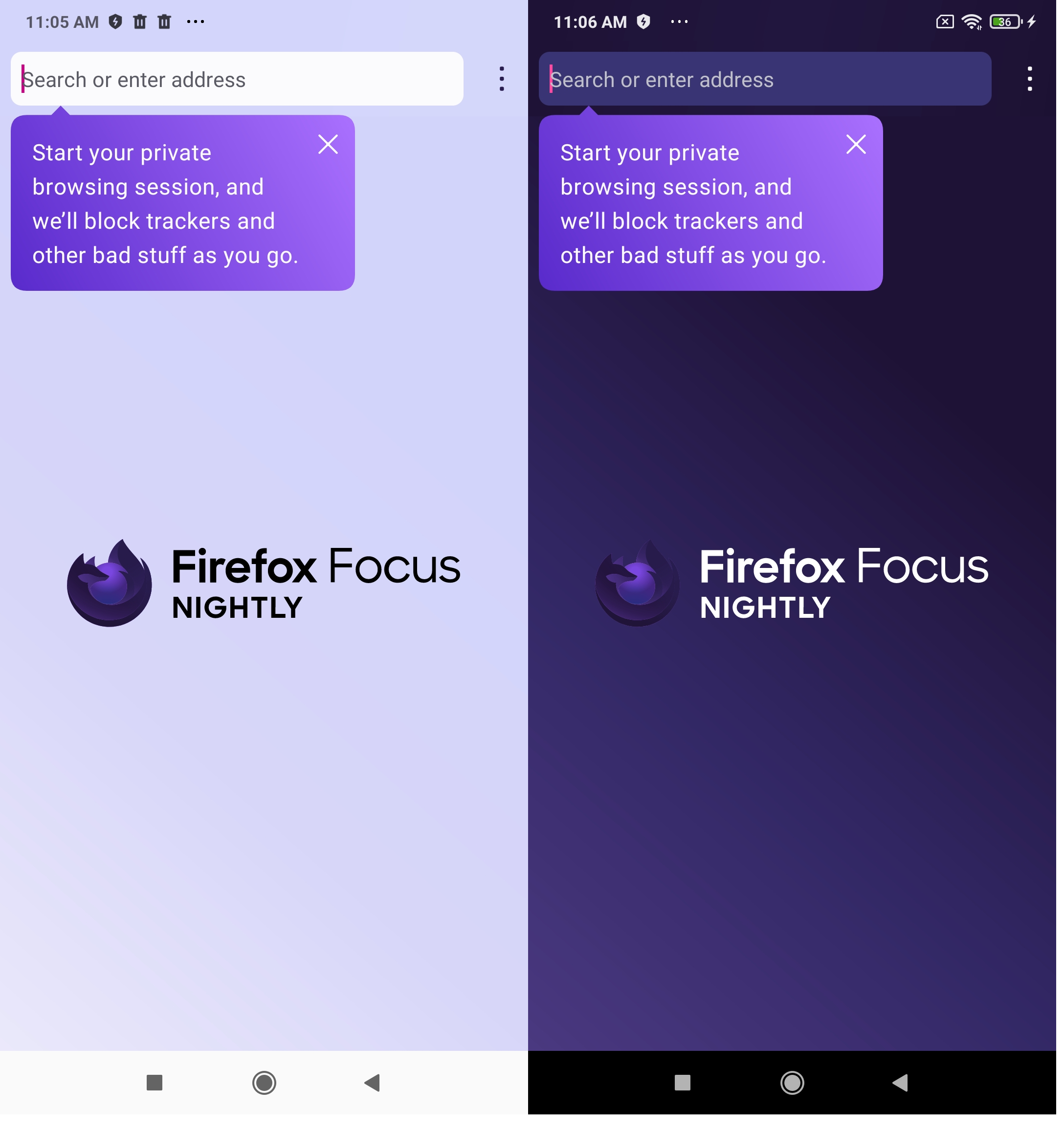
Replace "Go to Settings" CFR with "Start your private browsing session" CFR
Why/User Benefit/User Problem
The first step of onboarding should help users discover the Focus value proposition to help ensure users understand the browser value and retain as a result. Pointing users to Settings early on does not seem optimized for new user retention and can also get users to enable settings that they don't realize will cause web breakage - we instead want users to experience Focus with default settings initially before they make-up their minds.
What / Requirements
Acceptance Criteria (how do I know when I’m done?)
- Remove "Go to Settings" CFR
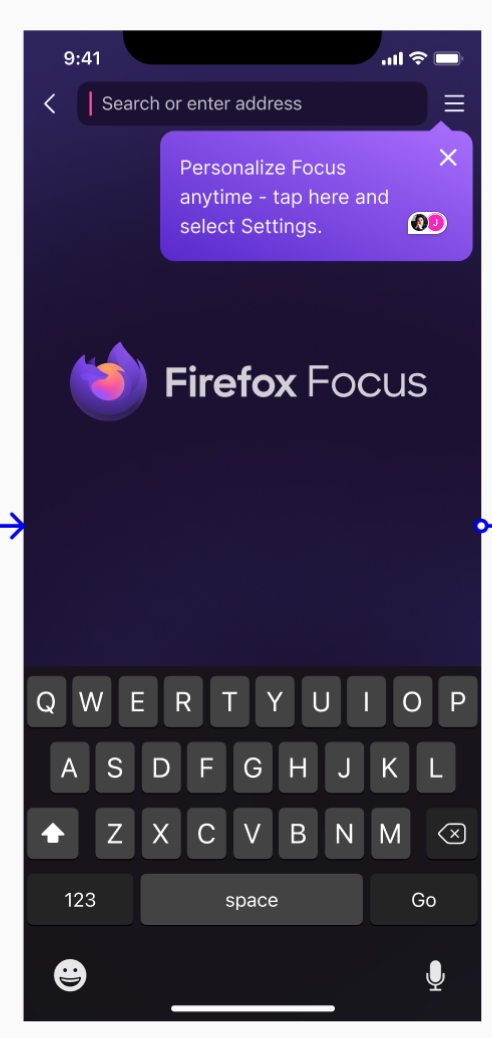
- Introduce a "Start your private browsing session" CFR that hangs off of the search bar (see UX on https://www.figma.com/file/ahqwL3sByHprH2Rru9R58b/Onboarding?node-id=4448%3A38774) when onboarding screen 2 (https://github.com/mozilla-mobile/focus-android/issues/7502) closes and the browser appears for the first time
- Remove the CFR following the current rules


This Cfr should be in Nimbus experiment with the others CFRs? @rtestard
This Cfr should be in Nimbus experiment with the others CFRs? @rtestard
Yes
Apologies for wrong naming, not "Go to settings" CFR but rather "Personalize Focus anytime, tap here and select settings"
Verified as implemented on a local Focus Nightly build 108.0a1 with the following devices:
- Google Pixel 6 (Android 13),
- Lenovo tablet M10 (Android 10),
- Oppo Reno 6 (Android 12),
- Samsung Galaxy Note 8 (Android 9), and
- Xiaomi mi4i (Android 5.0.2).
After dismissing the new onboarding, the start browsing CFR is displayed. Rotating the device, dismisses the CFR. But, after sending the app in the background, and re-opening it, the CFR is displayed again. Tapping the "X" button from the top-right corner of the CFR, dismisses the CFR.