mozilla-mobile
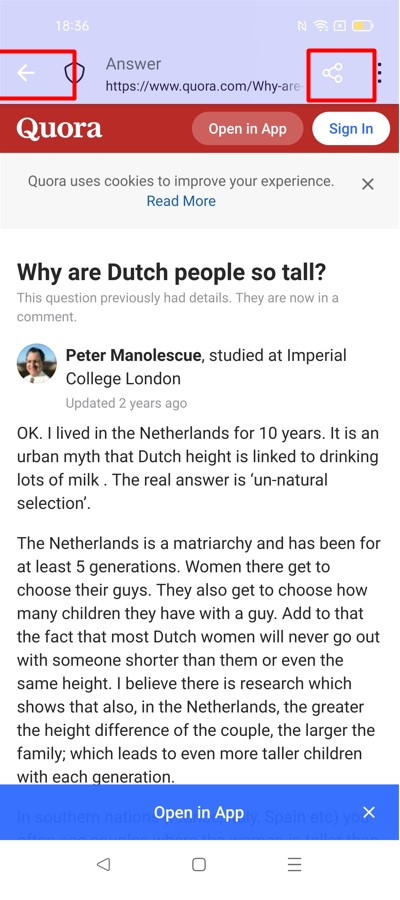
[custom tab] Some elements from the toolbar are white
Steps to reproduce
- Make Focus Nightly your default browser.
- From Gmail open a link on a custom tab.
- Observe the back arrow, and share icon.
Expected behavior
All the elements have the same colour.
Actual behavior
The back arrow, and share icon are white, no matter which theme the device is set on.
Device information
- Android devices: Oppo Find X3 Lite (Android 11), Google Pixel (Android 10)
- Not reproducible on Lenovo tablet M10 (Android 10)
- Focus version: Focus Nightly from 3/30
- Not reproducible on RC 99.1.0

Should be fixed after https://github.com/mozilla-mobile/focus-android/pull/6751 merge

Reproducible on Beta 100.0.0-beta.2 with Oppo Find X3 Lite (Android 11):
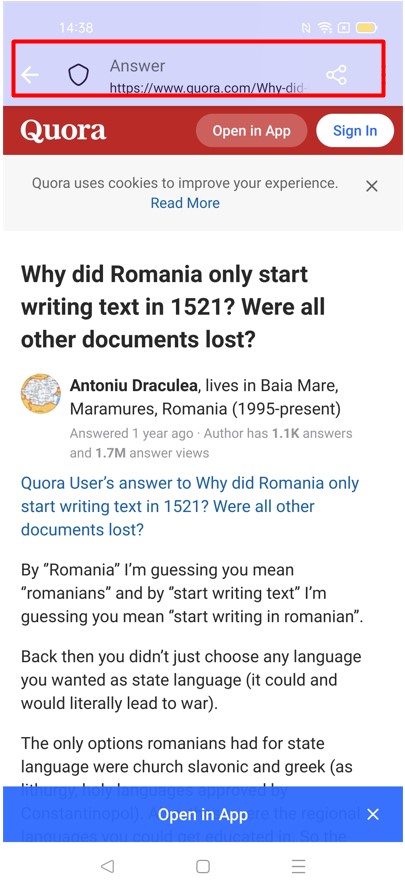
@jeffreygee @amedyne What color should the toolbar have in custom tab?
@ionutbedregeanu @amedyne - all icons in the toolbar on light mode should be #291D4F

Focus supports any color to the toolbar that an external app sends in the intent when it opens a Custom Tab . Now we should set the color of the icons from the toolbar to be in contrast with the toolbar background color . I think this is the bug . We should support something like Google Chrome https://developer.chrome.com/docs/android/custom-tabs/integration-guide/#opening-a-custom-tab . @jeffreygee do you agree?

@iorgamgabriel - if i'm interpreting this correctly, are we setting the colors based on the theme (light/dark) set?
No , we are setting the color of the toolbar based on what the external app sends . One of the most important aspects of Custom Tabs should be the ability for an external app to change the color of the toolbar to be consistent with the app's theme. . We should programmatic set the color of the icons based on the toolbar background color. @jeffreygee
@iorgamgabriel - my only worry about this route (if im understanding this) is that we'd need enough contrast between the icons and the color of the toolbar for accessibility. The only way to truly keep that accessible is if we set the color of the toolbar, right? or is there a programmatic way to change the icon color based on 'x' range of colors?
Yes we can calculate the color of icons programatic base on toolbar color . The same way like chrome does it . @jeffreygee
@jeffreygee @iorgamgabriel we should be using the colour for the Custom Tab that the app is requesting when provided. Based on the colour that is provided to the toolbar, the icons are then tinted white or black to increase contrast between the two (for reference, this is the code we use to determine what colour to use).
Forcing a colour for the toolbar breaks the API contract, but also reduces the UX features that Custom Tabs are trying to provide.
Have a look at Fenix as well that uses the same feature component so that we don't have to re-implement a standard implementation across our apps.

If we do want to force the theming however (to make Focus stand out), we should change the properties of the CustomTabToolbarFeature here and set updateToolbarBackground to false and probably also forceActionButtonTinting to true.
Verified as fixed on the latest Focus Nightly 102.0a1 (build 361320510 with GV 102.0a1-20220511094252) with Oppo Find X3 Lite (Android 11), and Google Pixel (Android 10).
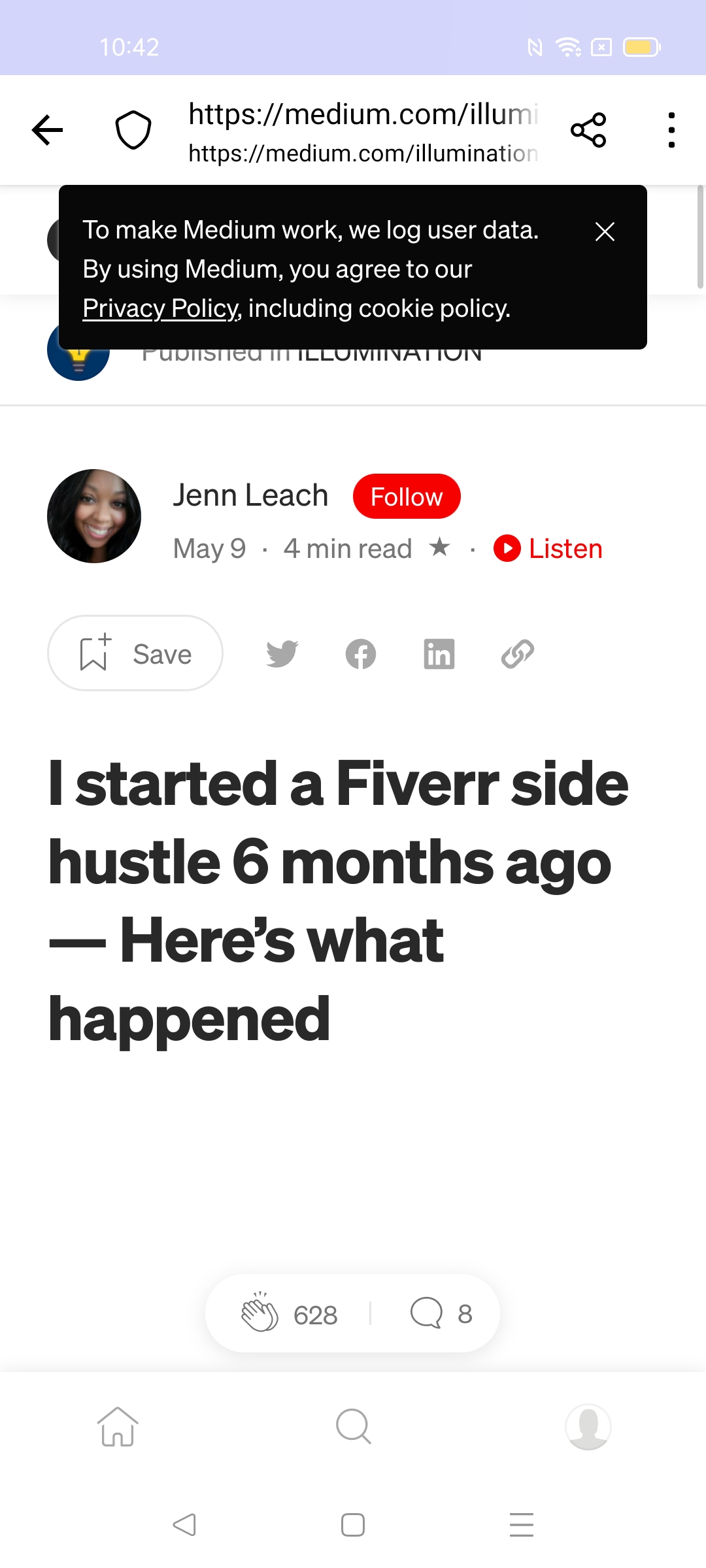
Reproducible on Focus RC 100.2.0 with Google Pixel 6 (android 12) and Xiaomi mi4i (Android 5.0.2).

Reopening this ticket since I was able to reproduce this issue on the latest Focus Beta 105.0b1 with Google Pixel 6 (Android 13).
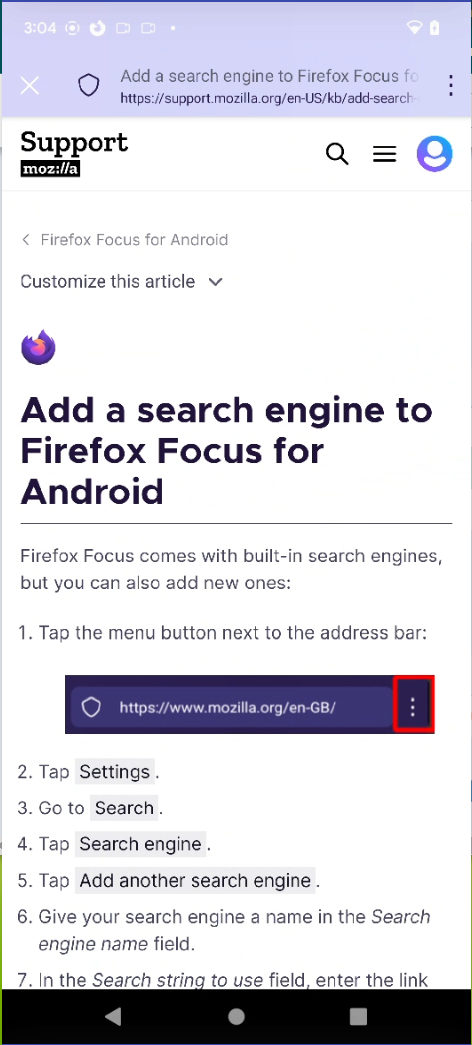
This seems to only be reproducible with custom tabs opened from Focus itself.

Verified as fixed on the latest Focus Nightly 107.0a1 build from 10/16 with Google Pixel (Android 10), and Oppo Find X3 Lite (Android 11):