
SkiaSharp
 SkiaSharp copied to clipboard
Published
20 hours ago •
 mono
mono
mono
[QUESTION] Draw rounded rectangle with transparent color that blurres the background
I like to draw a rounded rectangle that's white with Alpha set to 20%. Trough the translucent color it should blur the background.
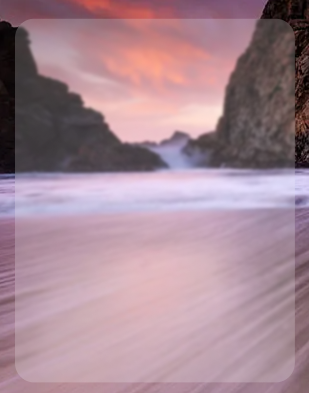
My first thought was just setting a MaskFilter while drawing the rectangle. This just blurred the rectangle and not the background I drawing on.
using var blurredBoxPaint = new SKPaint();
blurredBoxPaint.IsAntialias = true;
blurredBoxPaint.MaskFilter = SKMaskFilter.CreateBlur(SKBlurStyle.Inner, 2);
blurredBoxPaint.Color = SKColors.White.WithAlpha((int) (.2 * 255));
My second thought was cropping a rounded rectangle out of the background, blurring it, applying the transparent color on it and pasting it back in. Unfortunately I couldn't figure out how to just crop a rounded rectangle. Maybe by using some rounded rectangle mask while pasting?
Any ideas how realize my seconds thought (if possible) or are there better ways to do that?
