

 moby
moby
Can't share network with others with docker installed on Ubuntu 22.04
Description
When installed docker, its network rules prevented me from sharing network with other devices.
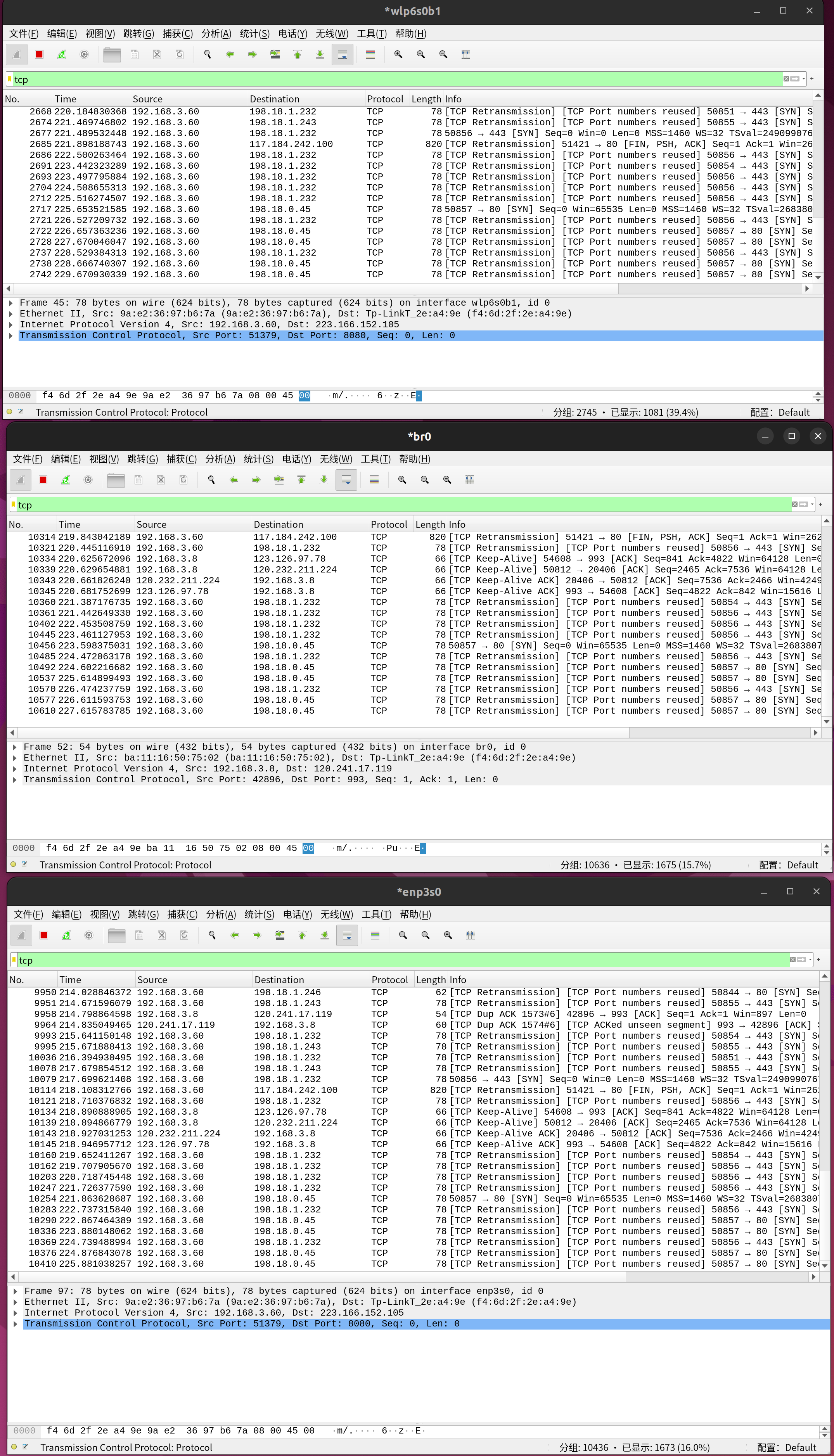
I have these physical network interfaces: enp3s0 -- wired, connected to a router with a DHCP server wlp6s0b1 -- wireless, I want to host an AP using this
Steps to reproduce the issue:
- Create a bridge br0
- Add enp3s0 and wlp6s0b1 to br0
- Turn on AP mode using hostapd
Describe the results you expected: Mobile devices can connect to the Wi-Fi and access the internet normally.
Describe the results you received: They can't access the internet, reporting that the server has stopped responsing.
Additional information you deem important (e.g. issue happens only occasionally): Issue always happen
Rules by docker
➜  sudo iptables -t filter -L
Chain INPUT (policy ACCEPT)
target     prot opt source               destination

Chain FORWARD (policy ACCEPT)
target     prot opt source               destination
DOCKER-USER  all  --  anywhere             anywhere
DOCKER-ISOLATION-STAGE-1  all  --  anywhere             anywhere
ACCEPT     all  --  anywhere             anywhere             ctstate RELATED,ESTABLISHED
DOCKER     all  --  anywhere             anywhere
ACCEPT     all  --  anywhere             anywhere
ACCEPT     all  --  anywhere             anywhere

Chain OUTPUT (policy ACCEPT)
target     prot opt source               destination

Chain DOCKER (1 references)
target     prot opt source               destination

Chain DOCKER-ISOLATION-STAGE-1 (1 references)
target     prot opt source               destination
DOCKER-ISOLATION-STAGE-2  all  --  anywhere             anywhere
RETURN     all  --  anywhere             anywhere

Chain DOCKER-ISOLATION-STAGE-2 (1 references)
target     prot opt source               destination
DROP       all  --  anywhere             anywhere
RETURN     all  --  anywhere             anywhere

Chain DOCKER-USER (1 references)
target     prot opt source               destination
RETURN     all  --  anywhere             anywhere


➜  sudo iptables -t nat -L
Chain PREROUTING (policy ACCEPT)
target     prot opt source               destination
DOCKER     all  --  anywhere             anywhere             ADDRTYPE match dst-type LOCAL

Chain INPUT (policy ACCEPT)
target     prot opt source               destination

Chain OUTPUT (policy ACCEPT)
target     prot opt source               destination
DOCKER     all  --  anywhere            !localhost/8          ADDRTYPE match dst-type LOCAL

Chain POSTROUTING (policy ACCEPT)
target     prot opt source               destination
MASQUERADE  all  --  172.17.0.0/16        anywhere

Chain DOCKER (2 references)
target     prot opt source               destination
RETURN     all  --  anywhere             anywhere


➜  sudo iptables -t mangle -L
Chain PREROUTING (policy ACCEPT)
target     prot opt source               destination

Chain INPUT (policy ACCEPT)
target     prot opt source               destination

Chain FORWARD (policy ACCEPT)
target     prot opt source               destination

Chain OUTPUT (policy ACCEPT)
target     prot opt source               destination

Chain POSTROUTING (policy ACCEPT)
target     prot opt source               destination


➜  sudo iptables -t raw -L
Chain PREROUTING (policy ACCEPT)
target     prot opt source               destination

Chain OUTPUT (policy ACCEPT)
target     prot opt source               destination


➜  sudo iptables -t security -L
Chain INPUT (policy ACCEPT)
target     prot opt source               destination

Chain FORWARD (policy ACCEPT)
target     prot opt source               destination

Chain OUTPUT (policy ACCEPT)
target     prot opt source               destination
Output of docker version:
Client:
 Version:           20.10.12
 API version:       1.41
 Go version:        go1.17.3
 Git commit:        20.10.12-0ubuntu4
 Built:             Mon Mar  7 17:10:06 2022
 OS/Arch:           linux/amd64
 Context:           default
 Experimental:      true

Server:
 Engine:
  Version:          20.10.12
  API version:      1.41 (minimum version 1.12)
  Go version:       go1.17.3
  Git commit:       20.10.12-0ubuntu4
  Built:            Mon Mar  7 15:57:50 2022
  OS/Arch:          linux/amd64
  Experimental:     false
 containerd:
  Version:          1.5.9-0ubuntu3
  GitCommit:
 runc:
  Version:          1.1.0-0ubuntu1
  GitCommit:
 docker-init:
  Version:          0.19.0
  GitCommit:
Output of docker info:
Client:
 Context:    default
 Debug Mode: false

Server:
 Containers: 42
  Running: 0
  Paused: 0
  Stopped: 42
 Images: 1
 Server Version: 20.10.12
 Storage Driver: btrfs
  Build Version: Btrfs v5.16.2
  Library Version: 102
 Logging Driver: json-file
 Cgroup Driver: systemd
 Cgroup Version: 2
 Plugins:
  Volume: local
  Network: bridge host ipvlan macvlan null overlay
  Log: awslogs fluentd gcplogs gelf journald json-file local logentries splunk syslog
 Swarm: inactive
 Runtimes: io.containerd.runc.v2 io.containerd.runtime.v1.linux runc
 Default Runtime: runc
 Init Binary: docker-init
 containerd version:
 runc version:
 init version:
 Security Options:
  apparmor
  seccomp
   Profile: default
  cgroupns
 Kernel Version: 5.15.0-37-generic
 Operating System: Ubuntu 22.04 LTS
 OSType: linux
 Architecture: x86_64
 CPUs: 4
 Total Memory: 15.59GiB
 Name: ubuntu-ken
 ID: 7S3P:K4EC:WUR3:JQT4:OW3F:DKOH:A2M2:DNBX:DRGH:5JCQ:F7OZ:YWTD
 Docker Root Dir: /var/lib/docker
 Debug Mode: false
 Registry: https://index.docker.io/v1/
 Labels:
 Experimental: false
 Insecure Registries:
  127.0.0.0/8
 Registry Mirrors:
  https://registry.docker-cn.com/
 Live Restore Enabled: false
Additional environment details (AWS, VirtualBox, physical, etc.): physical machine

This configuration was work to me but I don't know yours.
https://docs.docker.com/network/iptables/ https://wiki.archlinux.org/title/Internet_sharing
device name:
connect to internet
eth0connect to clienteth1connect to servereth2
run the following command in server:
ip link set up dev eth1 ip address add 10.42.0.10/25 dev eth1 sysctl net.ipv4.ip_forward=1 iptables -t nat -A POSTROUTING -o eth0 -j MASQUERADE iptables -I DOCKER-USER -m conntrack --ctstate RELATED,ESTABLISHED -j ACCEPT iptables -I DOCKER-USER -i eth1 -o eth0 -j ACCEPT
run the following command in client:
ip address add 10.42.0.20/25 dev eth2 ip route add default via 10.42.0.10 dev eth2

These two commands
iptables -I DOCKER-USER -m conntrack --ctstate RELATED,ESTABLISHED -j ACCEPT iptables -I DOCKER-USER -i eth1 -o eth0 -j ACCEPT
Aren’t needed without docker installed. That’s the problem I’m talking about. With these commands I can enable hotspot.
I have to admit that I didn’t read the docker document you gave before, but as I understand, docker aims to act like a VM while running at native speed. If that is the case, then this should not happen, as running a VM on a router won’t affect its forward chain.
If this rule is to prevent external access to containers, I think adding many rules for each container’s ip would be better than a wildcard rule.
在 2022年10月3日,23:44,EndlessNull @.***> 写道: iptables -I DOCKER-USER -m conntrack --ctstate RELATED,ESTABLISHED -j ACCEPT iptables -I DOCKER-USER -i eth1 -o eth0 -j ACCEPT