
react-notification-badge
 react-notification-badge copied to clipboard
 mobilusoss
Simple notification badge react component
react-notification-badge 




Simple notification badge react component
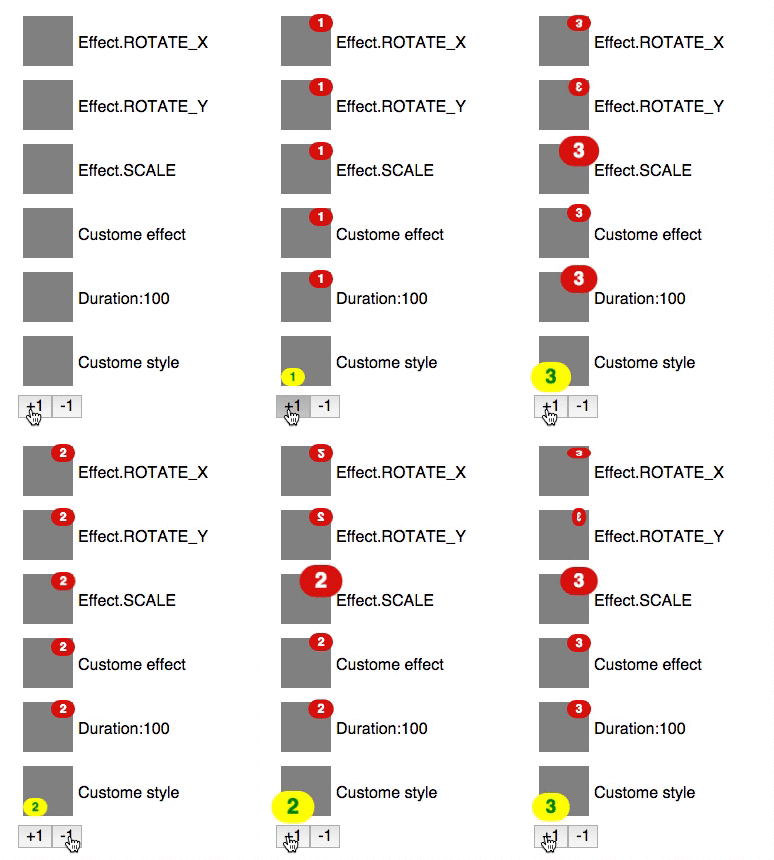
Demo
Installation
npm install --save react-notification-badge
API
NotificationBadge
Props
NotificationBadge.propTypes = {
  count: React.PropTypes.number,
  label: React.PropTypes.string,
  containerStyle: React.PropTypes.object,
  style: React.PropTypes.object,
  className: React.PropTypes.string,
  effect: React.PropTypes.array,
  duration: React.PropTypes.number
};
-
count: Badge count, ifcount < 1, badge will not shown. -
label: Badge label will be rendered instead of count. -
containerStyle: custom style of container -
style: custom style of badge -
className: className of badge -
effect: effect of notification. effect array should be[string, string, object, object].effect[0]will be applied totransformon first frame.effect[1]will be applied totransformonframeLength.effect[2]will be applied asstyle[key] = valueon first frame.effect[3]will be applied tostyle[key] = valueonframeLength.Pre defined effect is available as
Effect.ROTATE_XEffect.ROTATE_YEffect.SCALE
-
frameLength: Frame length foreffect[1]andeffect[3](default 30.0, 60.0fps/30.0 = 0.5 second)
Usage example
import NotificationBadge from 'react-notification-badge';
import {Effect} from 'react-notification-badge';

<div style={container}>
  <NotificationBadge count={this.state.count} effect={Effect.SCALE}/>
</div>
See example
npm install
npm run start:example
Tests
npm test
Update dependencies
License
 mobilusoss