

 mob41
mob41
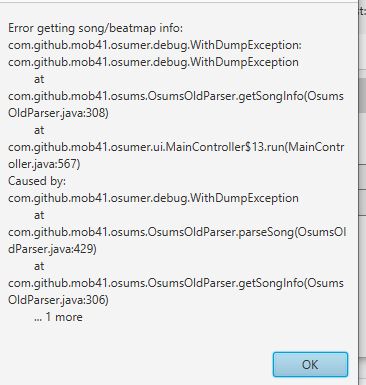
Some users received errors while downloading, but some did not have such errors
My environment
- My operating system:Windows 10
- My Java Version:Java 8 build 261
About my issue
When i was trying to download a map from a multi the song jsut woulnd do it and osumer just rejected me an error telling it could not be downloades or something Thanks for the help JC
Dump files
1597595434784.txt 1597595434872.txt 1597595434771.txt

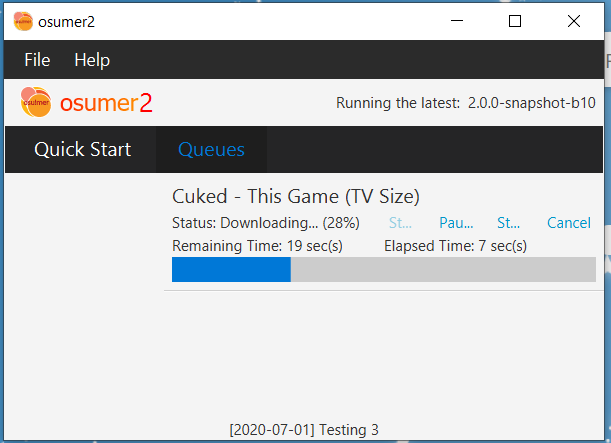
In my instance (2.0.0-snapshot-b10), it does not output an error for me. Please check whether your internet connection is properly connected and your location does not block from accessing osu! domains.

when i got in osu mer it just give me the error in osu i will get back home later this evening and see what happens
Hi, I have the same issue too. The dumps seem to be identical to the author's.

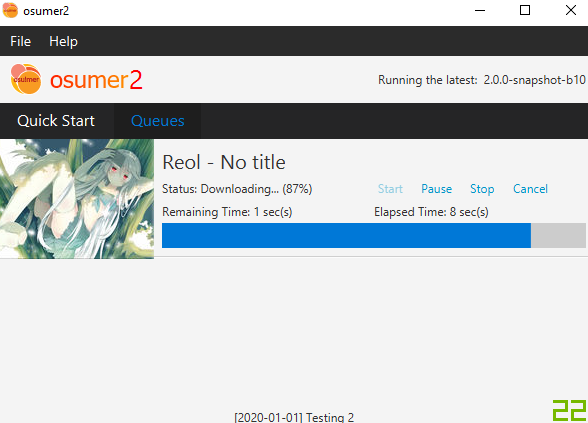
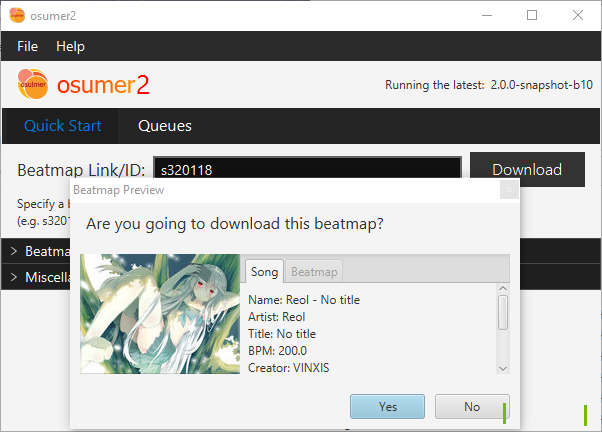
May you guys try directly make a download at the user interface? (e.g. s320118 downloads Reol No Title)? I guess there's a session timeout problem causing this, as the website won't show a download link if you are logged out.
Can you provide what beatmap you have requested it to download? And have you provided correct osu! credentials in the Preferences?
Sure, I used the one you suggested (s320118), and I logged in again just in case. I've tried providing wrong credentials and I get an error message, so I'm pretty sure they are correct.
Can you do "Win+R" and navigate to %localappdata%\osumerExpress\dumps? And upload the latest dumps (check the timestamps) the app generated
I have to apologize that the current debug system in the app is pretty bad. I originally want to change it but it still don't have time.
Just deleted all the dumps and retried, generates two files.
===!===!===!===!-osumer-debugger-dump-!===!===!===!===
Debug information generated on Fri Oct 23 11:51:14 CEST 2020 (1603446674750 ms)
osumerDebugger v.2.0.0-snapshot-b10
osumer v.2.0.0-snapshot-b10

O/S Name: Windows 10

Current operation: Validate download link element. Throw exception if size() equal to 0
Returned message: No element with class "beatmap_download_link", which should be at least one in a beatmap info page. Invalid beatmap URL?

Last operation: Get elements by class "beatmap_download_link"
Next operation: Get the first element of the download links elements

Data specified: (Contains private data)

Exception stacktrace:
com.github.mob41.osumer.debug.WithDumpException
	at com.github.mob41.osums.OsumsOldParser.parseSong(OsumsOldParser.java:429)
	at com.github.mob41.osums.OsumsOldParser.getSongInfo(OsumsOldParser.java:306)
	at com.github.mob41.osumer.ui.MainController$13.run(MainController.java:567)

===!===!===!===!-dump-end-!===!===!===!===
===!===!===!===!-osumer-debugger-dump-!===!===!===!===
Debug information generated on Fri Oct 23 11:51:14 CEST 2020 (1603446674752 ms)
osumerDebugger v.2.0.0-snapshot-b10
osumer v.2.0.0-snapshot-b10

O/S Name: Windows 10

Current operation: Throw debuggable exception on catch
Returned message: Error occurred when getting beatmap info

Last operation: (Try&catch try) getting beatmap info
Next operation: (End of function)

Data specified: https://old.ppy.sh/s/320118

Exception stacktrace:
com.github.mob41.osumer.debug.WithDumpException: com.github.mob41.osumer.debug.WithDumpException
	at com.github.mob41.osums.OsumsOldParser.getSongInfo(OsumsOldParser.java:308)
	at com.github.mob41.osumer.ui.MainController$13.run(MainController.java:567)
Caused by: com.github.mob41.osumer.debug.WithDumpException
	at com.github.mob41.osums.OsumsOldParser.parseSong(OsumsOldParser.java:429)
	at com.github.mob41.osums.OsumsOldParser.getSongInfo(OsumsOldParser.java:306)
	... 1 more

===!===!===!===!-dump-end-!===!===!===!===
My guess is you are still not logged into osu! inside osumer. The download link does not show up if you are logged out. There are multiple reasons causing this:
-
You have not approved your current computer/IP accessing your osu! account. Try accessing osu! website manually in your browser to try download a random song.
-
Configuration mismatch in the current instance of app. Try open osumer, at the toolbar
File -> Exit and terminate daemonand start osumer again after 15 seconds -
Hmm... it's weird... I can't think another reasons causing this
I'm already logged on my current browser, I tried another one just to be sure but I logged in just fine. No luck with number two either, still the exact same error
