

 mltframework
Wrong processing of interlaced yuv422p -> yuv420p
Version 22.04.25. Windows 8.1 64-bit.
Interlaced yuv420p should be processed different, not as progressive, But Shotcut doesn't respect this. And we see some garbage at fps 50i. I can get good result with ffmpeg with special settings "interl":
ffmpeg -hide_banner -i "BUG 50i color YUY2.avi" -vf scale=interl=1 -flags +ildct -pix_fmt yuv420p z-test-res.mp4
I tried to put this interl into "other" tab in export, but didn't work.
This is good results with ffmpeg (marching red bars, slowed down):

This is bad results with Shotcut:
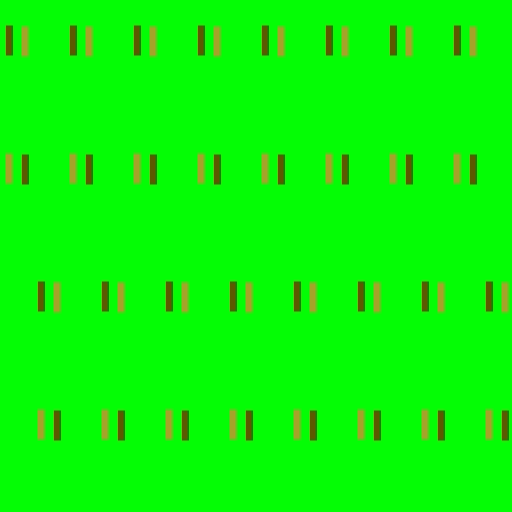
PAL project with Default export. Also set correct interlace everywhere. video-n-project.zip
Exporting in yuv422p is not suitable, because many people have players, which can't play that format.
Would be nice if you fix this. Thank you.

It is not clear if you want interlace or progressive output from this description. When I run your ffmpeg command line it says the output is progressive:
  Metadata:
    encoder         : Lavf59.16.100
  Stream #0:0: Video: h264 (avc1 / 0x31637661), yuv420p(tv, progressive), 720x576, q=2-31, 25 fps, 12800 tbn
But you did not specify a deinterlacer. So, what you get is interlaced images with a file that signals progressive and looks like garbage. Here is a frame from ffplay z-test-res.mp4
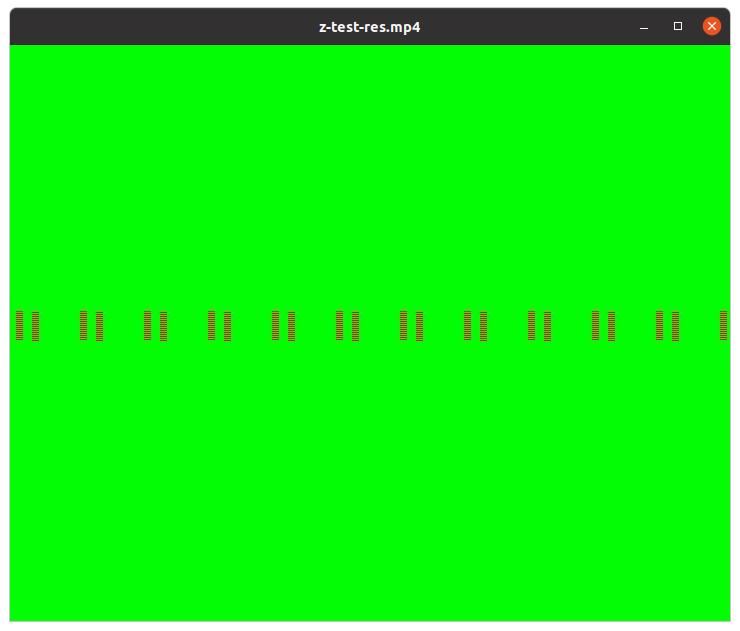
(Also, it stores the wrong aspect ratio.) Using your Shotcut project and looking at Shotcut Export defaults or Default preset, the Scan mode is set to Interlaced, and you get very similar to what you would see if you had turned off Settings > Progressive:

Here you can clearly see the comb teeth from interfield motion a.k.a. scan lines. If you change the export to progressive you get something like you show in your second image. That is not a bug; it is just weak deinterlacing. That is all it can it can do at this time. It looks so bad because of your synthetic example that creates an adverse scenario. If you want best deinterlace, you need to use Properties > Convert > Advanced > Deinterlace. That uses the ffmpeg bwdif filter to deinterlace. It is impossible for us to use it in the video editing/processing engine, however. That is why it is offered as a converter.
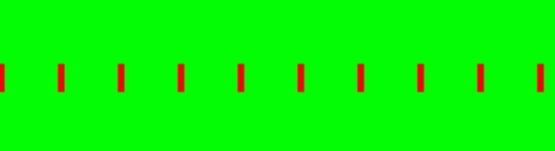

I'm doing old PAL videos. So no need to ruin it with deinterlace. I have for input and want to output 50 interlaced fps aka 50i. So first good gif, with red bars is not deinterlaced. It is 50i on capable player.
yuv420p(tv, progressive), 720x576
You wouldn't believe, but text "progressive" here is a BUG too. The output is TFF actually, because "-flags ildct".
ffplay...
This player can't handle 50i, so checking with it has no sense. Also preview window in Shotcut. You need more capable player. Lets say, Windows Media Player from Windows 8.1 showing 50i, as nicely scrolling red bars to the right, It is special test video. If you can't say direction - you have only 25 fps. True 50i TFF gives right scrolling, BFF gives scrolling to the left. I knew it would not be easy, if you not experienced with interlace. So I did gifs with slow-motion.
Interlaced yuv420 need to have color for 2 lines, then skip 2 lines and so on. Unlike progressive yuv420, which has all odd lines. This is not implemented.
...wrong aspect ratio...
Yes, but this is nothing to do with the problem, so ignore that.
So, I'm still dreaming about getting results from Shotcut as good as from ffmpeg.
Simple question: Can I add "-vf scale=interl=1" to export command somehow ?
You are confused by judging the quality of interlaced video output using a media player that does some form of deinterlacing. Shotcut does output interlace if you request that. Check Export > Advanced > Video > Scan mode before you export. I know a lot about interlace; do not insult me. But Shotcut does not provide interlace-aware scaling. Any operation that will scale the video vertically will invoke a deinterlace.
I reproduced the problem by opening BUG 50i color YUY2.avi in shotcut and exporting that as interlaced. Then, open the result and use Properties > Convert > Advanced > Deinterlace. The result is not the clean red bars like we see when converted from the original AVI or with z-test-res.mp4.
This might be occurring because the pixel format conversions are not isolating between fields such as -vf scale=interl=1 does. I wonder what that does in the original post's ffmpeg command line since there is no scaling or other explicit operation. I suspect because the input is yuv422p and output is yuv420p the explicit scale filter is taking care of pixel format conversion instead of aautomatically-inserted. Basically, this is a request to add interlace field-awareness to the MLT swscale filter based on the approach used in libavfilter/vf_scale.c. Interlace improvement is not exactly a high priority for me, and there are not many developers contributing that seem interested. If you or anyone else reading this are interested to add this see src/modules/avformat/format_swscale.c in MLT.
Convert > Advanced > Deinterlace
Yes, good way to see 50 fps. Also I noticed, that if I convert like that z-test-res.mp4, input field order is wrong. Bars should move to the right.