

 mltframework
UI scaling wrong with 4K Monitor - 200% DPI
When using a 4K monitor (3840x2160) with 200% DPI, the UI looks horrible and is barely readable because some elements are too small.
Screenshot of the issue:
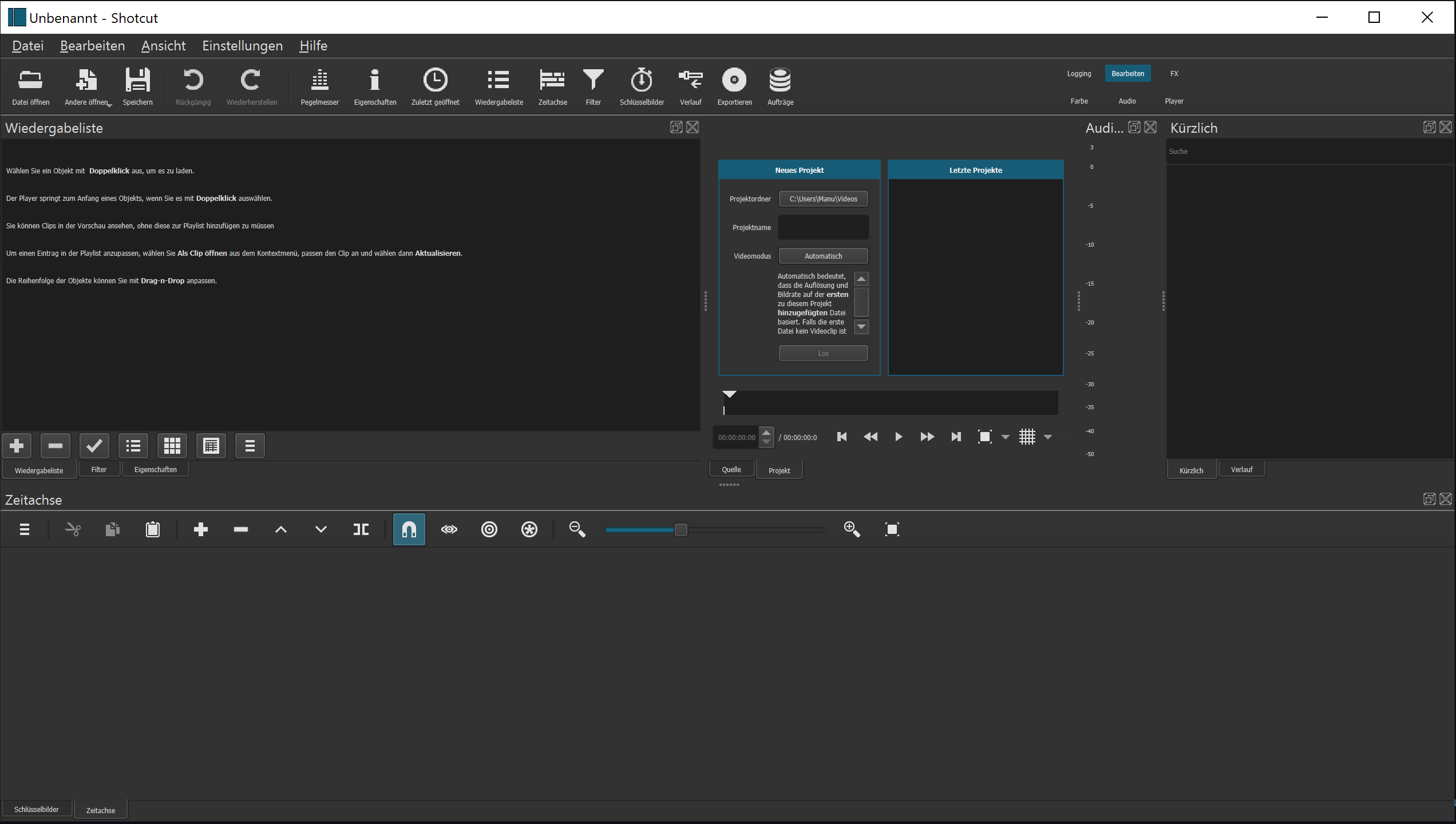
I pointed out the main issues (there are many more elements throughout the app which are too small):

OS: Windows 10 - 21H1 19043.1023 Shotcut: 21.05.18

I have not reproduced this, but others have reported similar issues. Here is mine where screen 1 is a 4K at 100% scaling, and screen 2 is 4K at 200%, and this was taken from screen 2

Are you using more than one screen? Did you change the Windows Shotcut shortcut properties? In particular, Compatibility > mode or high DPI settings?
I believe screen physical dimensions may also be a factor. My screens are 42" TVs. Please understand that much of what happens here is not directly controlled by us but rather the UI library and its interaction with the operating system. We do very little to override or guide its decisions except a little with respect to rounding where fractional scaling is involved: for example 150%. Rather, we do expose some command line arguments that can be added to the Windows shortcut: https://shotcut.org/notes/command-line-options/
For example, maybe it works better for you to use --QT_SCALE_FACTOR 2

@ddennedy I use two monitors: the main monitor is 4K @ 200% DPI, the secondary is a Full-HD 1080p monitor with 100% DPI. the 4K monitor is 40" and my secondary one is 42". But this SHOULD not be an issue, since windows doesn't know how large the monitor is. I still have to test if it looks better with the scaling factor set.
I'm not sure if it helps, but I recently fixed a scaling issue in my WPF app by enabling "per-monitor DPI support" in my app manifest. Perhaps there is something like that in Qt as well? https://docs.microsoft.com/en-us/windows/win32/hidpi/high-dpi-desktop-application-development-on-windows
Have same issue. In my new setup primary 4K 150%, secondary FullHD 100%.
Shotcut takes font's size from primary monitor and becomes eye painful small on FullHD monitor.

