misskey-dev
In a window, when its size is between whether or not the scrollbar is visible, the style's width determination loops endlessly and the display is too violent.
💡 Summary
ウィンドウで、そのサイズがスクロールバーが表示されるかどうかの間になっているとき、スタイルの幅の判定が無限ループして表示が荒ぶる
https://user-images.githubusercontent.com/7973572/187453682-d89dca39-c066-43da-a420-23717daf6864.mp4
🥰 Expected Behavior
表示が固定される
🤬 Actual Behavior
表示が荒ぶる
📌 Environment
Misskey version: Misskey v12.118.1 Your OS: Windows 11 Your browser: Microsoft Edge バージョン 104.0.1293.70 (公式ビルド) (64 ビット)


https://user-images.githubusercontent.com/7973572/204084415-c2854f31-ba4f-4bec-b3ae-d7eb42d332ee.mov
と思ったけどこれflexboxが原因じゃない?
どこでどういうサイズ判定が働いているのかわかってない
https://github.com/misskey-dev/misskey/blob/8b9dc962ae7b04354c65f6e80ad0e9a6bafd57ea/packages/client/src/components/global/MkSpacer.vue#L2
ここら辺かな
I noticed a similar issue when sending chat messages sometimes on desktop, however, I wasn't able to figure out the reproduction steps.
But it seemed to happen when the chat composer box was above the bottom of the screen. If I scrolled up, it would resolve it.
I don't know if it's related to this, but I thought I'd mention it in case.

再現性については、あるサイズにウィンドウを狭めると必ず発生します
clientWidthにすればいいかな?
逆では(offsetWidthの方がスクロールバーを含んでいる)
https://github.com/misskey-dev/misskey/blob/8b9dc962ae7b04354c65f6e80ad0e9a6bafd57ea/packages/client/src/components/global/MkSpacer.vue#L44
これ本当?

これ本当?
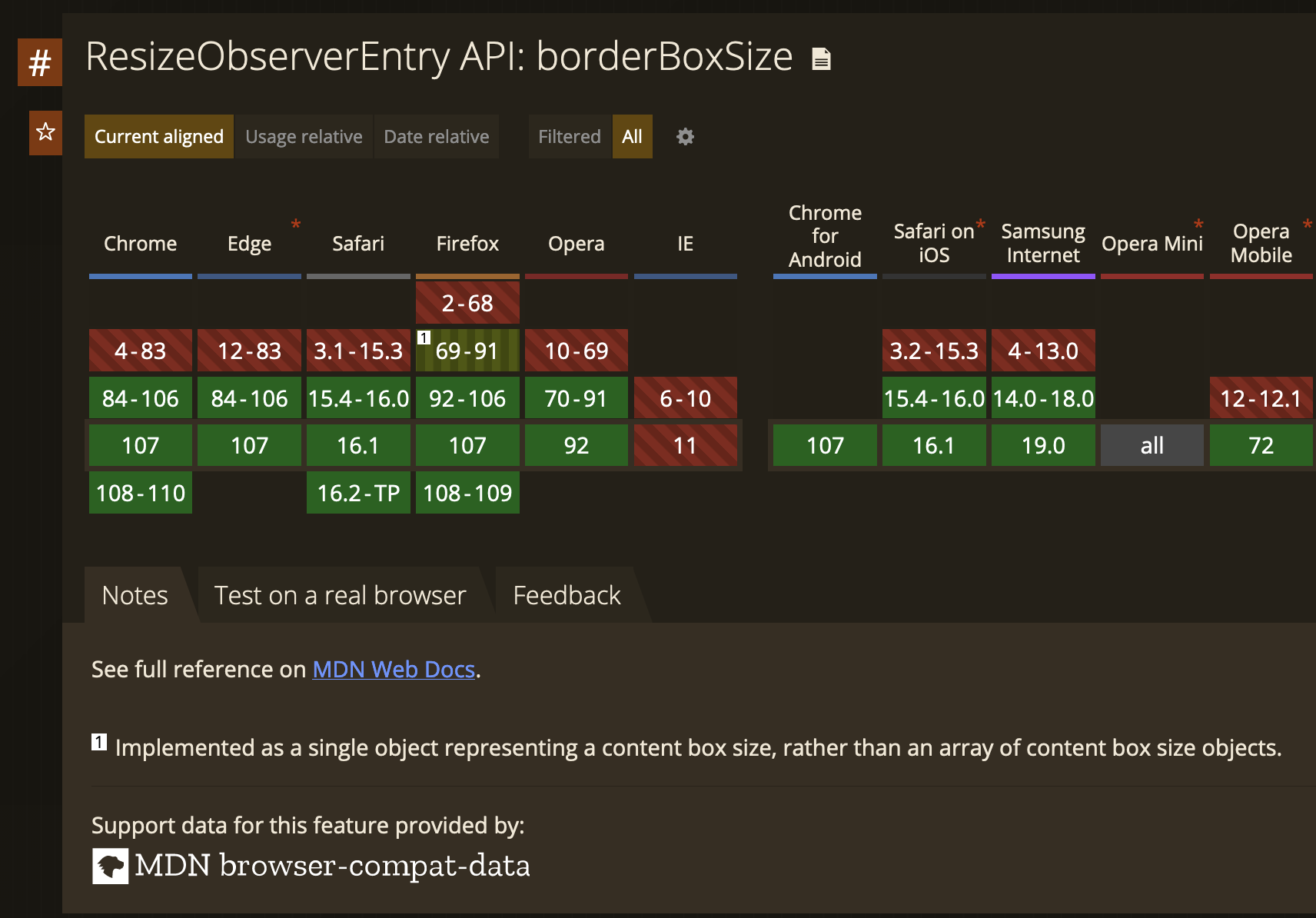
Safari 15.4から対応なので妥当なコメント
https://caniuse.com/mdn-api_resizeobserverentry_borderboxsize