

 minorua
2.0 Point Object Elongation and Elevation Issues
First of all, I want to offer a sincere thank you @minorua. The work that you've put into this plugin has been tremendous and the new version has some incredibly useful features. The live preview exporter is an immensely valuable asset in terms of workflow.
At first look, I'm noticing a few minor issues with the way that the plugin is exporting point objects and rendering the disk object shapes.
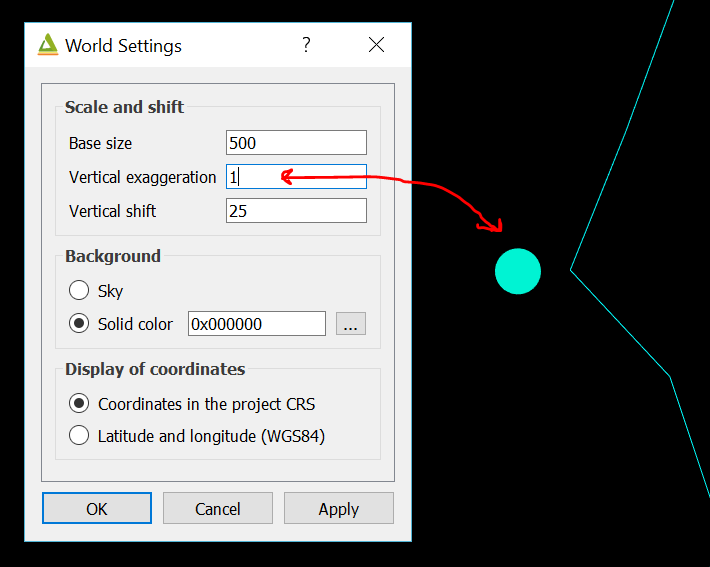
Disks seem to be elongated on one axis when the vertical exaggeration in world settings is set to >1. They become ovular instead of circular.
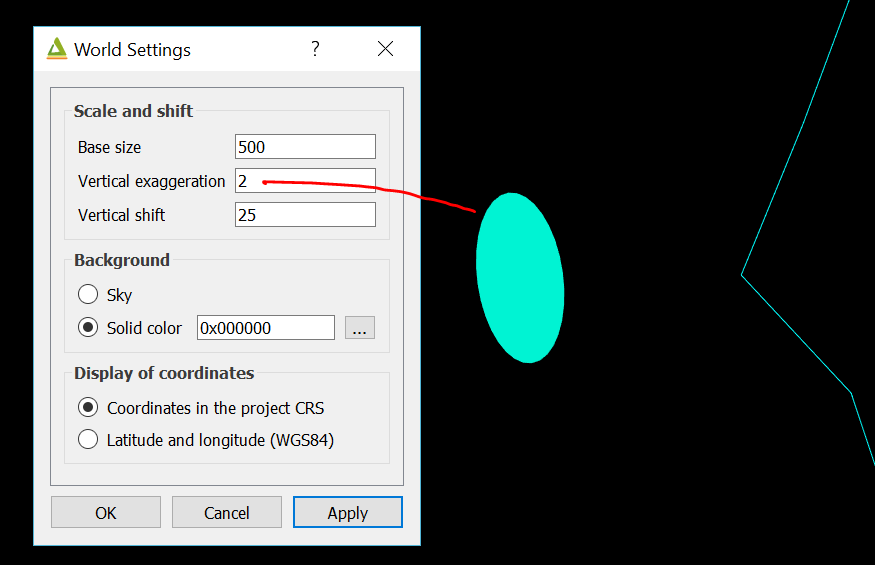
Setting the exaggeration to 1 makes them circles again.
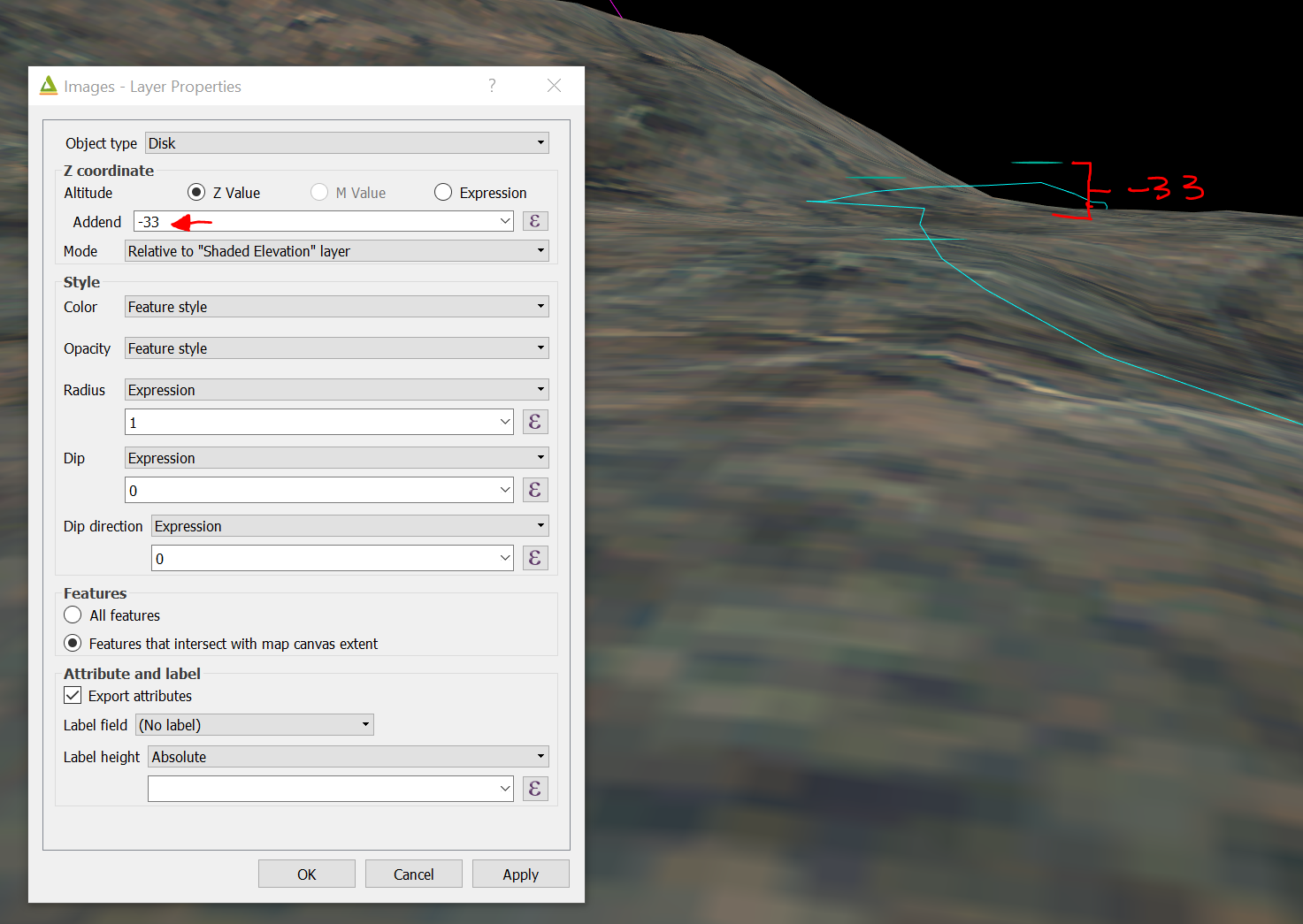
Another thing that I immediately noticed was that the Z Value offset relative to a DEM layer seems to be off.
Here are those same disks set to be -33 units offset from my DEM.
And again at 0 units. They seem to be floating far above the elevation that was specified in the properties input.
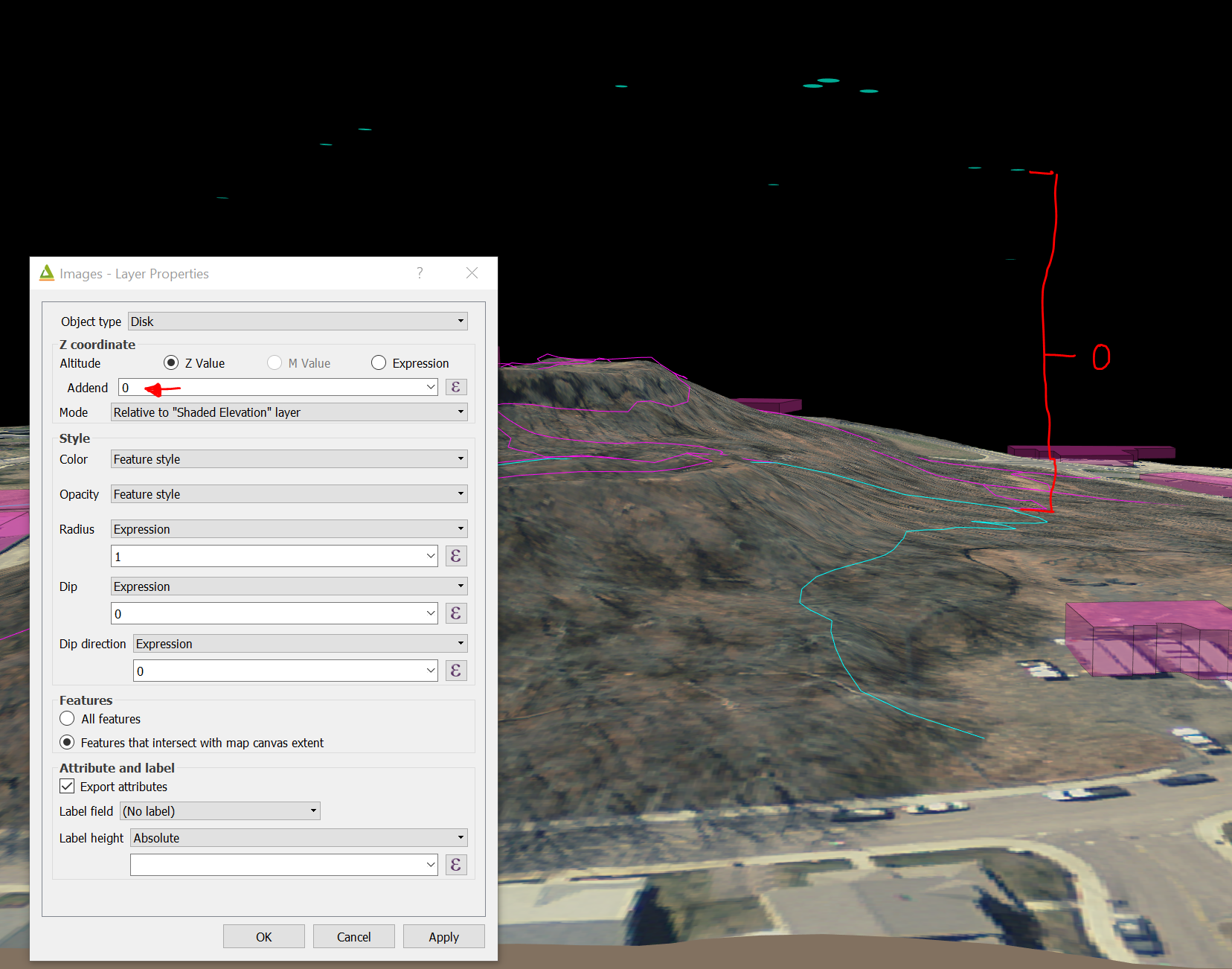
Changing the vertical exaggeration to higher or lower exacerbates this problem.

Just noting that this is still an issue. I'll look into fixing it for myself in the 2.1 version that was just released and then posting a fix here.
I'm sorry for late reply, and thank you for your coorperative work.
The behavior that the disks become ellipses is by design. I wanted to show discontinuous planes with disks. The disks should be elongated to fit exaggerated terrain.
The vector layer in the images has z-values, and you selected z-value and relative to a DEM layer. So the elevation of each point object is:
z = DEM elevation + Z value + Addend
I think you can produce expected result by selecting expression instead of z-value.
