mini-software
Value : , it can't cast to Nullable`1 type.
Excel Type
- [ ] CSV
Upload Excel File
Please attach your issue file by dragging or droppng, selecting or pasting them. 22.XLS
MiniExcel Version
最新
Description
‘using (var stream = File.OpenRead(path)) { var xxx = stream.Query<ForSales>(excelType: ExcelType.CSV, configuration: new CsvConfiguration() { Seperator = '\t', StreamReaderFunc = (stream) => new StreamReader(stream, Encoding.GetEncoding(936)) }); }’ xxx的resultview,会出现:ColumnName : 成交金额, CellRow : 2, Value : , it can't cast to Nullable`1 type.,我不清楚是不是BUG

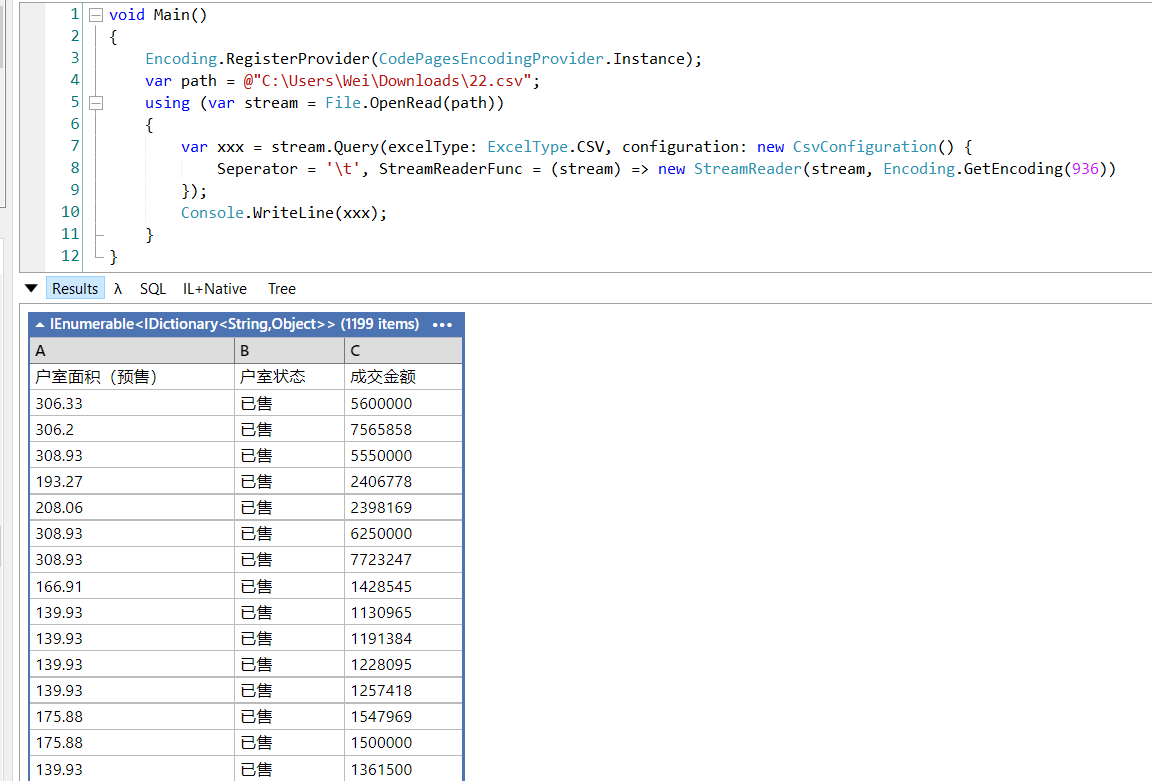

是的,这个可以出来的,但如果继续 .Where(fs =>Convert.ToDouble(fs.成交金额)==0 ); 就会弹出 ColumnName : 成交金额, CellRow : 2, Value : , it can't cast to Nullable`1 type.
因为后面数据有空白,MiniExcel csv dynamic query预设型别为string,所以有此问题
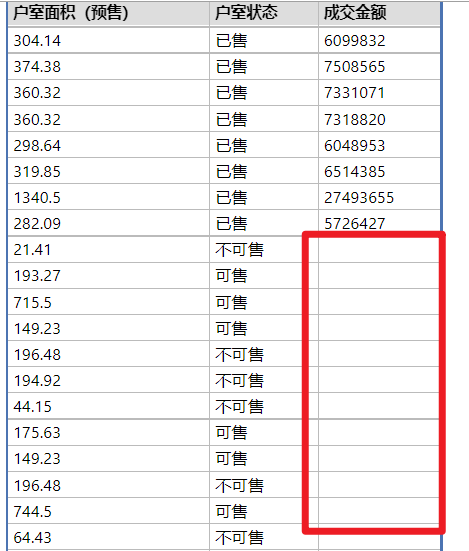
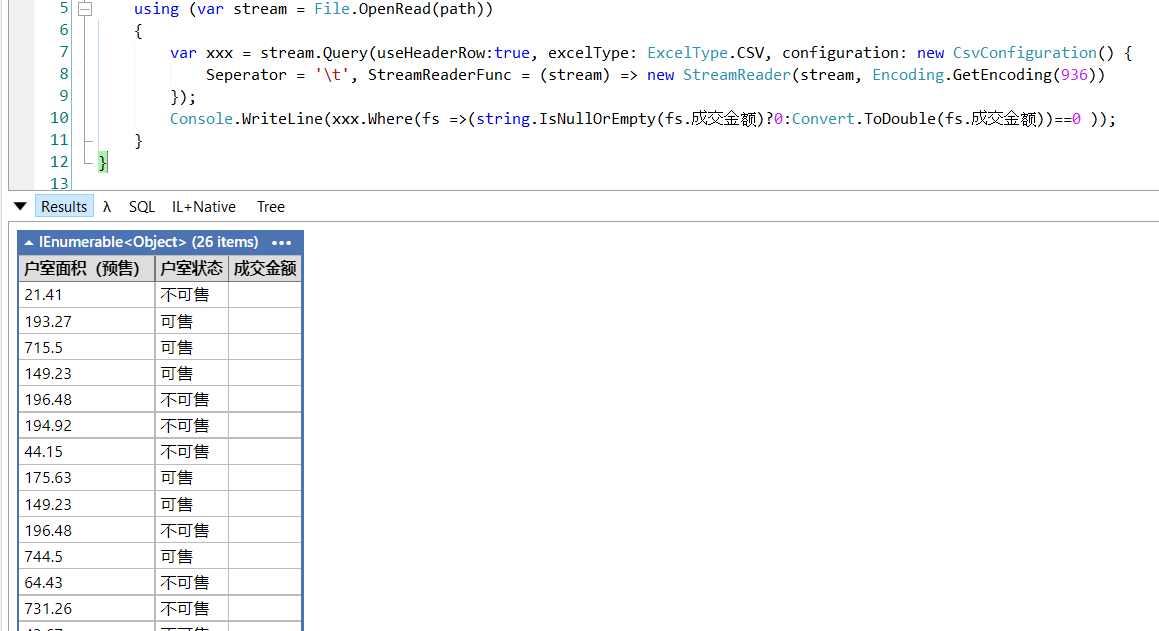
可以增加如下判断,或是使用强型别Query
	using (var stream = File.OpenRead(path))
	{
		var xxx = stream.Query(useHeaderRow:true, excelType: ExcelType.CSV, configuration: new CsvConfiguration() {
			Seperator = '\t', StreamReaderFunc = (stream) => new StreamReader(stream, Encoding.GetEncoding(936))
		});
		Console.WriteLine(xxx.Where(fs =>(string.IsNullOrEmpty(fs.成交金额)?0:Convert.ToDouble(fs.成交金额))==0 ));
	}