

 mifi
mifi
[Feature request] Smaller disk footprint
Hello. 😊
After installing LosslessCut today, I noticed that its disk footprint could be significantly smaller. Currently, LosslessCut comes with two large files, FFmpeg.exe and FFprobe.exe, which occupy 182 MB. They are from the static build of FFmpeg.
You could reduce this 182 MB to half if you use the shared build of FFmpeg. There is only a small drawback: Instead of two files, you have to include 10 files. (LosslessCut already has 71.)
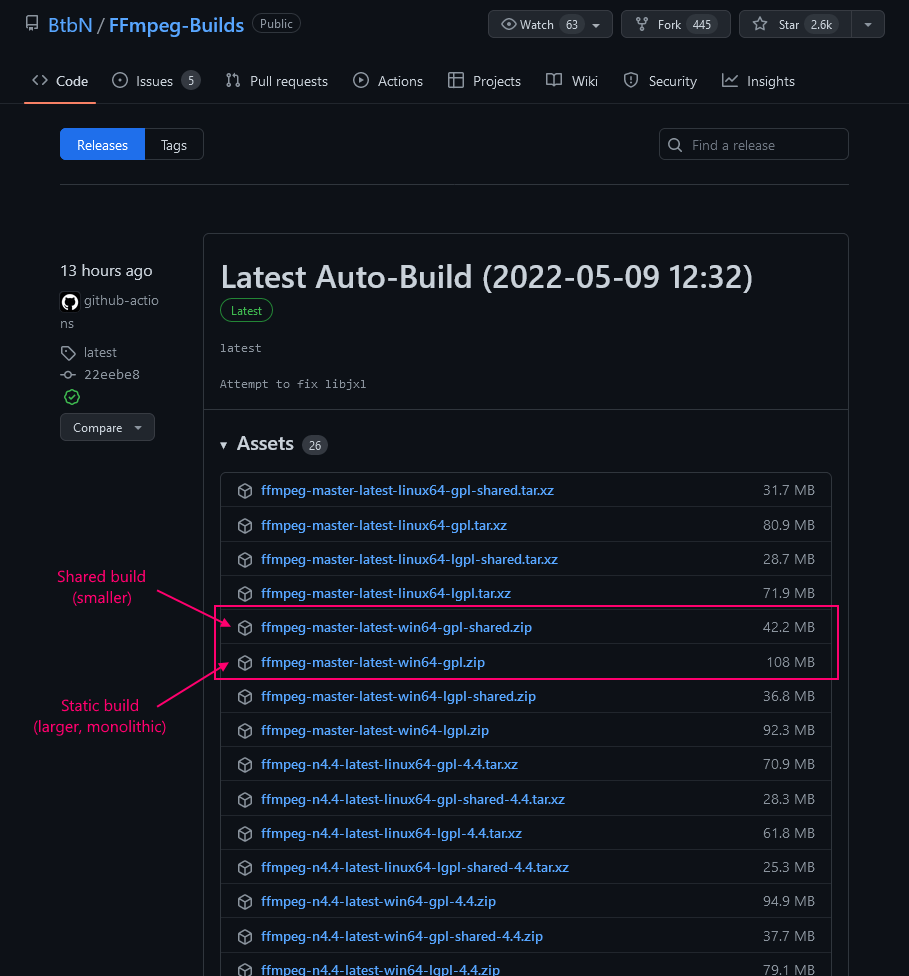
Here is where to get the shared build (click here to expand)

Hi! i'm not sure if this could have some other negative implications. I'm thinking that because they are not static builds, they might be missing some dependencies that are not installed on all computers, like core Windows libraries that might differ from OS to OS, possibly causing users to get an error if they are missing thse dependencies or have the wrong version

Hi again.
The concern you are voicing is called "dependency hell." It is a known problem of Linux, not Windows. Ironically, the absence of dependency hell in Windows is because of its non-free, closed-source nature.
If you are still in doubt, you can:
-
Run a dependency walker.
I did it for you. Here are the details.
FFmpeg.exe takes a dependency on the following files:
- Part of Windows since ancient times
- ADVAPI32.dll
- KERNEL32.dll
- msvcrt.dll
- SHELL32.dll
- Part of the FFmpeg package; you need to include them
- avcodec-59.dll
- avdevice-59.dll
- avfilter-8.dll
- avformat-59.dll
- avutil-57.dll
- postproc-56.dll
- swresample-4.dll
- swscale-6.dll
- Part of Windows since ancient times
-
Test your app on all three versions of Windows released in the last ten years. (Testers can have them free of charge.)
-
Let me test your app on five different versions of Windows released in the last 15 years. I can create videos and upload them here.
Thanks for researching. This is definitely an improvement that I should test. I'm not sure why the static builds are so much larger though. One would think that linking the exact same code but instead in a static way would yield approximately the same size as the sum of the non-static dlls
Hello, @mifi. I made this simple request 17 releases ago, all of which could have had smaller sizes. I hate to be pushy but fulfilling this request takes very little time.
Hi. Im not using BtbN builds now. Am using gyan essentials build, so I would need to find out which build (if any) in btbn corresponds with the one I’m using now. Did you figure out why shared builds are smaller than static builds? Is it because ffmpeg and ffproble commands don’t need to duplicate their common dependencies?
I would need to find out which build (if any) in
btbncorresponds with the one I’m using now.
Please see the screenshot I've posted. I've marked the correct item.
That said, Gyan has shared builds too. Here is a comparison of their extracted sizes.
| Build name | Size of the bin folder |
|---|---|
| Gyan, Essential, static build | 231 MB |
Gyan, Essential, static build, without ffplay.exe |
154 MB |
| Gyan, Full, shared build | 136 MB |
| BtBn, GPL, shared build | 125 MB |
Since Gyan's full shared build is already small, he doesn't make essential shared builds.
Did you figure out why shared builds are smaller than static builds? Is it because
ffmpegandffproblecommands don’t need to duplicate their common dependencies?
Exactly. That's essentially why DLLs were invented – to reduce the app size by eliminating code duplication.
Ive created a build that seems to pass. maybe you can test it: https://github.com/mifi/lossless-cut/actions/runs/4614814877 scroll down to find the artifacts
do you happen to know if this also works for linux? i did the same for .so files (same as for .ddl files, place them in the same directory), but I don't know if that will actually work.
I grabbed a copy of Ubuntu and tested it. It was tricky. Here is a screenshot.
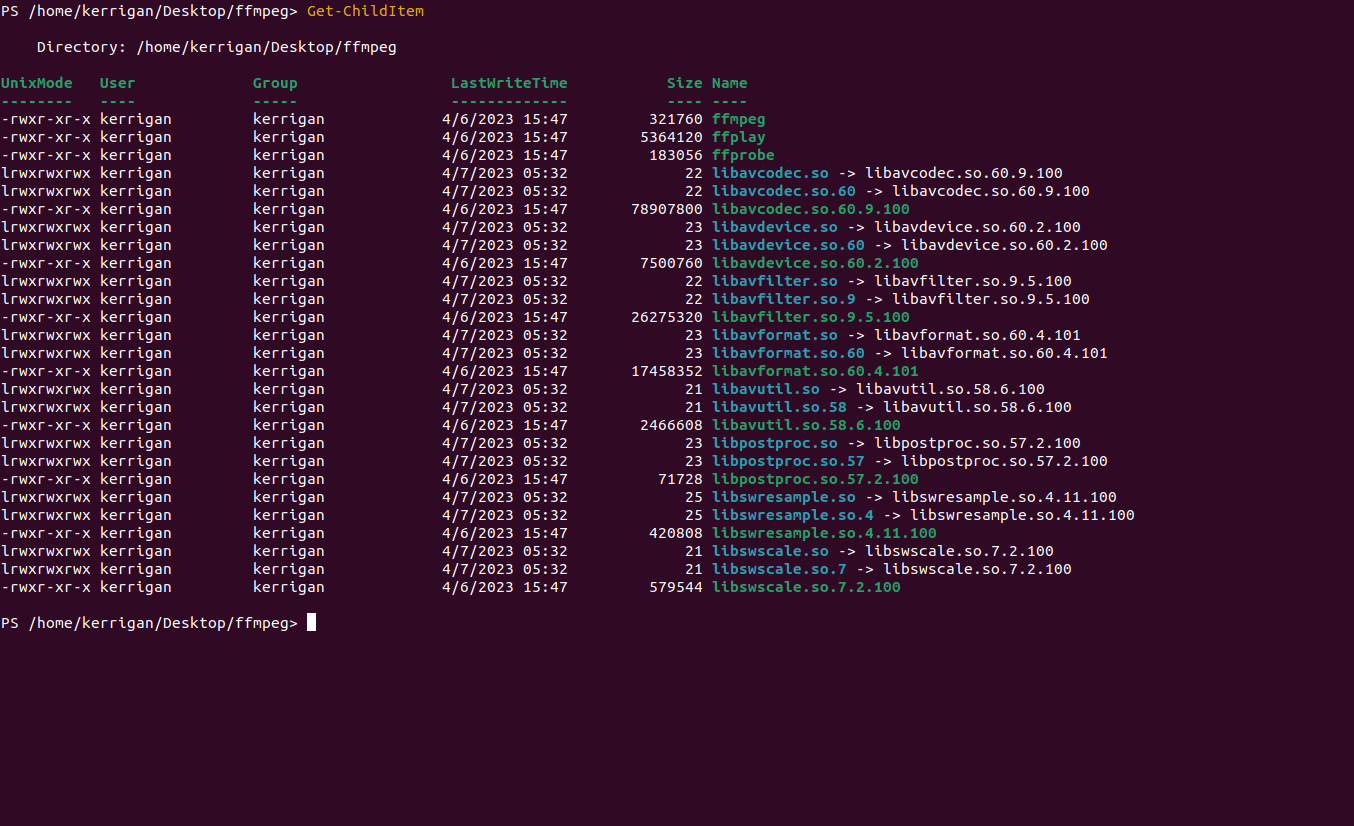
Do you see those blue items, each with a 20—22 bytes size? They are symbolic links. (A symbolic link is not an actual file. It points to another file.) You need to be careful so as to preserve those.
I believe they are already preserved in LosslessCut, aren't they? Did you try to run losslesscut from the linux binary from here? https://github.com/mifi/lossless-cut/actions/runs/4614814877
Here is how I got ffmpeg to work, with no symlinks.
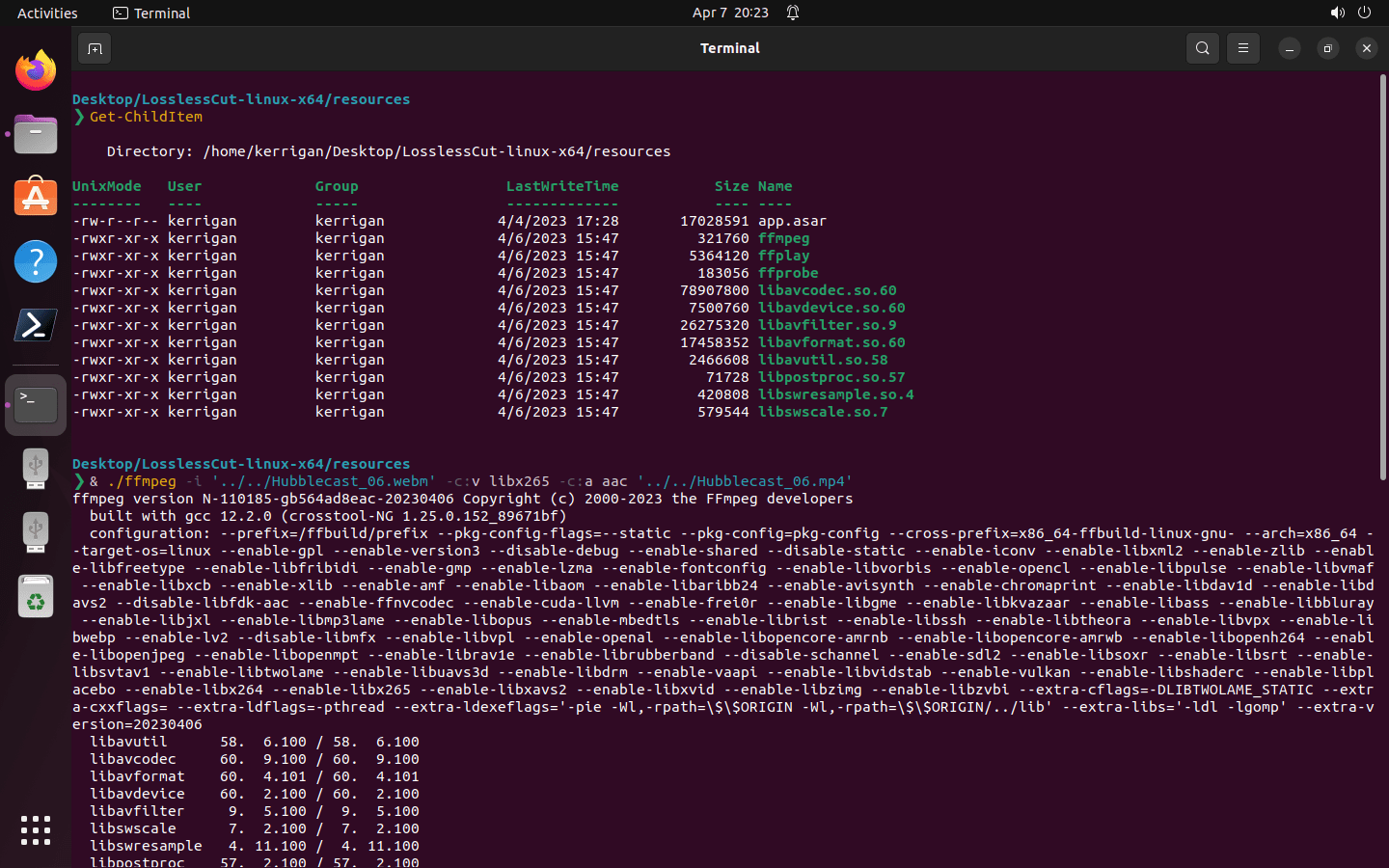
Here is proof that it worked.
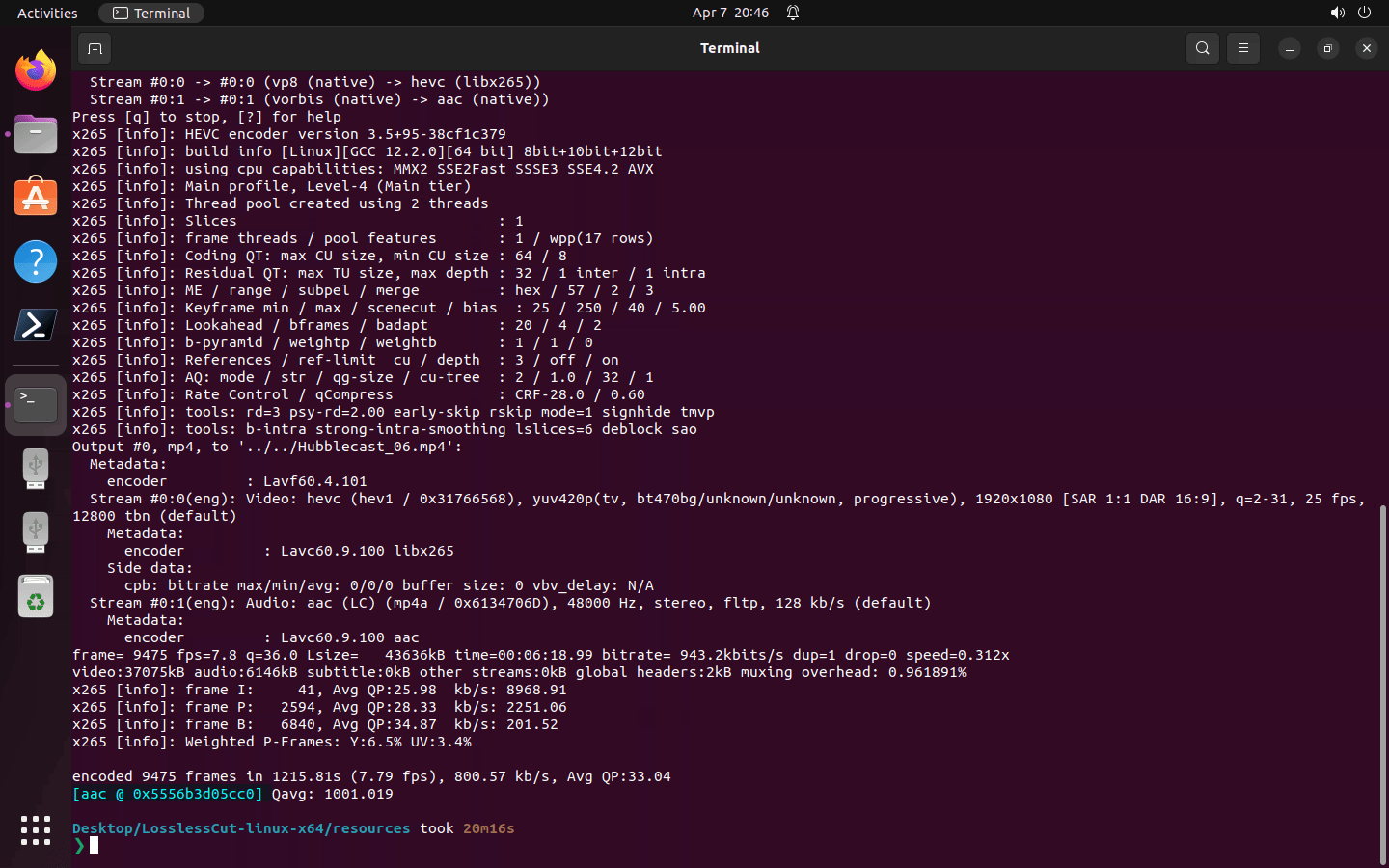
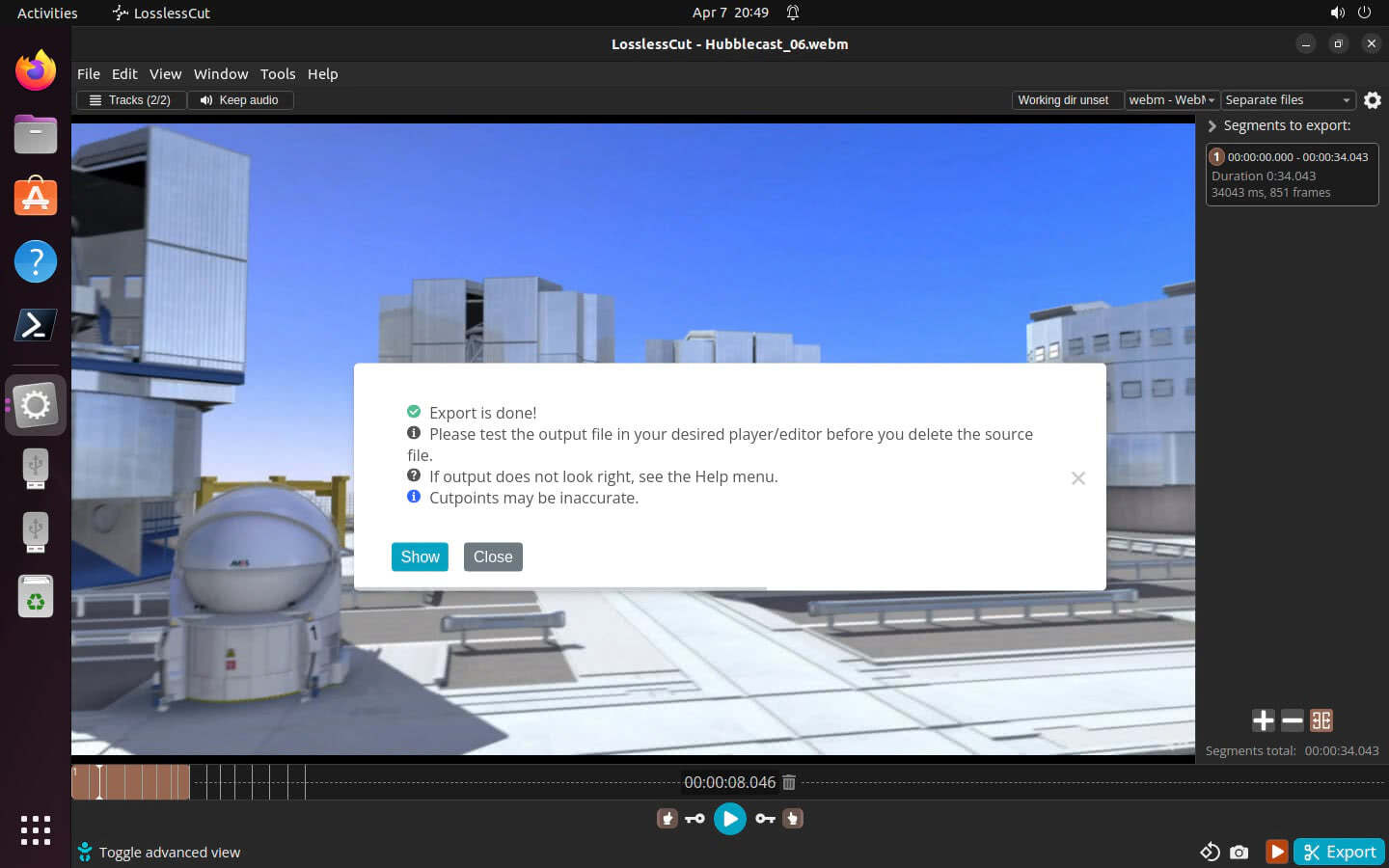
And here is LosslessCut using it.
nice, thanks. do you have ffmpeg (libav*) insalled in your system though? I'm afraid it's using those instead.
I think I will do something like this to be safe:
spawn('ffmpeg', [], {env: {LD_LIBRARY_PATH: '/path/to/losslesscut'}})
- https://stackoverflow.com/questions/51930254/run-a-binary-file-with-shared-object-dependencies-on-nodejs-express-server
- https://stackoverflow.com/questions/25356641/distribute-so-file-on-linux