
microsoft-graph-comms-samples
 microsoft-graph-comms-samples copied to clipboard
 microsoftgraph
Could not load file or assembly 'Microsoft.Rtc.Internal.Media.DLL' or one of its dependencies. The specified module could not be found.
Hi,
I am trying to deploy Teams Recording Bot as a web application. While debugging the solution, I am seeing the below error.
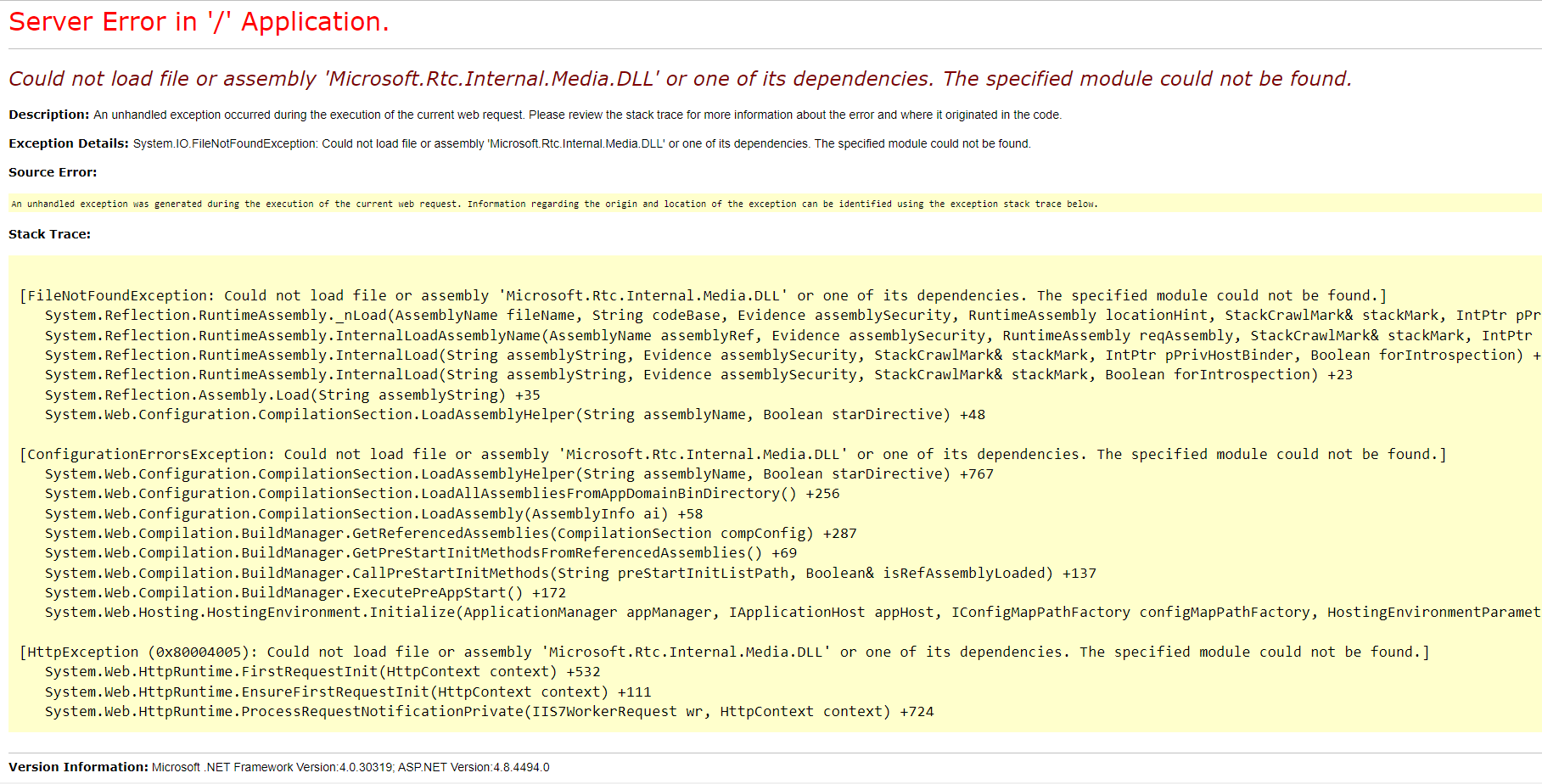
I am a python programmer, I am very new to Visual studio, .NET and C#. So, it became so difficult for me to understand the information available regarding this issue online. Please help me in debugging this and let me know if you need any other details to understand this issue better or guide me like what else need to be considered such as any version mismatches or something.

Do you run in 64-Bit mode?
Following issues could be helpful for you: #122 and Microsoft.Rtc.Internal.Media assembly error

@leo0104 , I am running this locally in Visual Studio using IIS Express(Microosft Edge) in a windows 10 Pro server 64-bit VM.
Did you set x64 as active Platform in the Configuration Manager in Visual Studio?
Thanks for replying @leo0104. There are actually 3 projects in this application in which the main solution/project is a web application and the other two projects are Class Libraries. One of the projects is having X64 as active platform
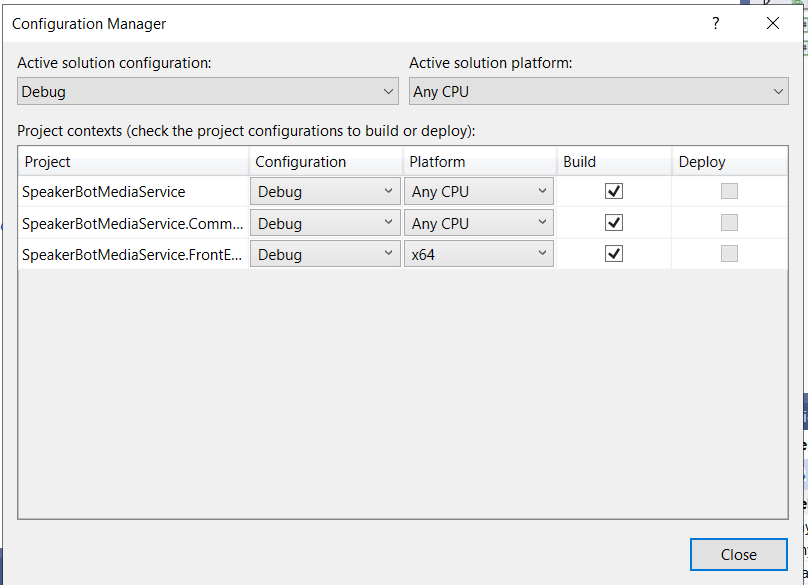
You can try to set the platform target of the project where you are using Microsoft.Skype.Bots.Media to x64 and the solution platform to x64 but I'm not 100% sure if it works then.
What kind of webapplication have you created? The only way I have found to use the Skype.Bots.Media package behind a web application is to create an asp.net core project that targets .net framework 4.7.2.

You can't run the Bot in IIS, IIS does not have access to windows dependencies like the mentioned dll and other stuff

You can't run the Bot in IIS, IIS does not have access to windows dependencies like the mentioned dll and other stuff
so how do we run it? Im having a similar problem with the EchoBot example:
Could not load file or assembly 'Microsoft.Extensions.Options, Version=7.0.0.1, Culture=neutral, PublicKeyToken=adb9793829ddae60'. The system cannot find the file specified. press any key to exit...

You run it as a .NetFramework (yes the old one) console application on windows